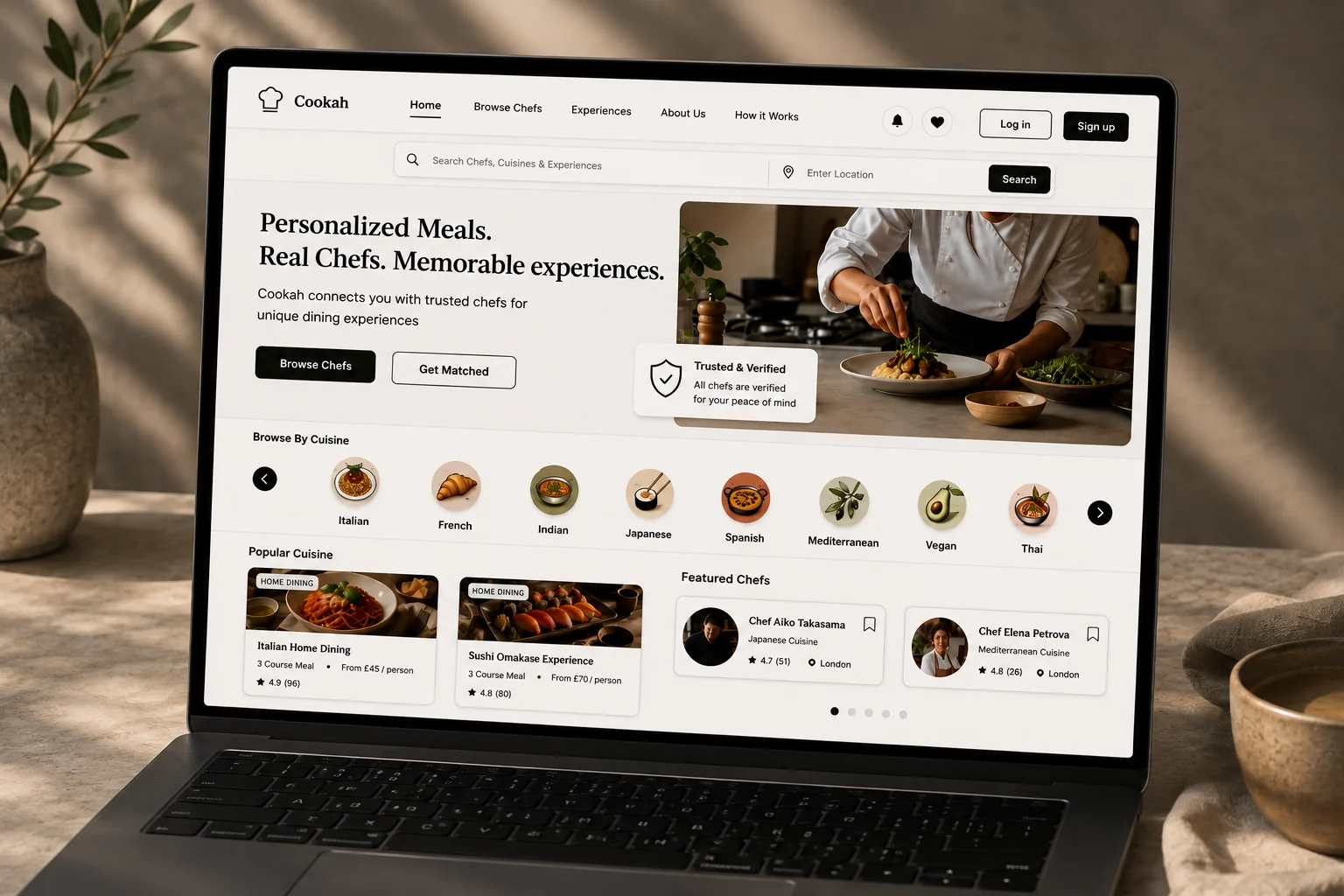
Cookah — Private Chef Platform
End-to-end product concept connecting people with local chefs for personalised at-home dining. I explored trust, discovery, booking and chef needs through research, journeys, flows and prototypes.
View project ↗UX / PRODUCT DESIGNER — LONDON
Open to junior rolesUX Design graduate from University of the Arts London, working across user research, interaction design and prototyping — from digital services and mobile interfaces to physical and spatial experiences.
Current focus
SELECTED WORK
Research-led case studies covering discovery, structure, interaction and testing.
End-to-end product concept connecting people with local chefs for personalised at-home dining. I explored trust, discovery, booking and chef needs through research, journeys, flows and prototypes.
View project ↗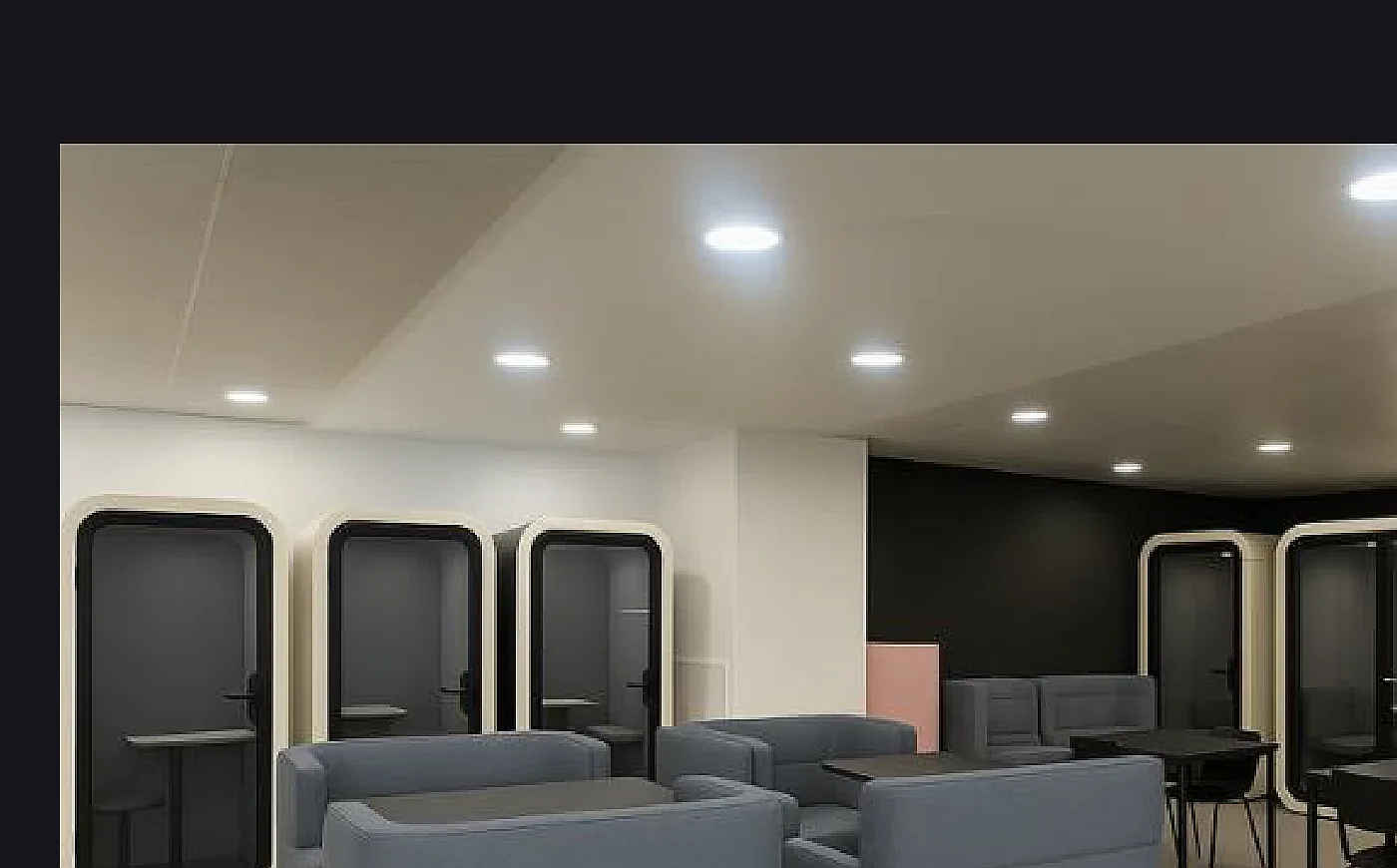
Human-centred redesign of university study spaces, using student research and iterative testing to create more flexible, comfortable and collaborative environments.
Ethnographic UX research examining how children and adults interact with technological displays, with findings translated into practical experience improvements.
View project ↗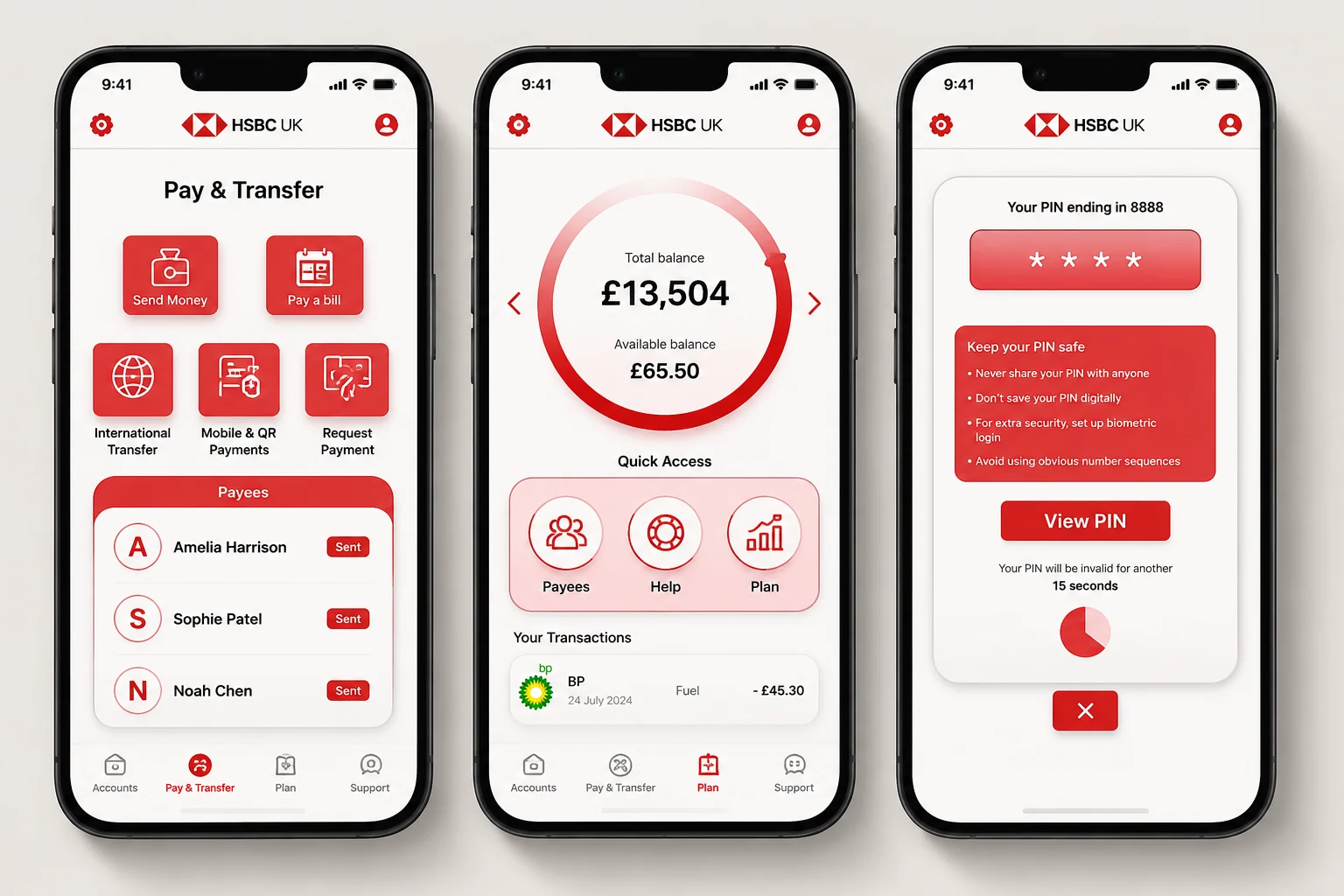
A personal redesign focused on simplifying common banking tasks, improving information hierarchy and creating a clearer mobile experience.
View project ↗Connecting people with trusted local chefs for personalised dining experiences — designed around trust, direct communication and a clearer booking journey.
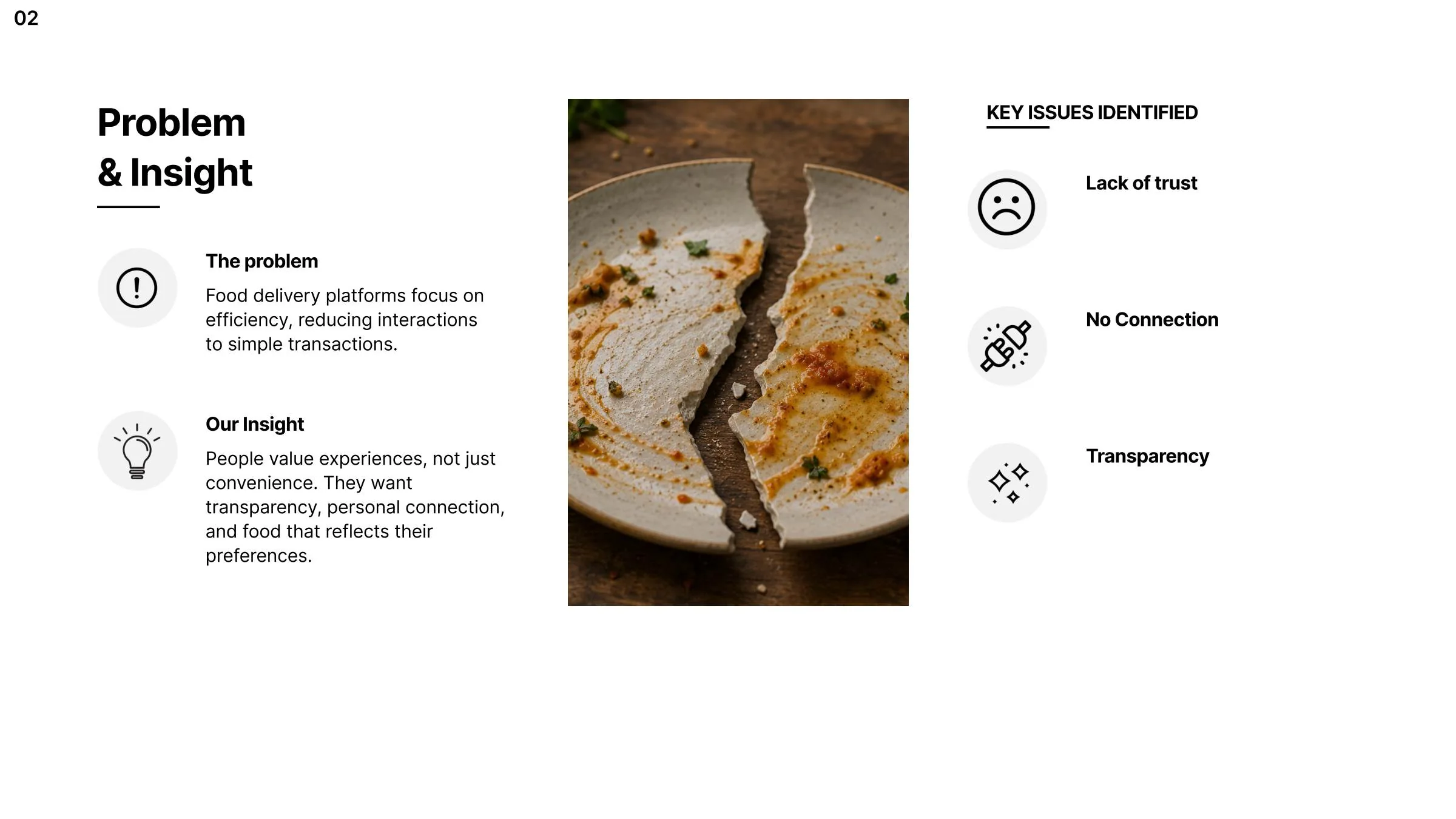
Cookah started from a simple problem: many food platforms optimise for speed and convenience, but the experience can become transactional. I explored how a digital product could create more trust, transparency and personal connection between customers and chefs.
Customers need confidence in who is preparing their food and what they are booking.
Typical ordering flows leave little room for direct conversation or relationship-building.
Users need clearer information around chefs, menus, pricing, availability and the experience.
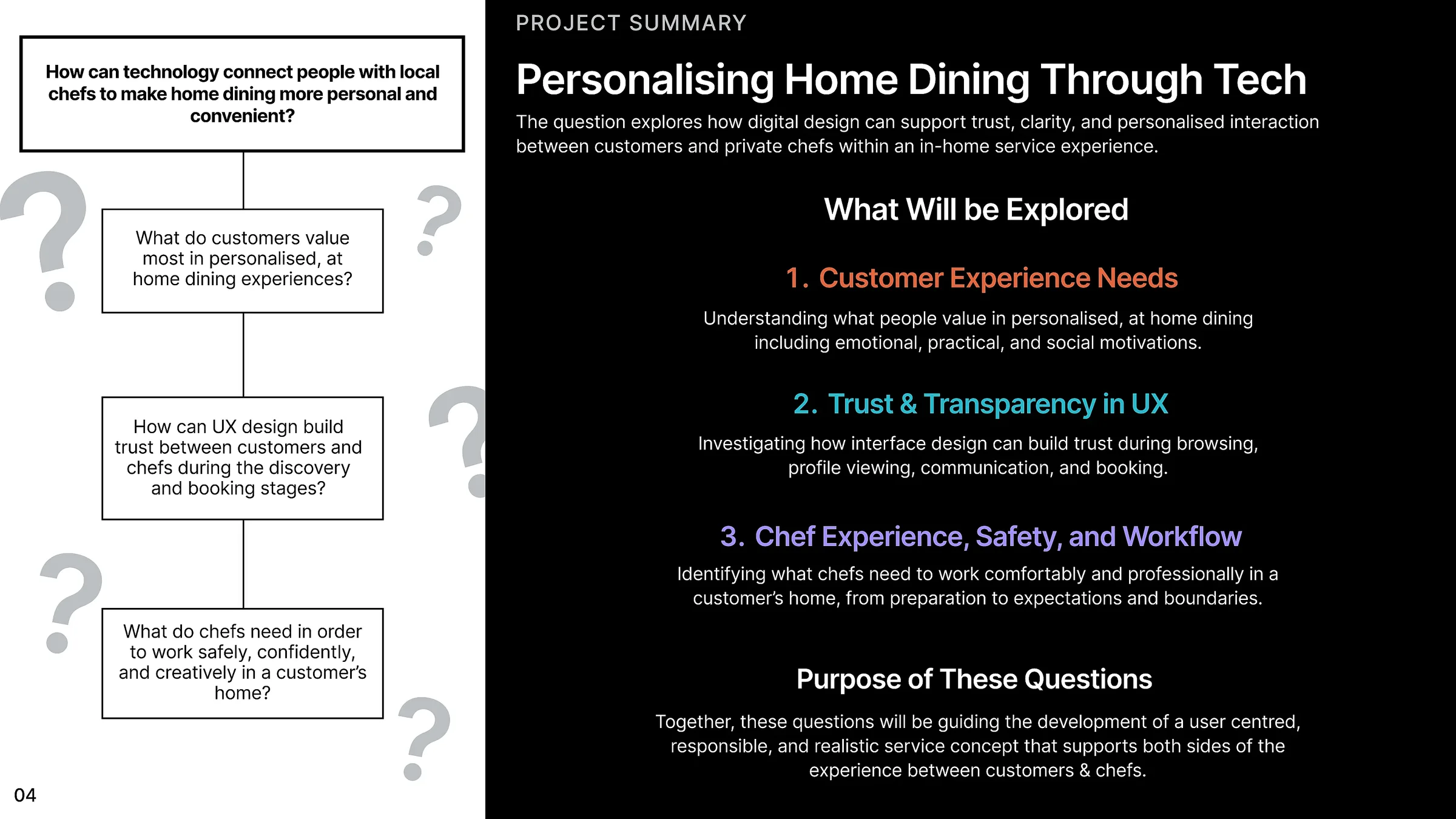
I framed the research around the two sides of the service: what customers need to feel comfortable booking a chef, and what chefs need to work safely, confidently and creatively in someone else’s home.
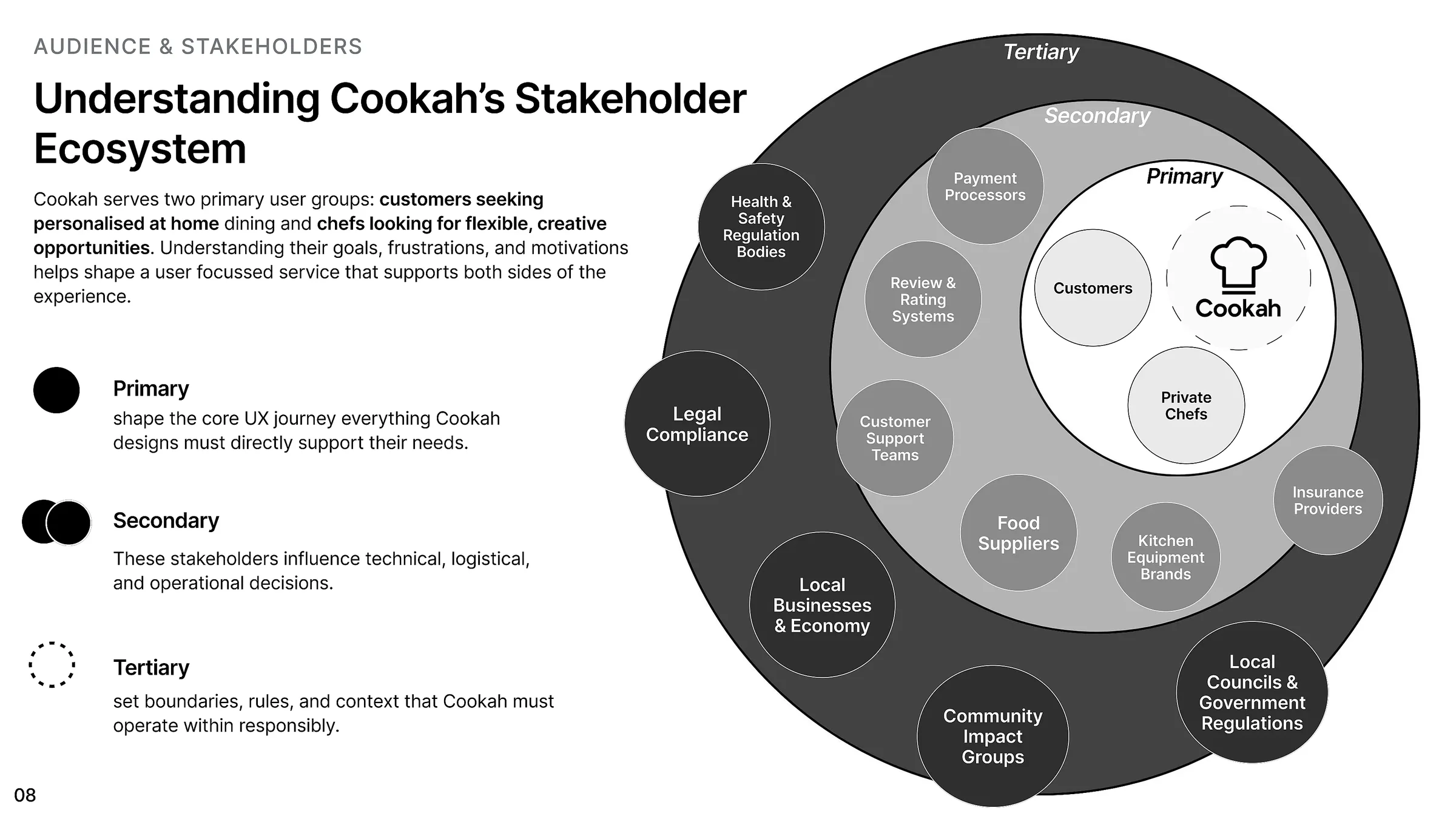
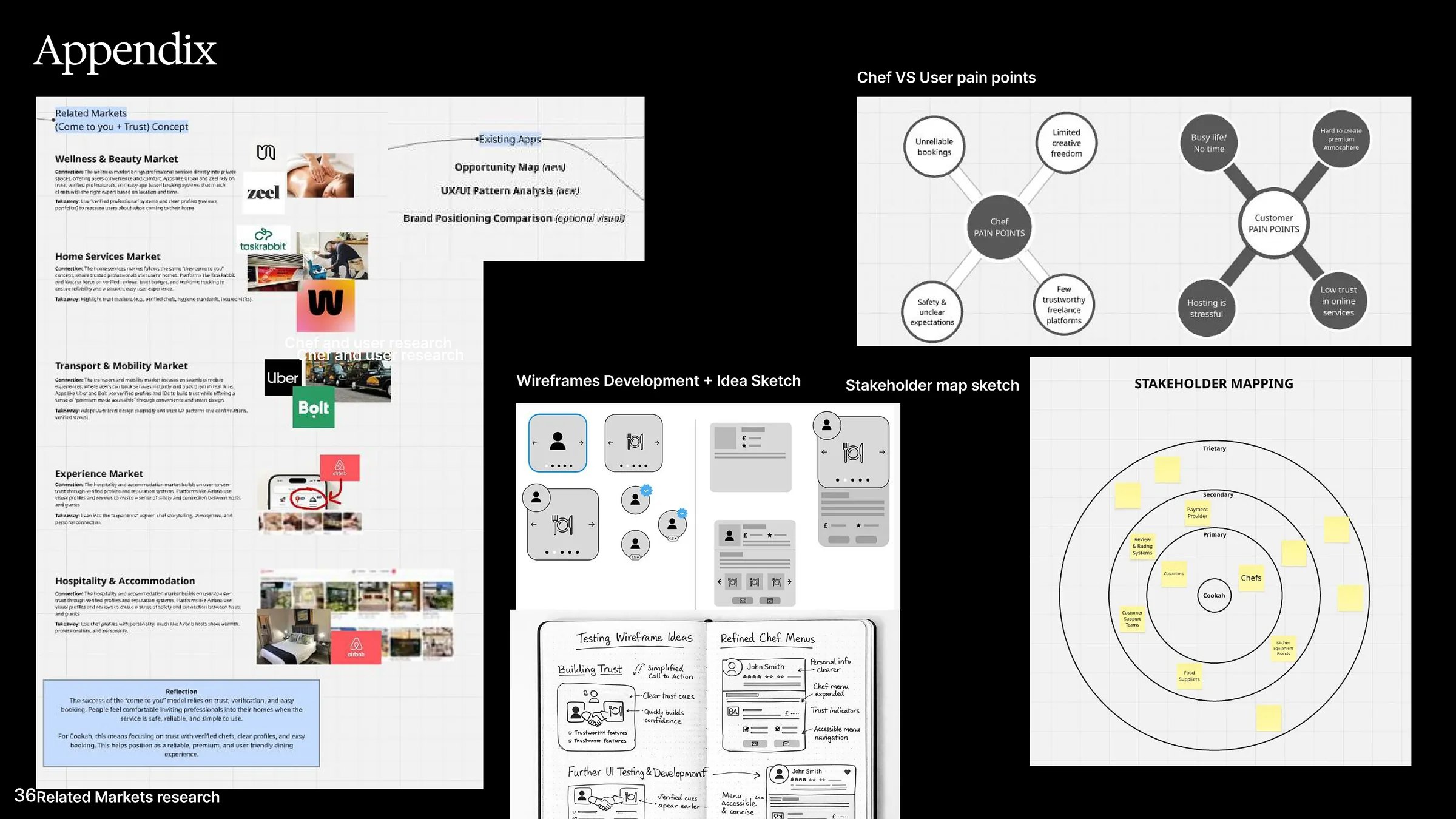
The stakeholder map helped separate who directly shapes the UX from the people and systems that influence how the service needs to operate. Customers and private chefs sit at the centre, while payment, reviews, support, food supply, insurance and regulation affect trust and delivery around them.
The people the core journey must directly support.
Payments, reviews, support, suppliers, equipment and insurance.
Health and safety, legal requirements, councils and wider community impact.
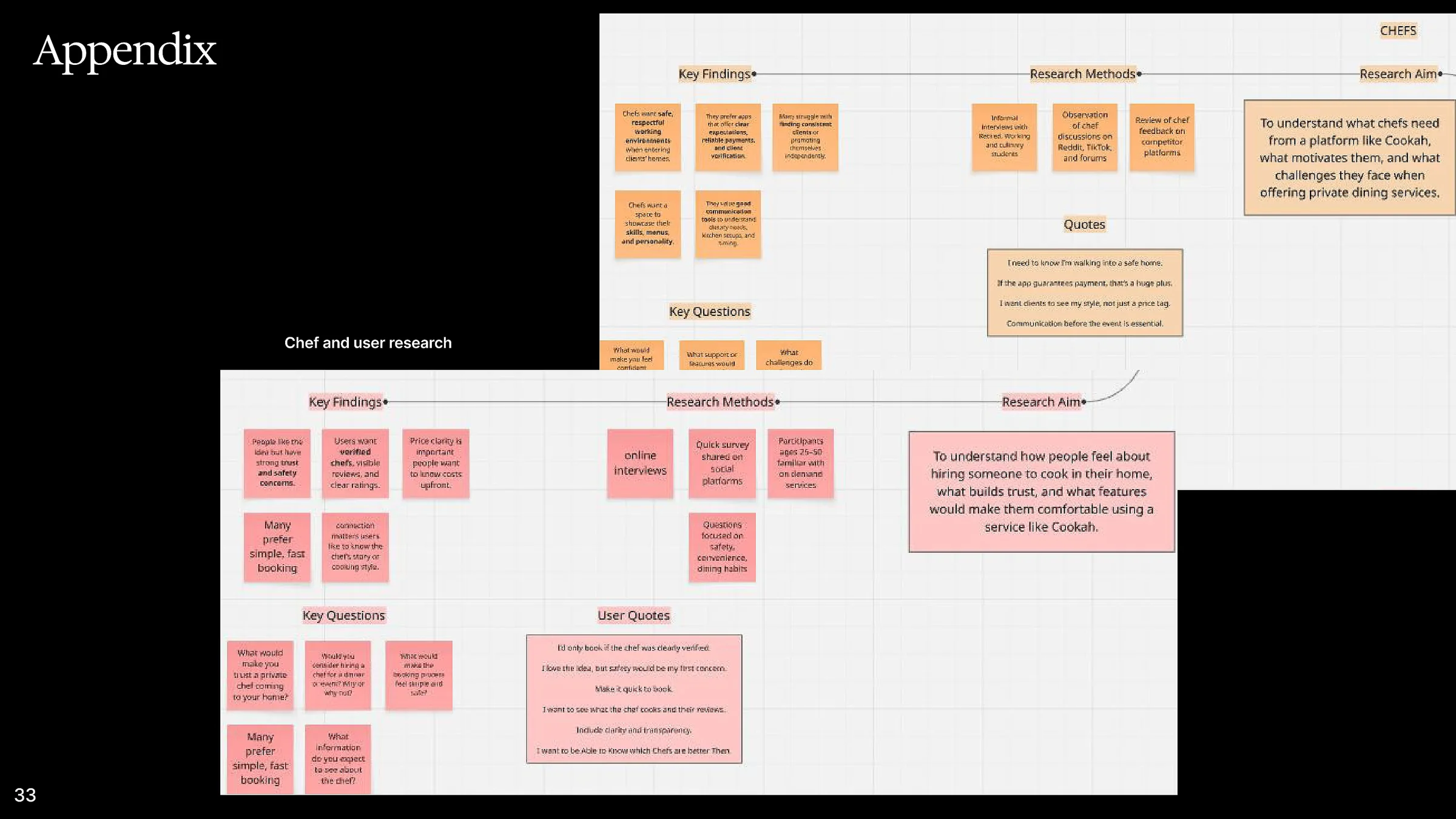
The customer research focused on safety, convenience and dining habits. Chef research focused on what makes private dining work feel safe, reliable and professionally worthwhile. The two groups had different concerns, but both needed clearer trust signals and expectations before committing.
Strong trust and safety concerns around inviting someone into the home.
Preference for verified chefs, visible reviews and clear ratings.
Price clarity matters; users want costs to be clear upfront.
Many prefer simple, fast booking with easy access to dietary information.
Chefs want a safe, respectful environment when entering clients’ homes.
Reliable payment, clear expectations and verified customers reduce risk.
Communication before the event is essential for kitchen setup, allergies and timing.
Chefs want to show their skills, menus and personality rather than be reduced to a price.
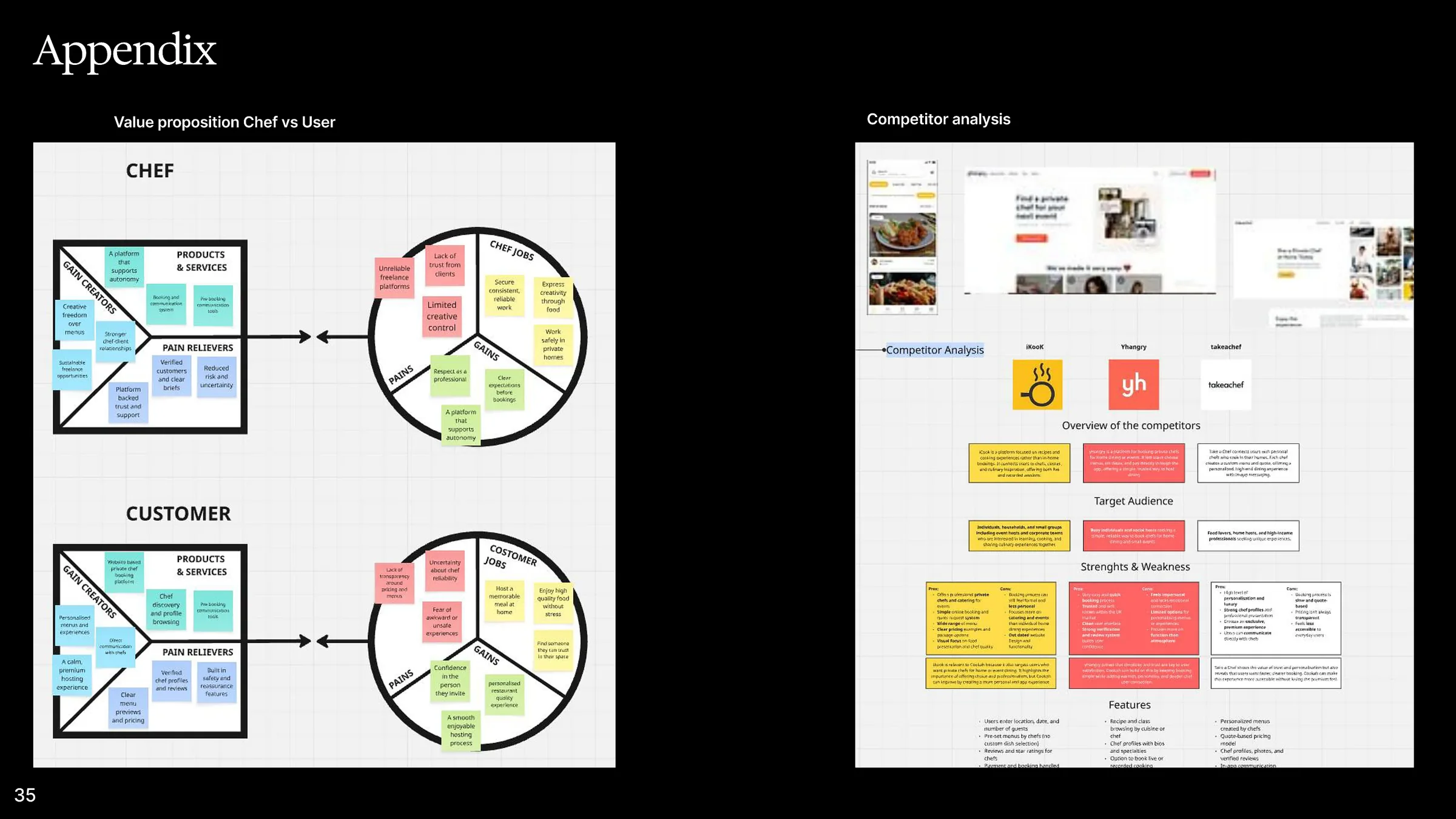
I compared direct private-chef services and related “come to you” markets to understand how other platforms build trust. Across hospitality, transport, home services and experiences, the same pattern appeared: users feel more comfortable when profiles, reviews, verification and expectations are clear.
Competitors use different levels of profiles, reviews and verification, leaving room for a clearer trust-first experience.
Customers want more flexibility around menus, dietary needs and the overall dining experience.
The service needs to support chefs as professionals with their own style, skills and boundaries.
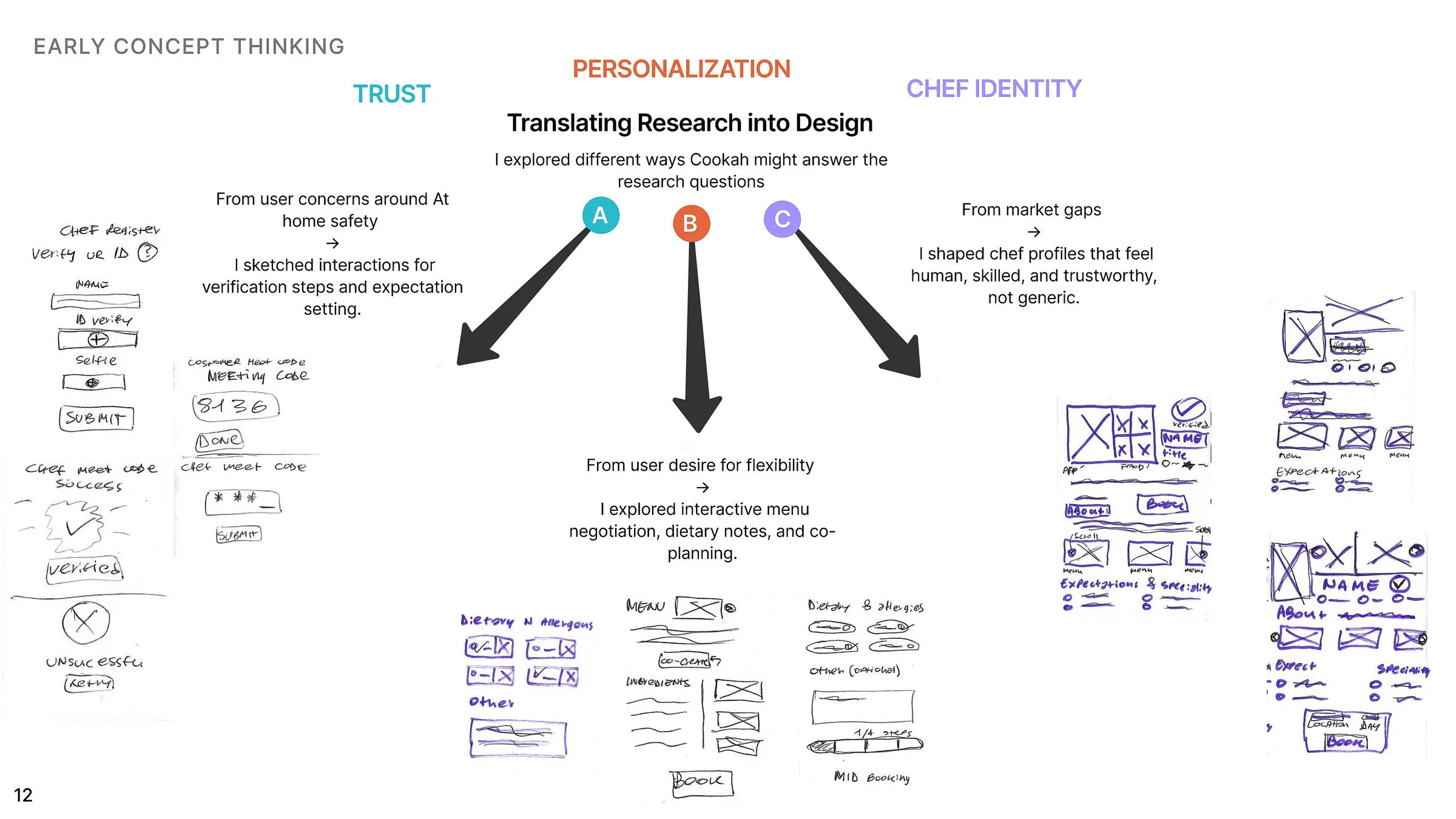
The early concept work translated the strongest themes into interactions. Safety concerns became verification and expectation-setting. The need for flexibility became menu negotiation and dietary notes. The market gap around trust became richer chef profiles and clearer identity.
Both customers and chefs need reassurance that the other side is legitimate.
Kitchen setup, allergies, pets and hazards should be confirmed before arrival.
A simple check-in or arrival-code concept helps confirm the correct booking.
Behaviour, hygiene, responsibilities and boundaries should be explicit.
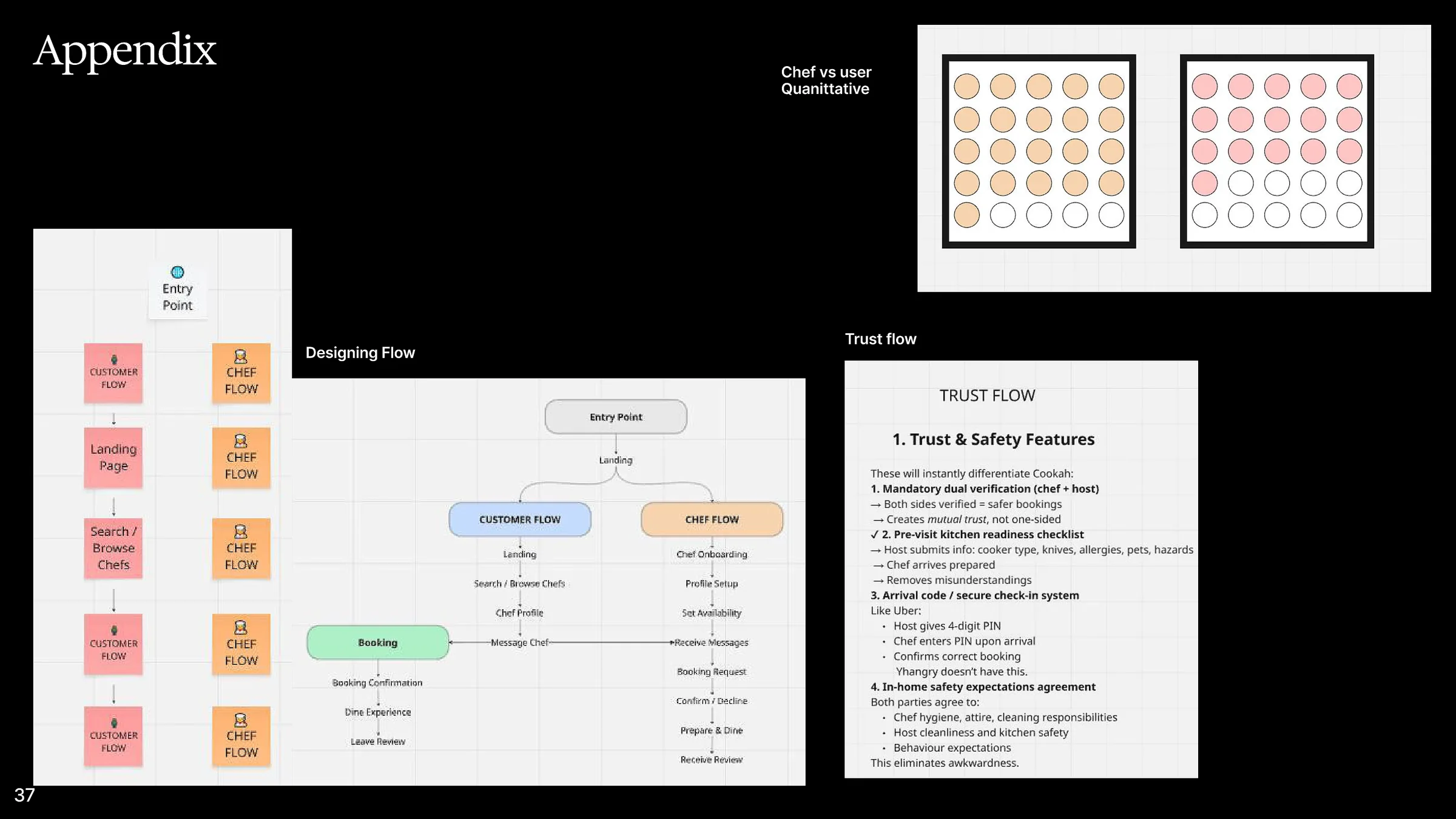
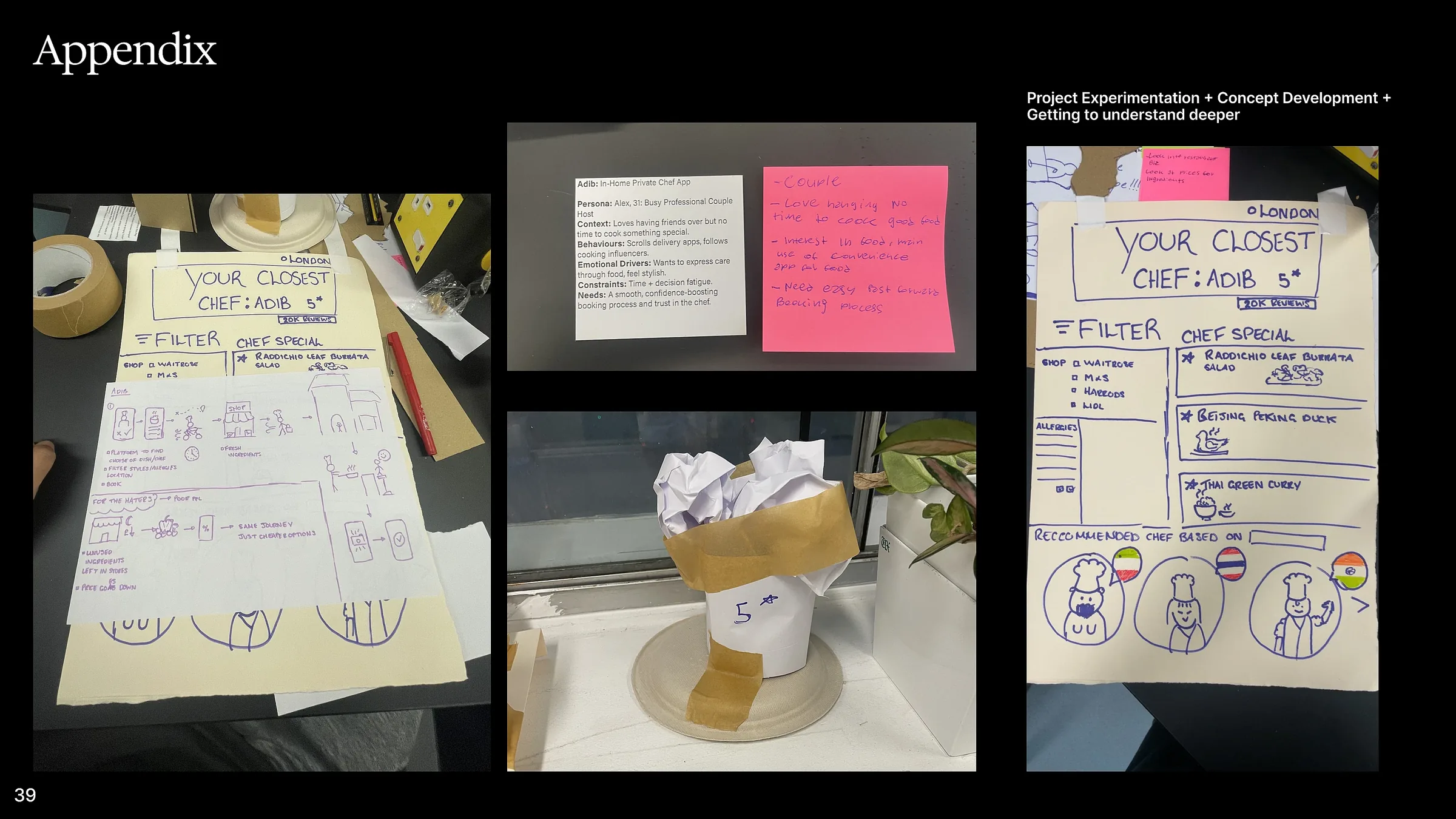
A short presentation covering the research, problem, concept development and thinking that shaped Cookah.
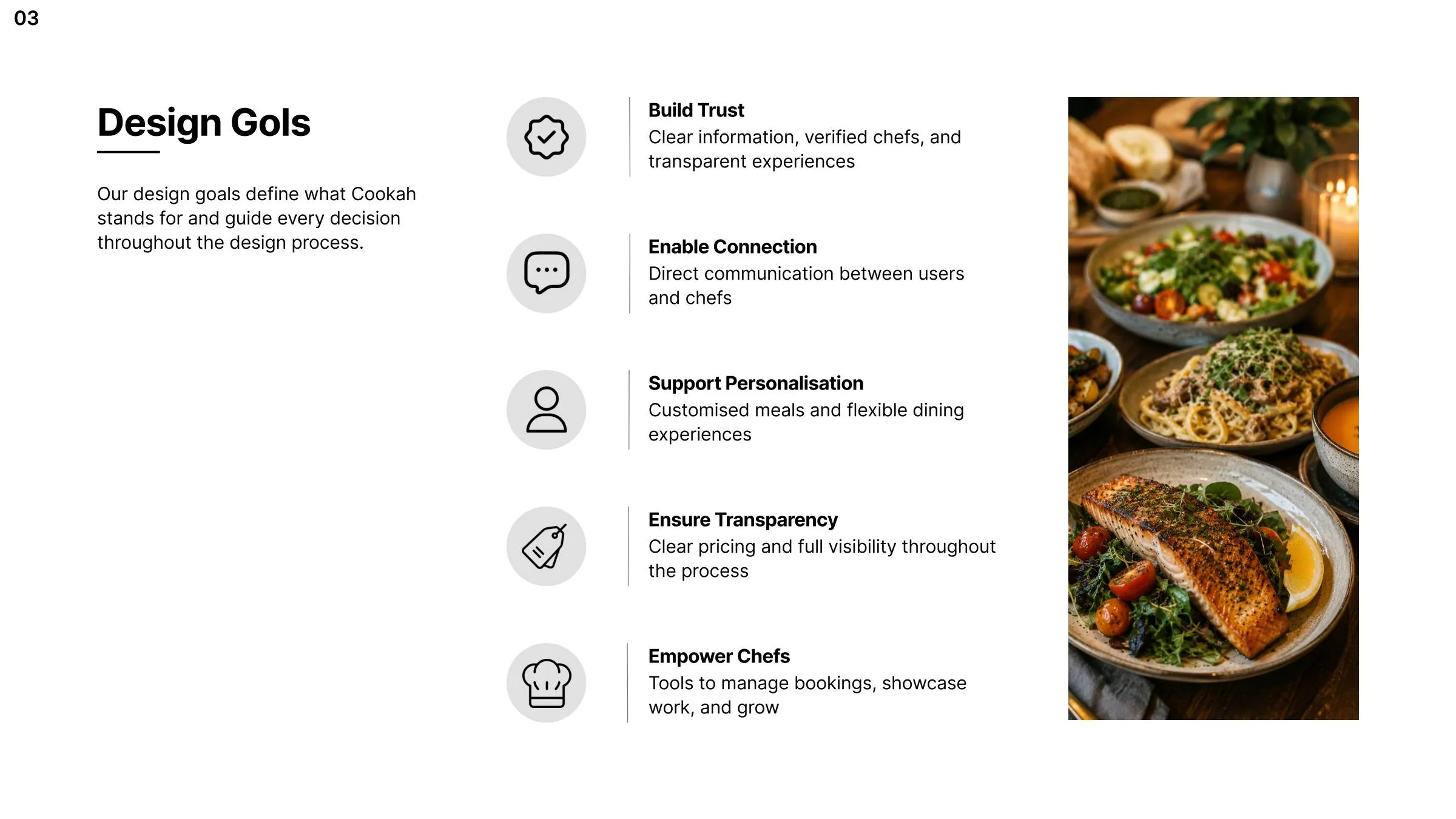
The concept was shaped around both sides of the marketplace. Customers need confidence and personalisation, while chefs need tools to communicate, manage bookings and present their work professionally.
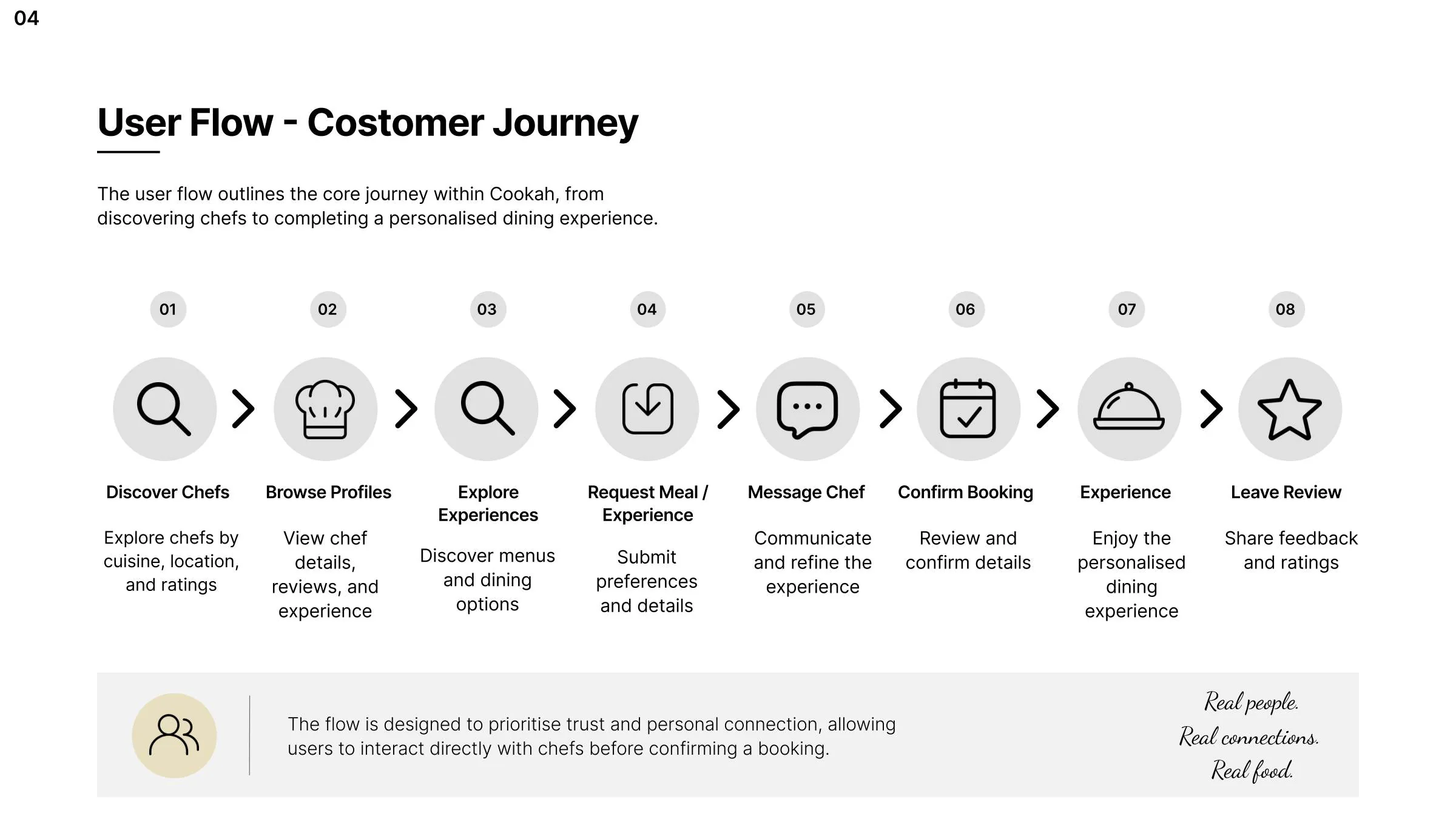
The customer journey moves from discovery to chef profiles, experiences, a tailored request, direct messaging, confirmation and review. In parallel, the chef journey supports receiving requests, responding, planning the menu and delivering the experience.
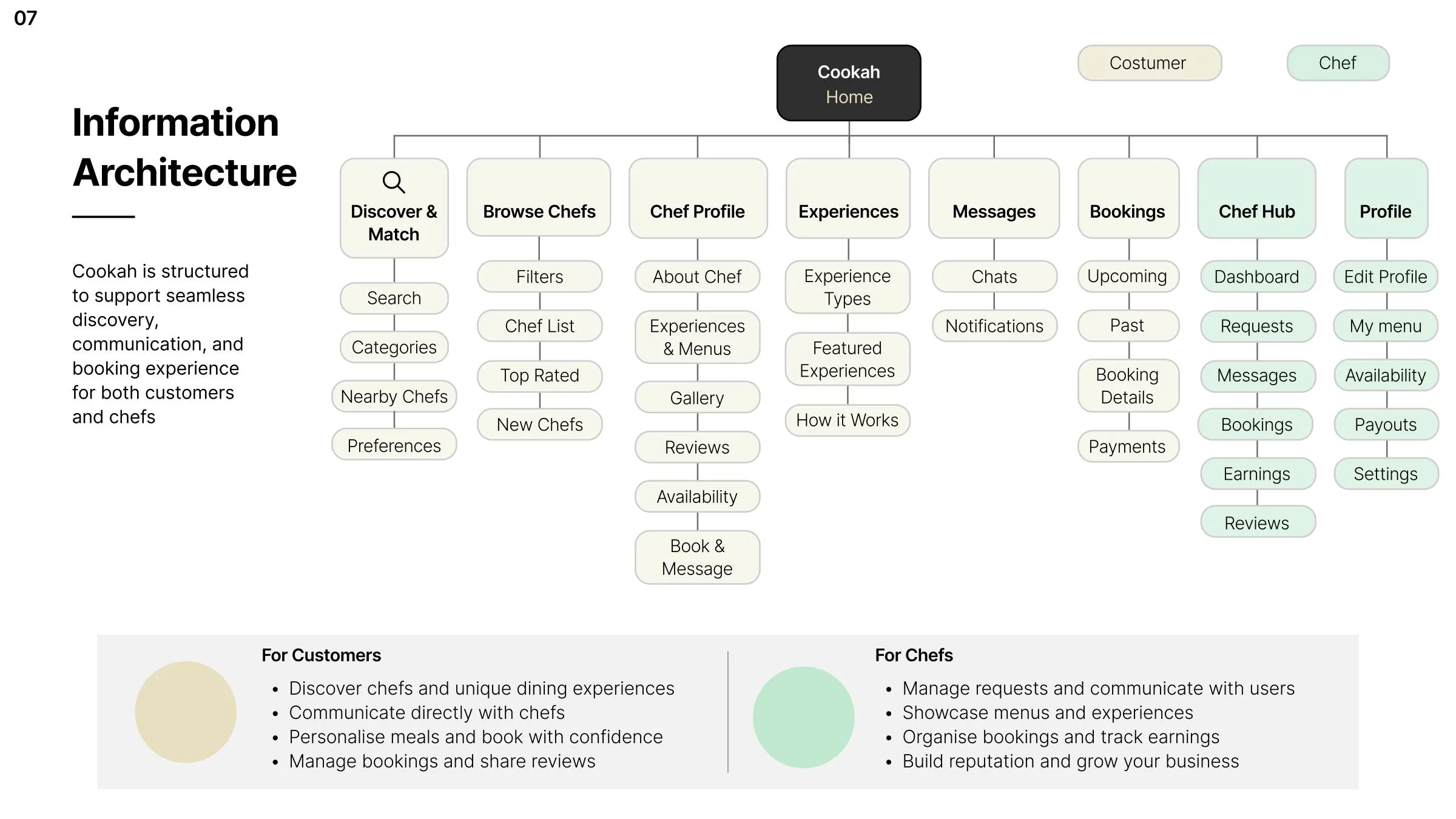
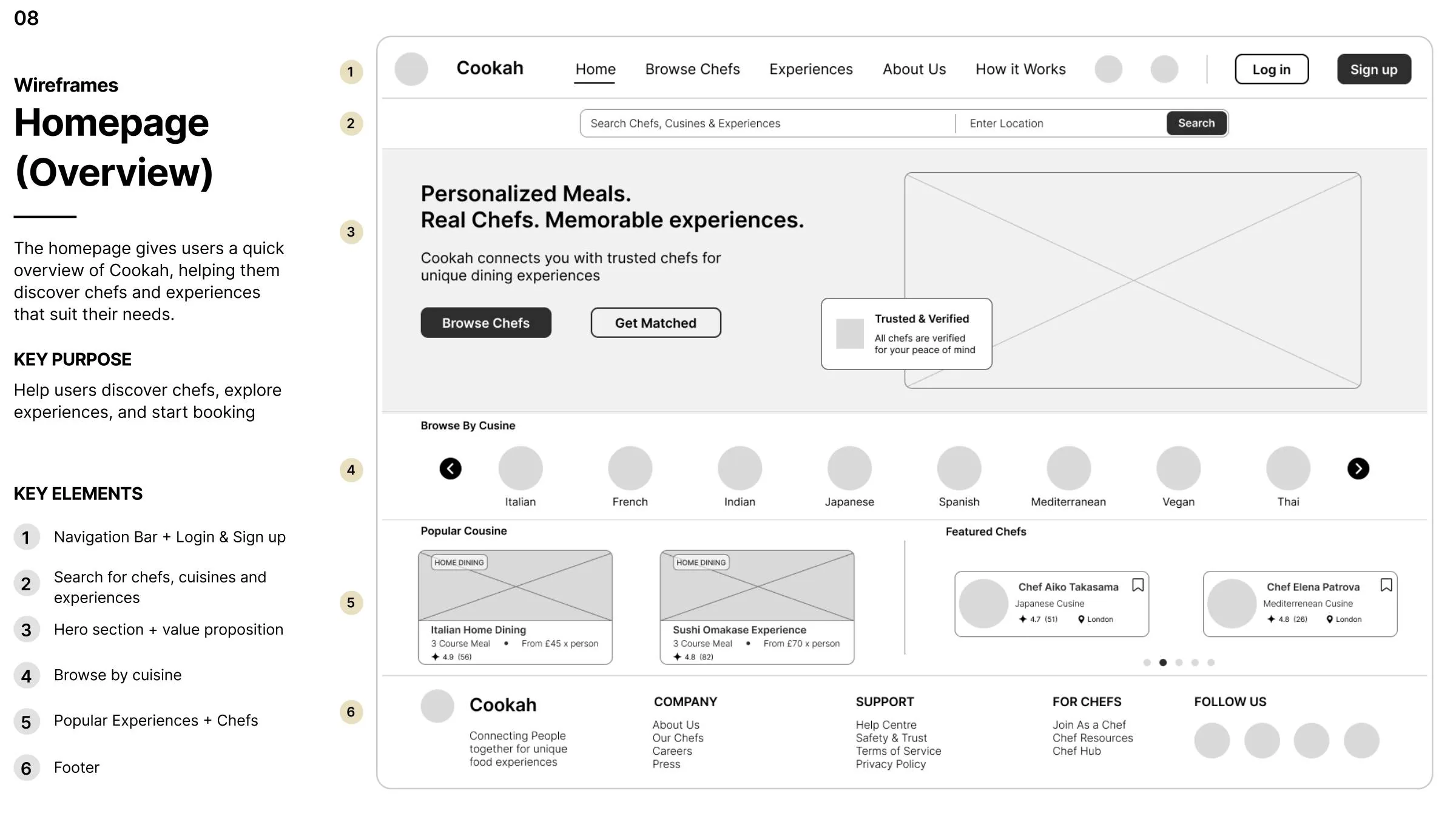
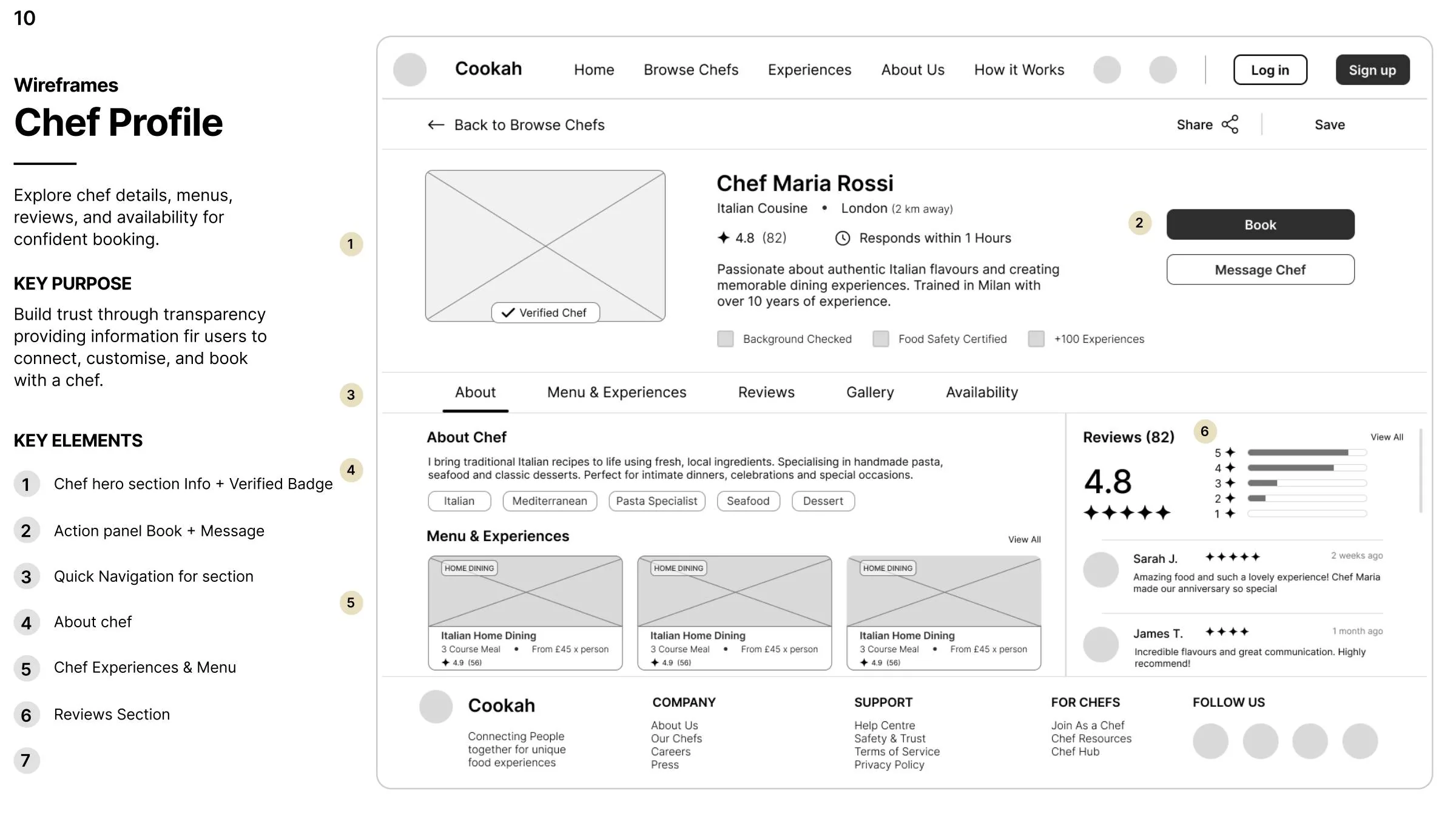
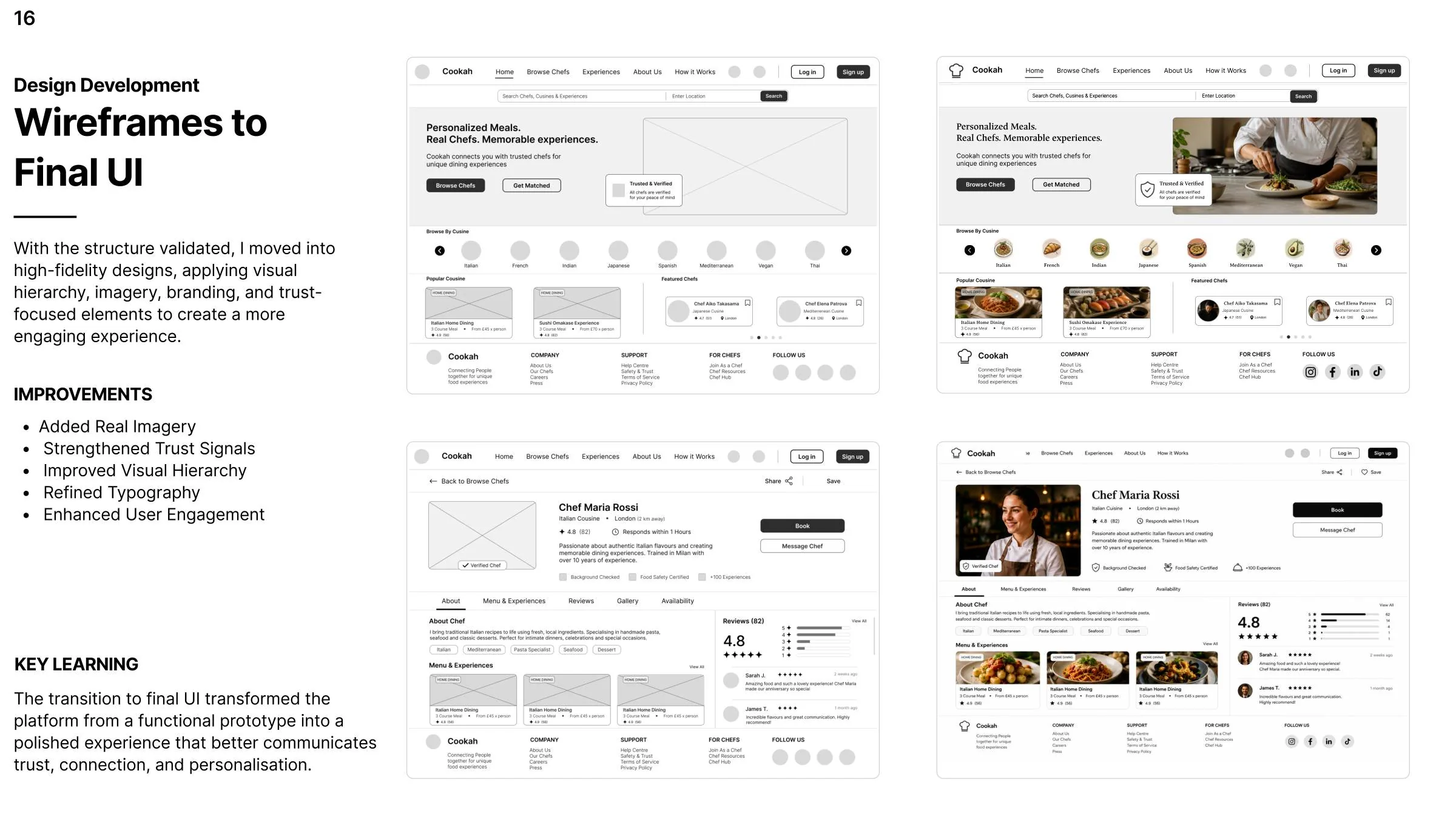
I translated the structure into low-fidelity wireframes for the core experience: homepage discovery, browsing chefs, chef profiles, booking and the Chef Hub. The aim was to validate hierarchy and task flow before visual styling.
Search, cuisine and featured experiences.
Profiles, reviews, verification and menus.
Preferences, guests, budget and dietary needs.
Chef dashboard, messages and bookings.
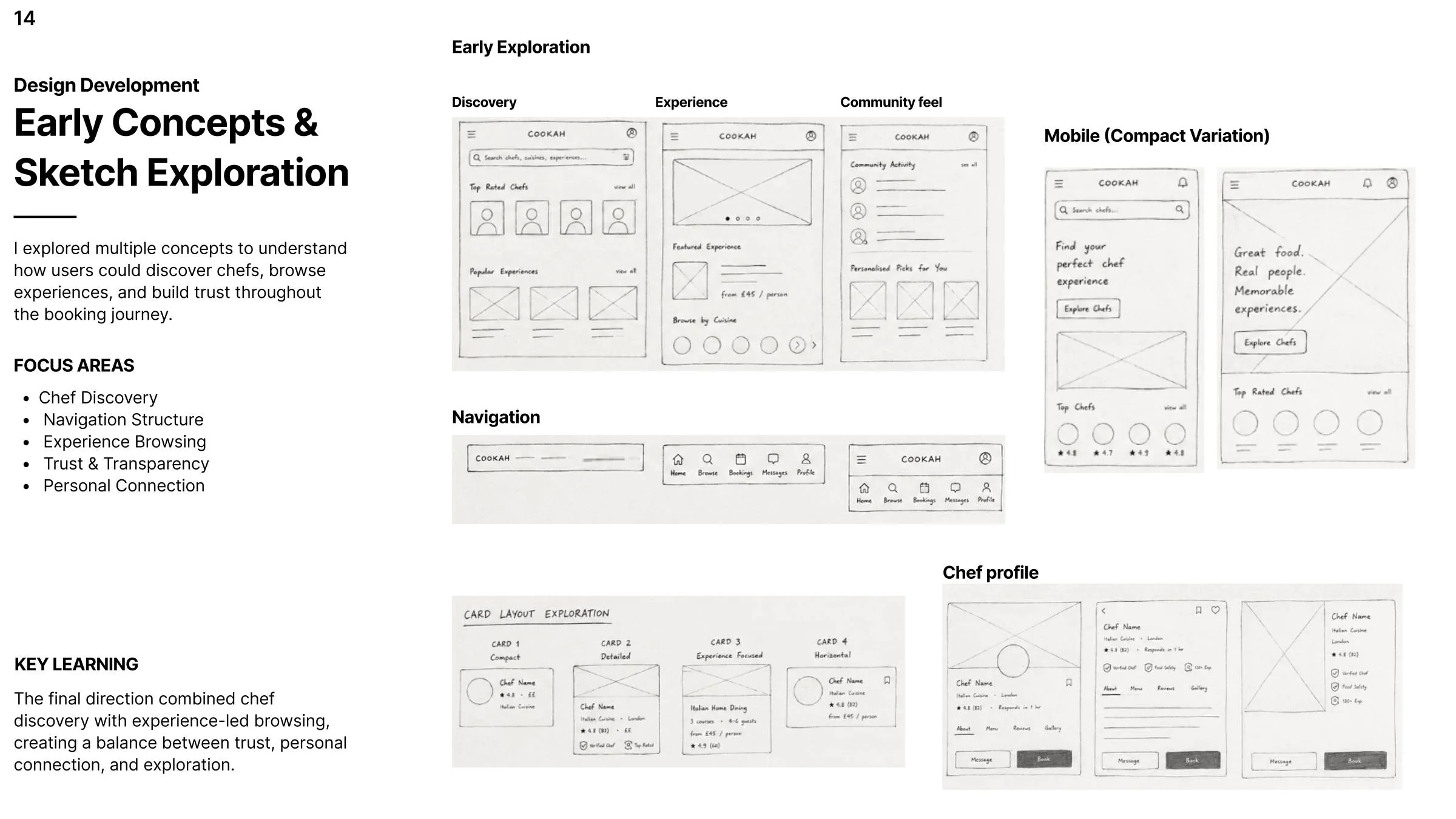
Early sketches explored discovery, navigation, experience browsing, community and compact mobile variations. The direction then moved toward a stronger balance of chef discovery and experience-led browsing, with trust signals made more visible.
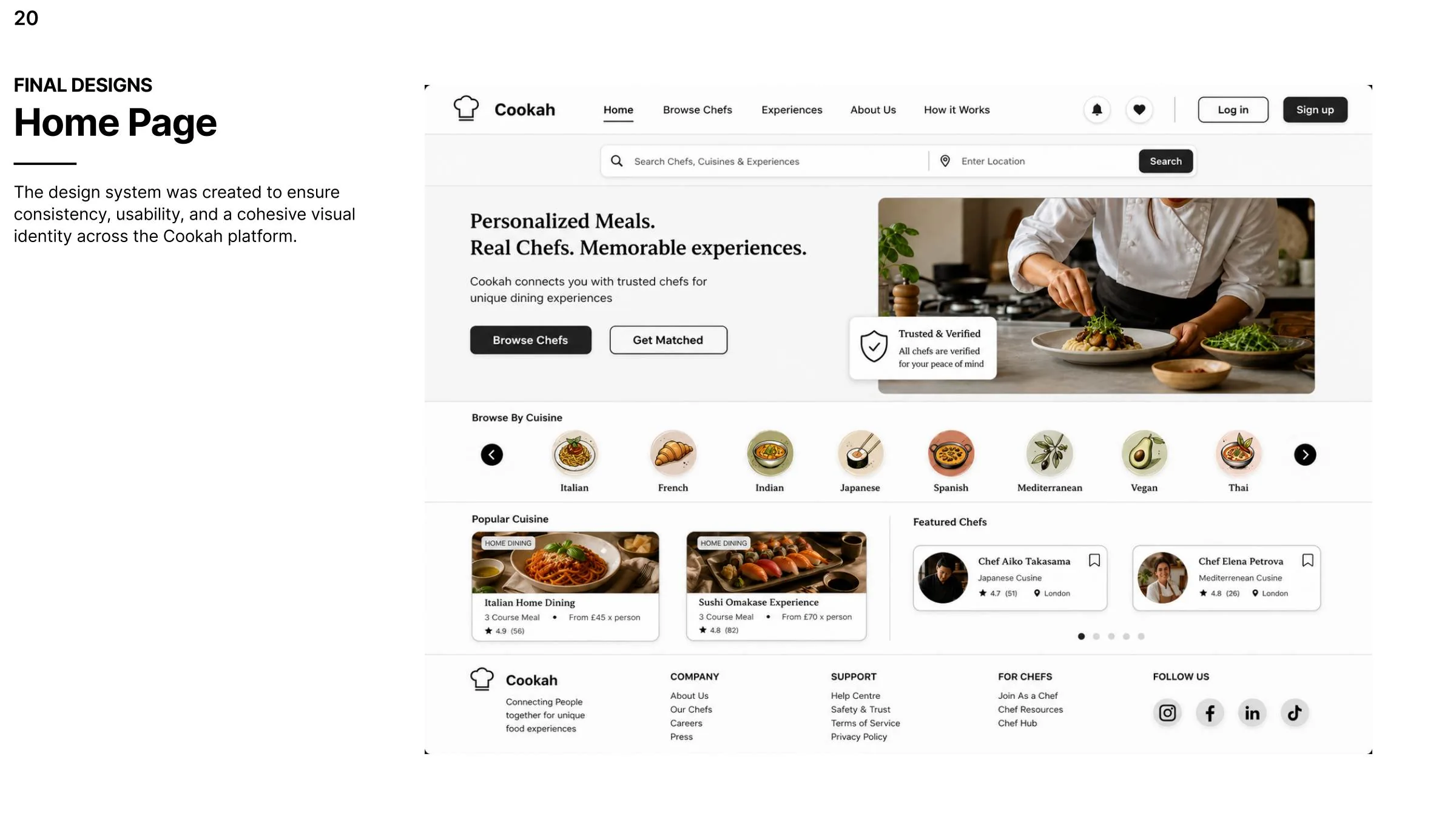
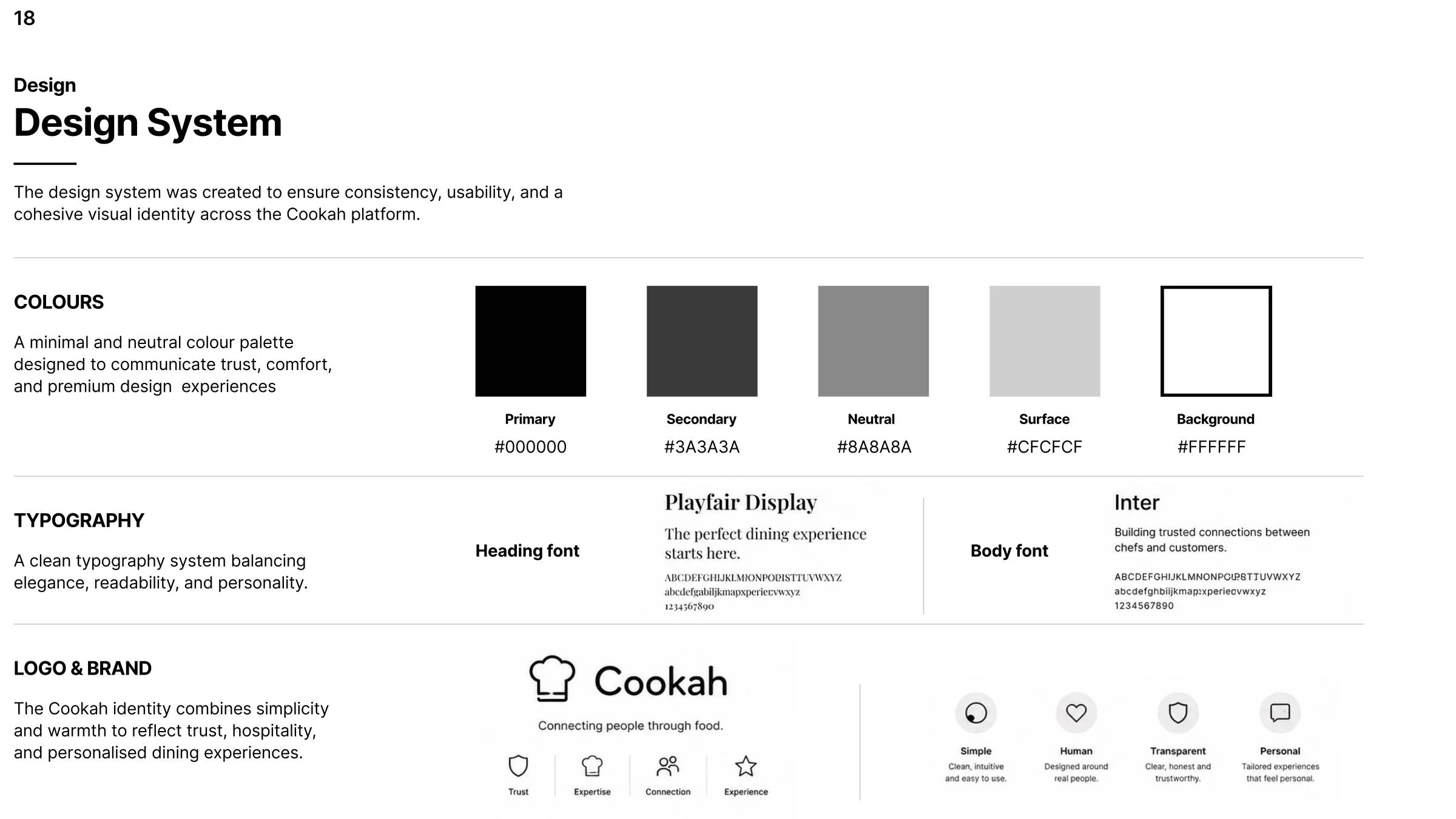
The visual system uses a restrained neutral palette, clean typography and reusable components. This kept the interface consistent while allowing food photography, chef profiles and trust information to carry the experience.
The final interface brings the key product areas together: discovery, chef evaluation, booking and a dedicated operational hub for chefs. The high-fidelity direction adds real imagery, clearer hierarchy and stronger trust-focused elements.
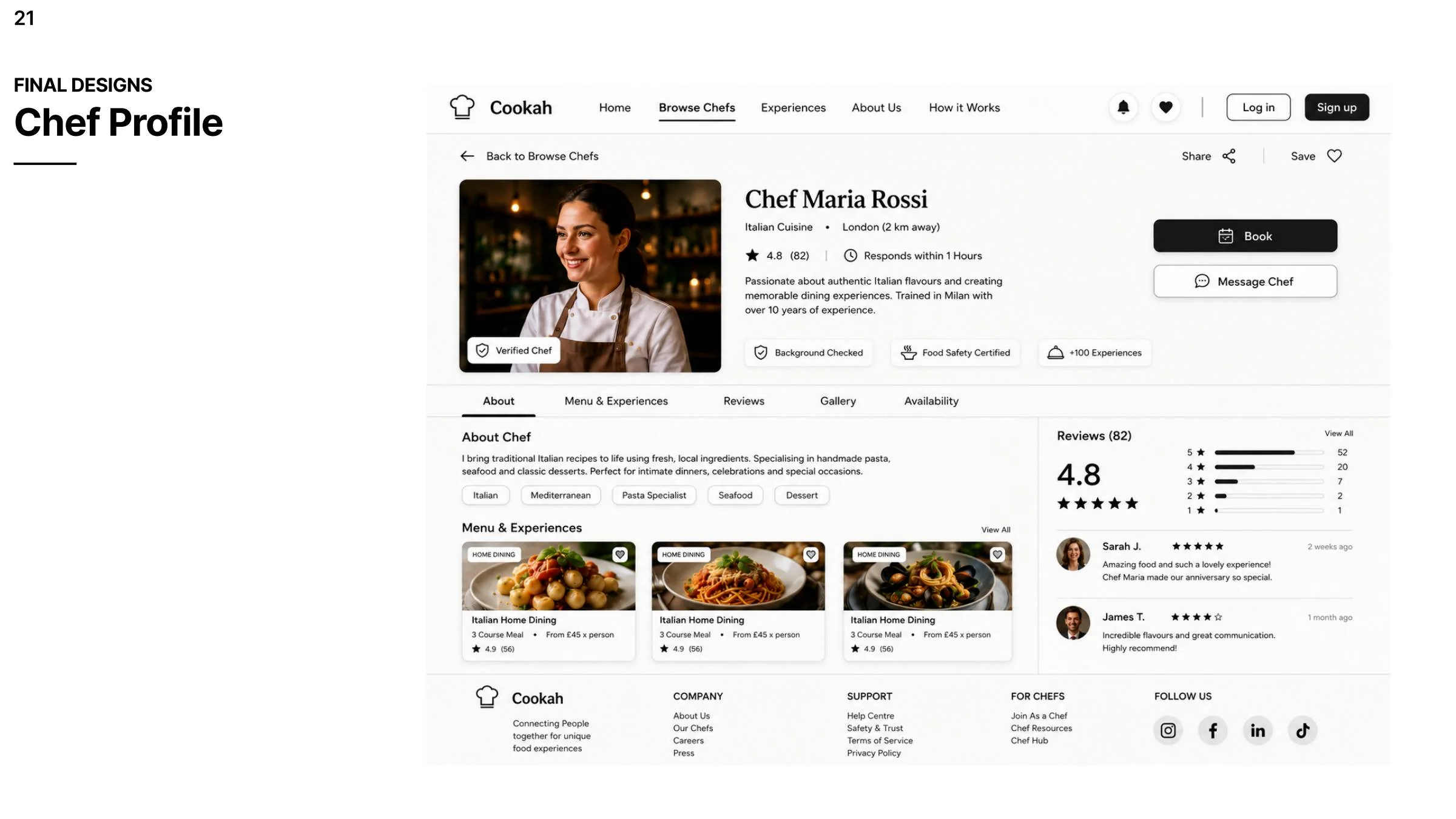
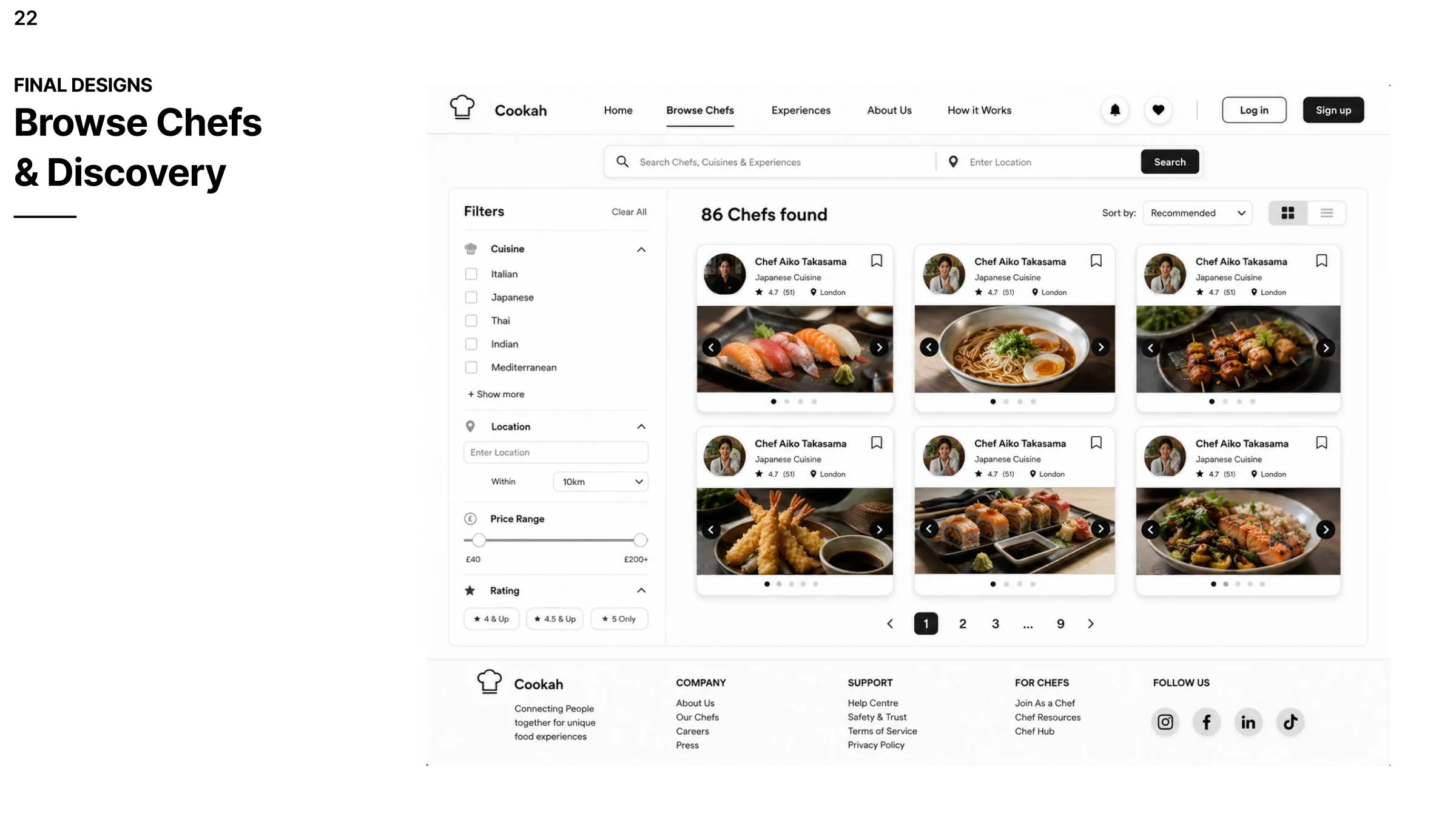
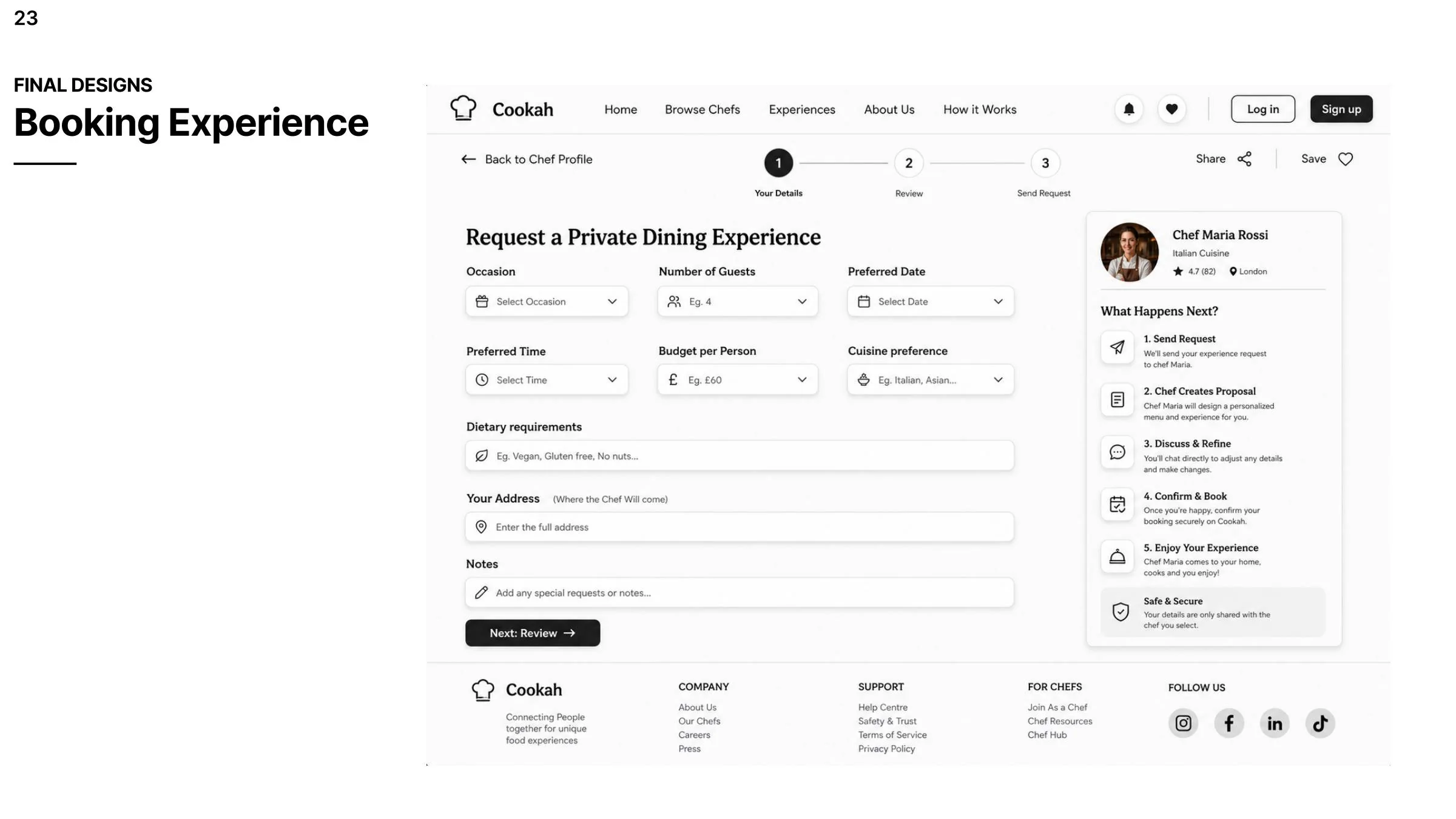
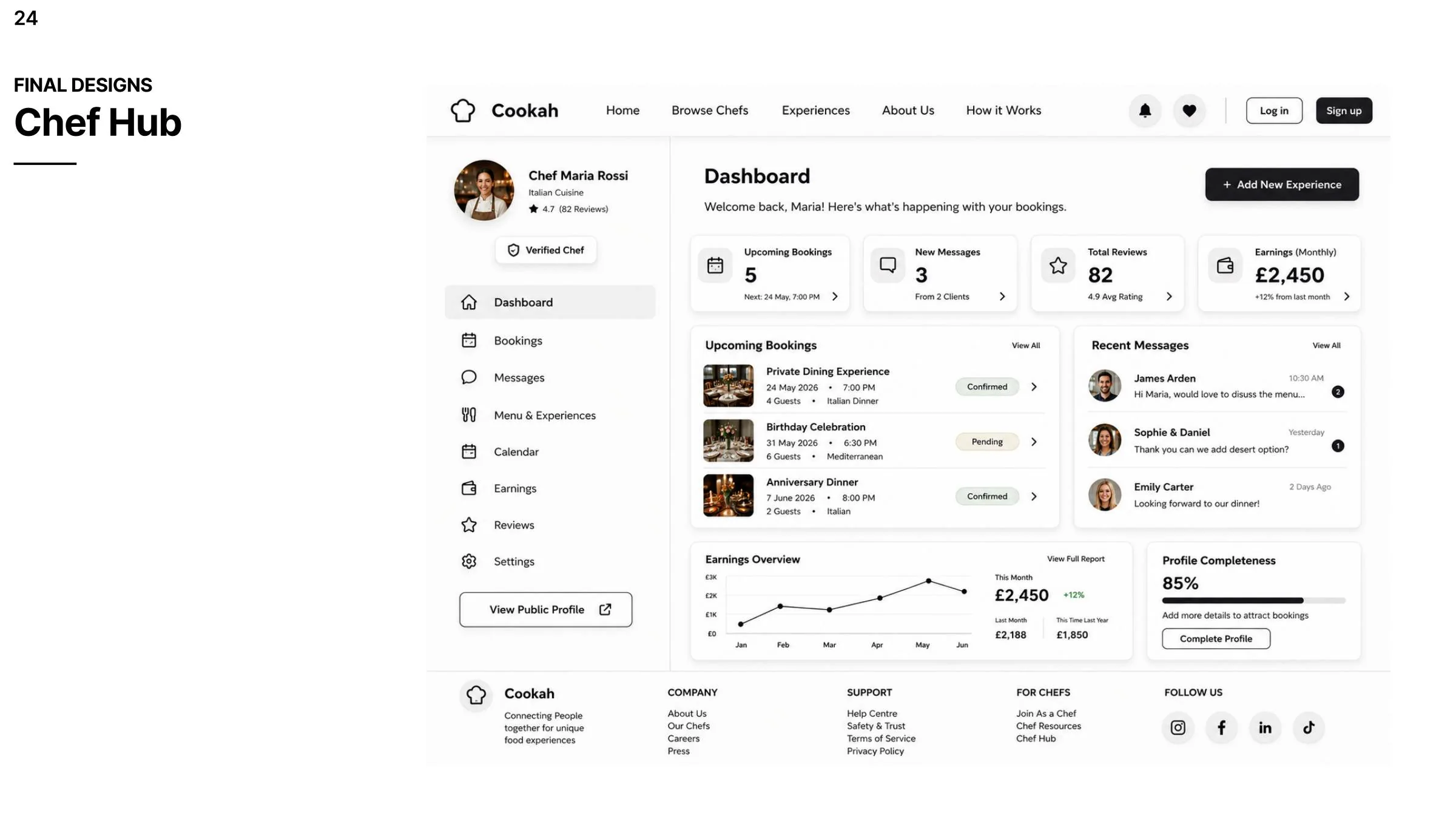
Cookah developed from an early service concept into a structured product experience for both customers and chefs. The final direction prioritises trust, personal connection and transparency while giving chefs practical tools to manage their work.
A personal redesign of the HSBC UK mobile banking app focused on making core tasks easier to find, faster to complete and visually clearer for everyday users.
The project explored how HSBC’s mobile app could be modernised by improving navigation, streamlining transaction flows and refreshing the interface while keeping important account and security features easy to understand.
The starting point was the idea that customers increasingly expect smoother digital banking journeys. I looked at how the app could better support common tasks such as checking balances, making transfers and accessing security features without feeling visually outdated or difficult to navigate.
Important content and actions can compete for attention, making the app feel heavier than it needs to.
Payment and transfer journeys can feel longer than necessary for users carrying out routine tasks.
Useful functions such as filtering, account tools or advanced options are not always surfaced clearly.
The visual language can feel less modern compared with newer UK banking apps.
I compared HSBC with Monzo, Barclays and TSB across ease of navigation, transaction speed, account management, international features and visual appeal. This helped frame where the redesign could create the biggest improvements.
The research direction pointed toward users who are actively involved in managing their finances. They value useful tools, clear feedback and the ability to complete specific banking goals without extra friction.
Users who regularly check and manage finances want quick access to accurate, relevant account information.
People value tools that support planning, tracking and transactions, but only when those tools feel purposeful and easy to use.
Many interactions are task-driven, so flows should support quick completion and clear progress rather than exploration.
The redesign was built around simplifying core journeys without removing the depth users still need from a banking product.
Reduce complexity and make key tasks easier to find.
Use clearer dashboards and more relevant financial information.
Refresh the interface to feel more current and engaging.
Support a wider range of users through clearer hierarchy and labels.
Make common transfer and payment tasks faster to complete.
A simple user journey helped identify the moments where users could feel uncertainty or friction, from opening the app and finding account information to completing a task and returning to the main menu.
User wants to quickly check account balance or status.
First impression of the interface can influence confidence.
Navigation and information architecture shape usability most strongly.
Users need clear feedback and task confirmation.
The overall flow should feel efficient enough to encourage repeat use.
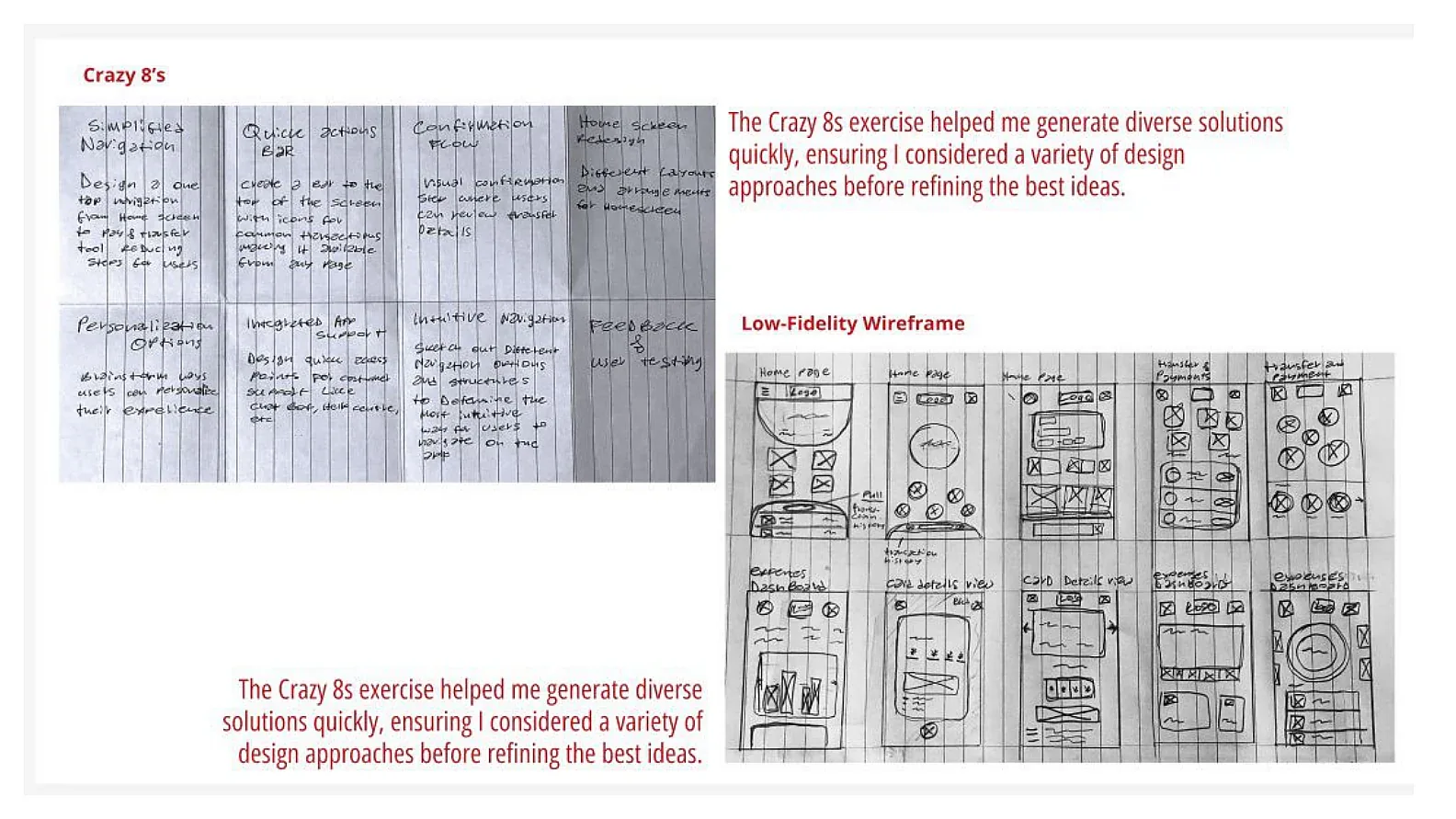
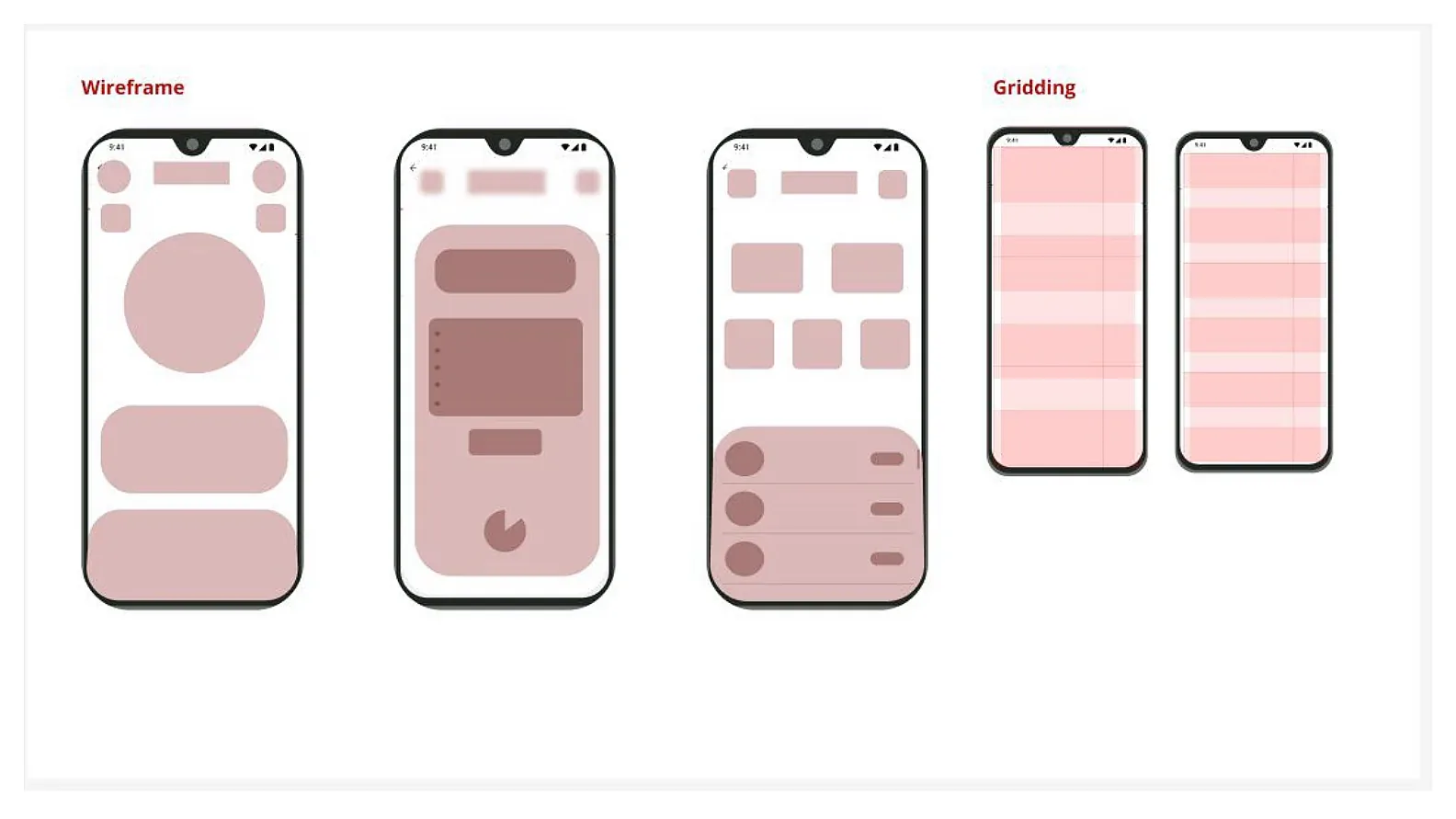
I used Crazy 8s and low-fidelity sketching to explore different layout directions for the dashboard, payment flows and quick actions. These ideas were then translated into cleaner digital wireframes and base grids.
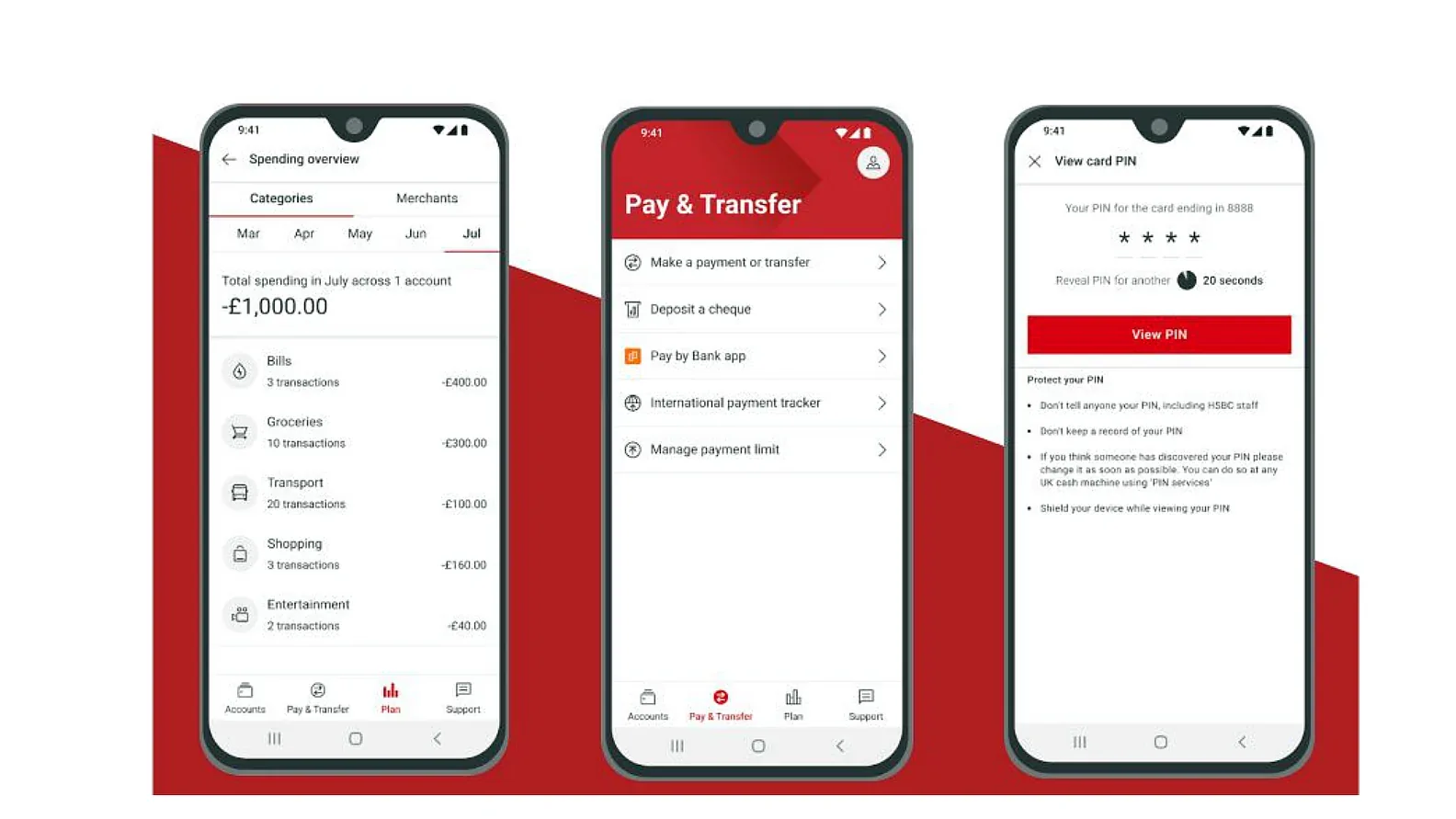
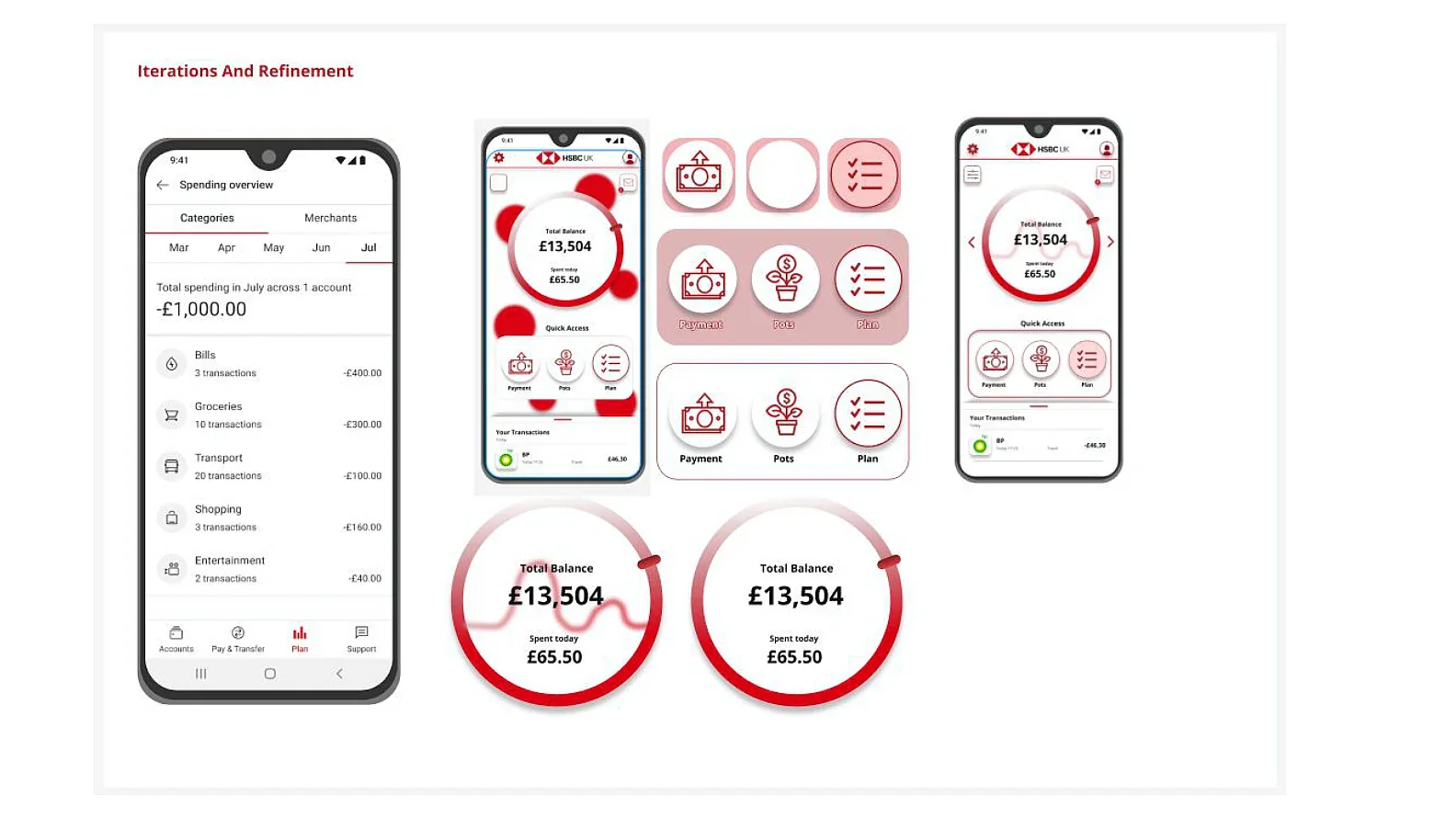
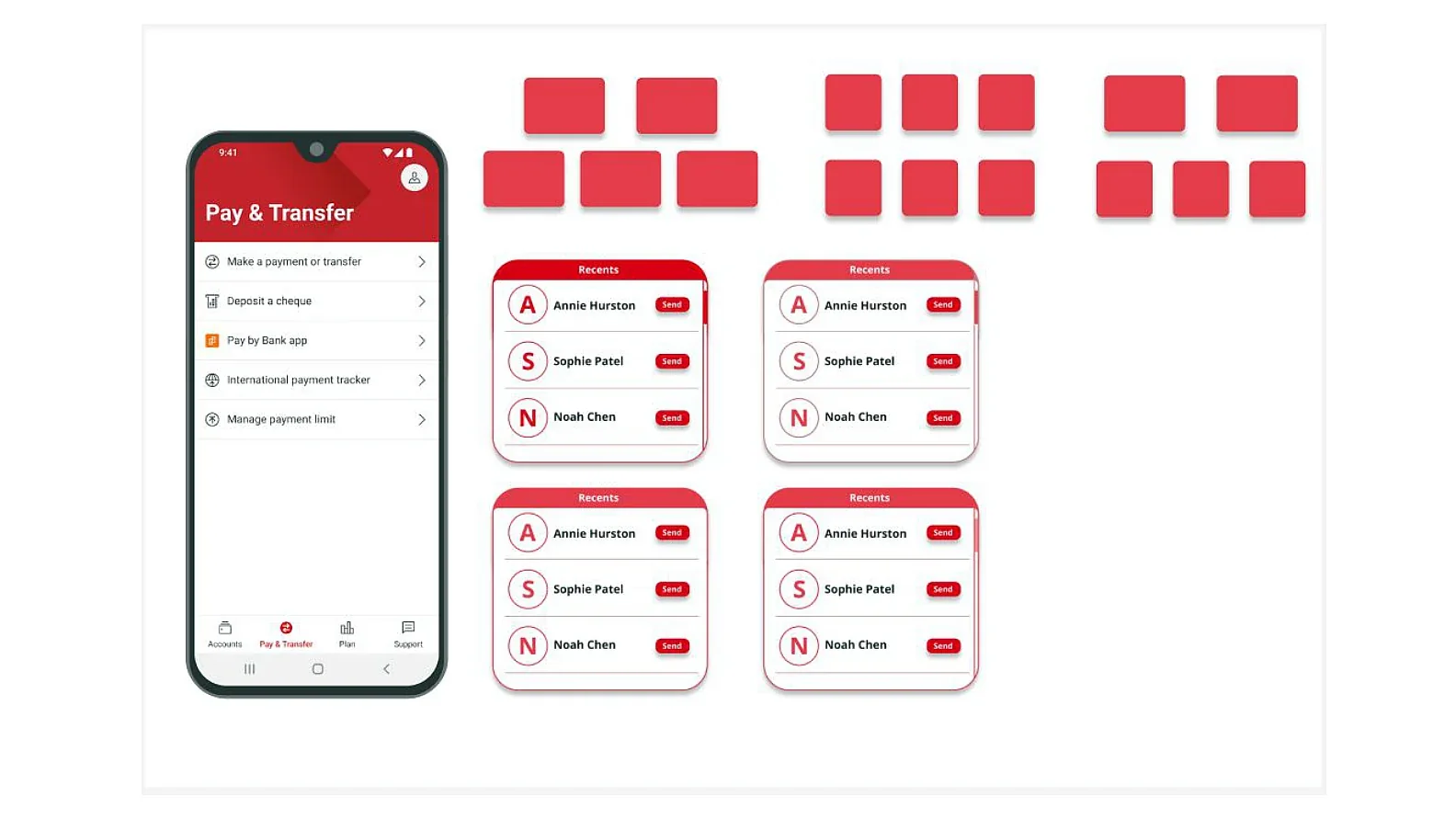
The design then moved into visual refinement and interaction-focused iteration, especially around the dashboard, Pay & Transfer section and secure PIN reveal flow.
Balance, spending and quick actions were brought into a more structured layout.
Frequent actions were grouped more clearly so users can reach them with fewer decisions.
Transfers, bank app payments and other routes were organised more clearly.
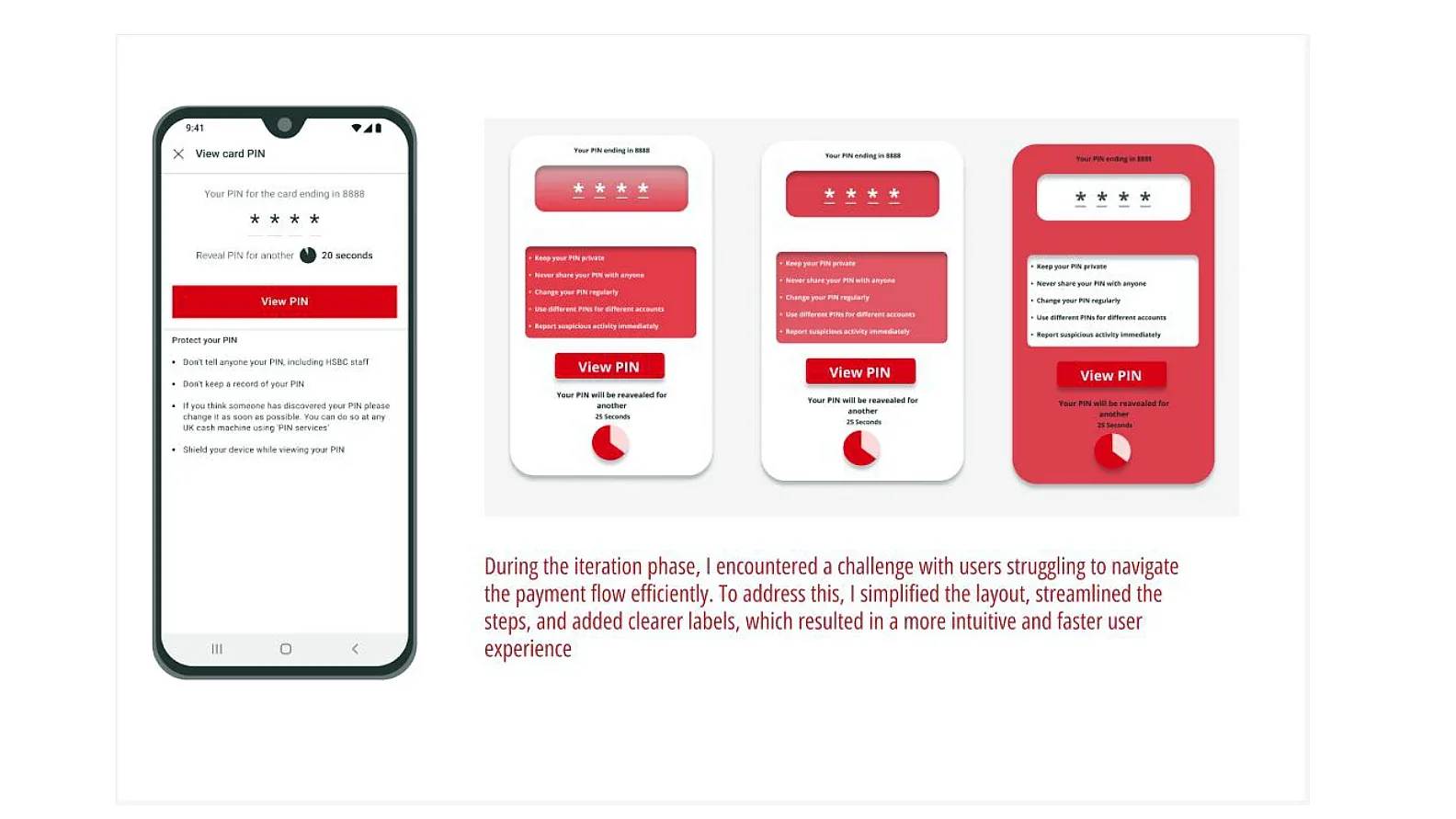
The PIN experience was redesigned to feel clearer while still keeping safety guidance visible.
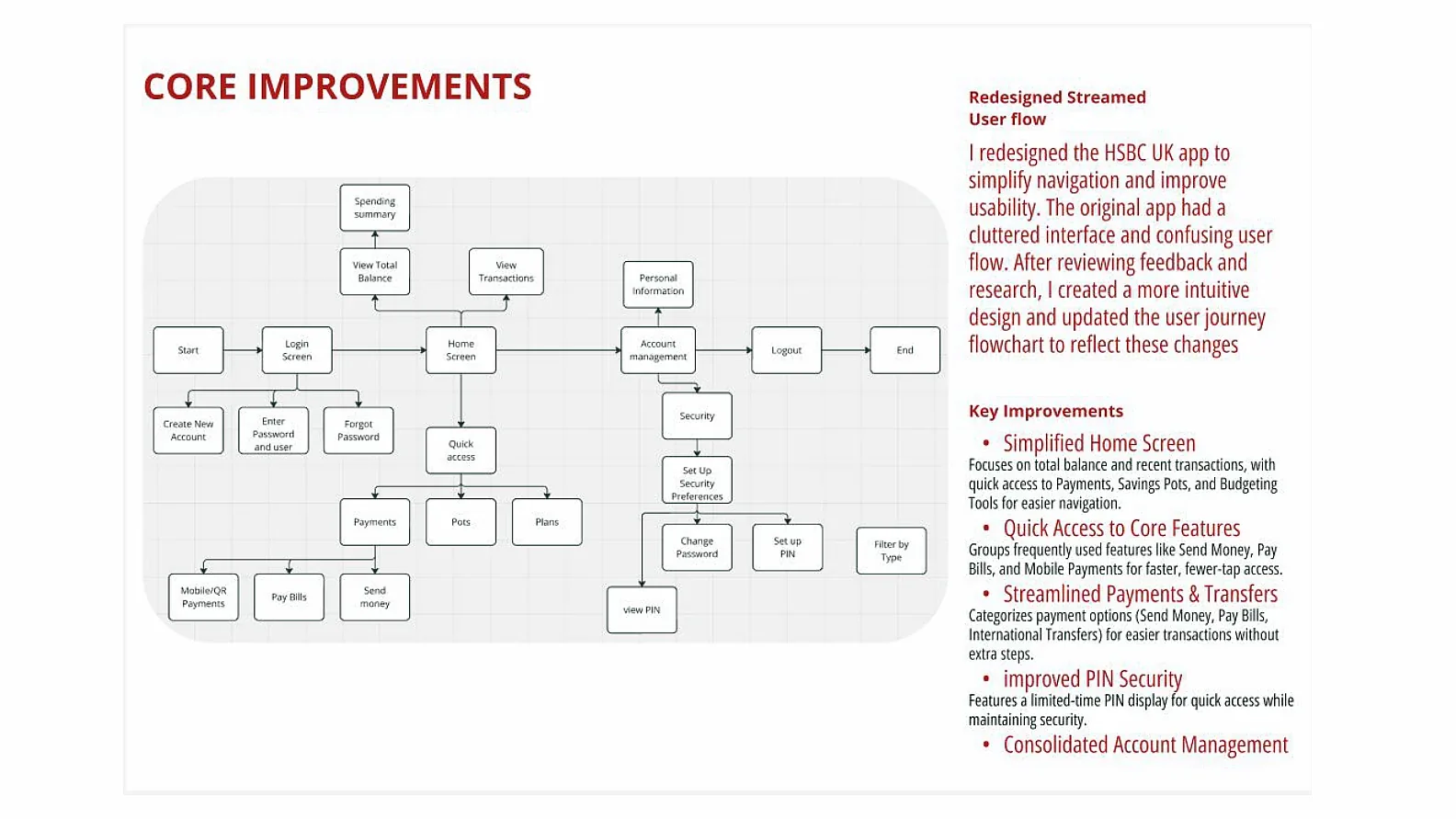
The resulting user-flow redesign focused on a simplified home screen, easier access to core features, more direct payment routes and clearer account-management and security sections.
A clearer focus on balance, recent transactions and quick-access actions.
Common tasks such as Payments, Saving Pots and Budgeting tools are surfaced more clearly.
Send money, pay bills and mobile payment routes are easier to reach with fewer extra steps.
The PIN view flow is easier to understand while still supporting secure use.
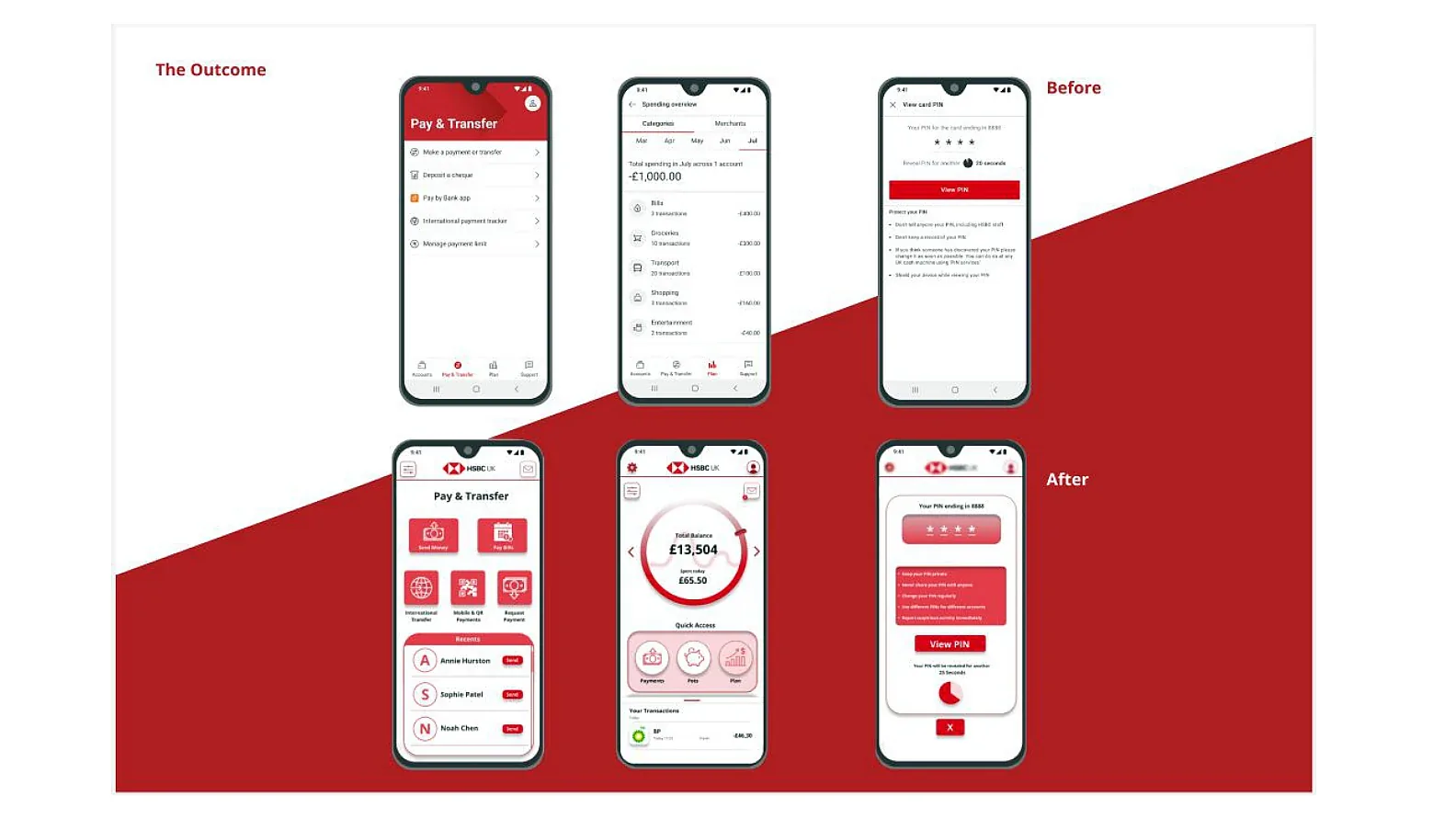
The final concept explored a more modern dashboard, a clearer Pay & Transfer area and a simplified card PIN experience. As a personal project, it helped me practise competitor analysis, user journeys, ideation, wireframing and UI iteration in a familiar everyday product space.
A human-centred redesign of educational spaces at UAL, exploring how furniture, layout and zoning affect comfort, productivity, accessibility and collaboration.
The project examined libraries, classrooms, cafés and collaborative zones to understand how students and staff interact with furniture and layout. My contribution centred on user research and helping lead prototyping, especially how students adapted furniture and how layout could improve usability.
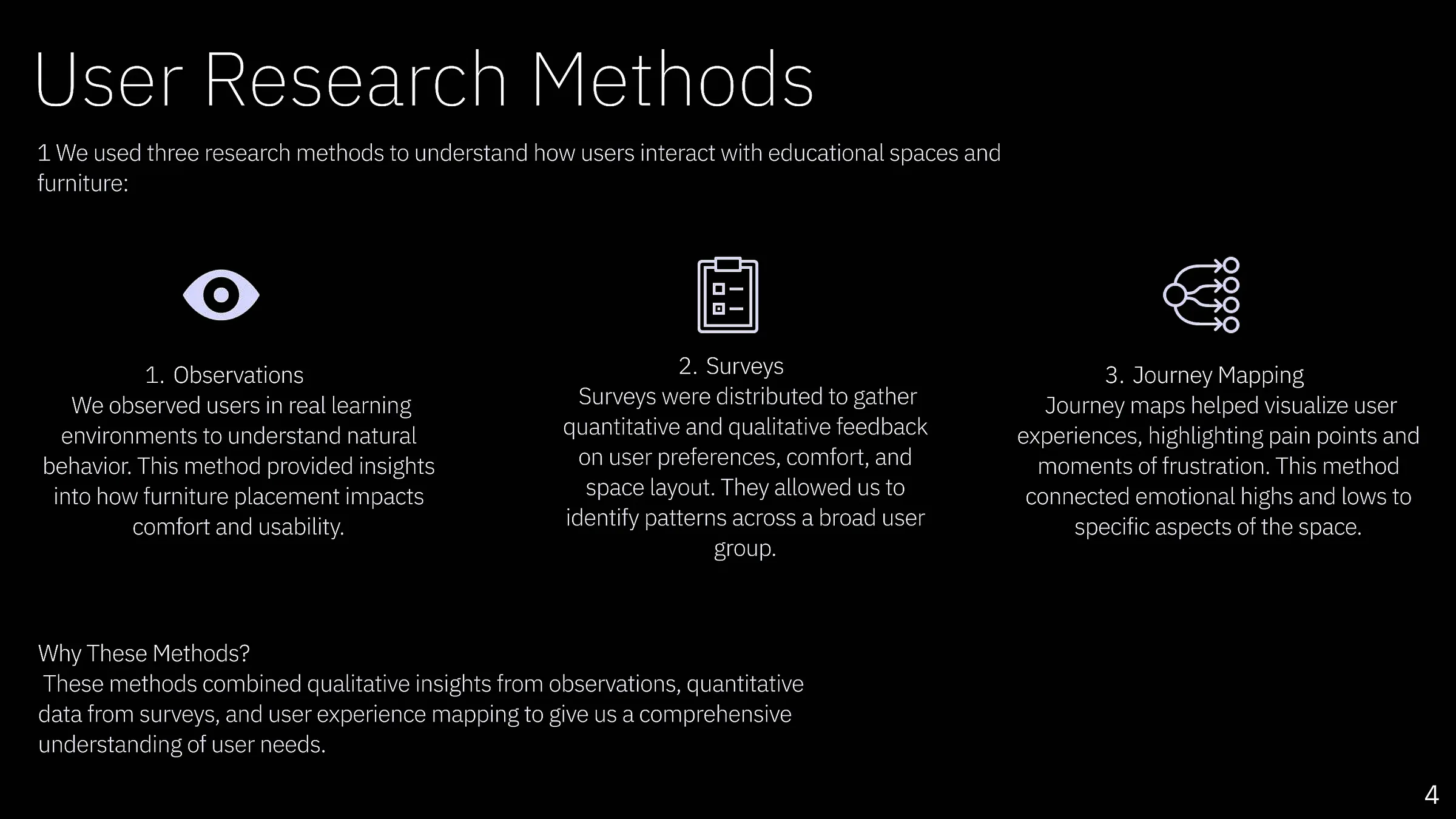
We used three complementary methods to understand both what students said they needed and how they behaved in real learning environments.
Observed furniture use, movement, comfort and adaptation in real spaces.
Gathered feedback on comfort, furniture types and different study settings.
Connected frustrations and emotional changes to specific moments in the space.
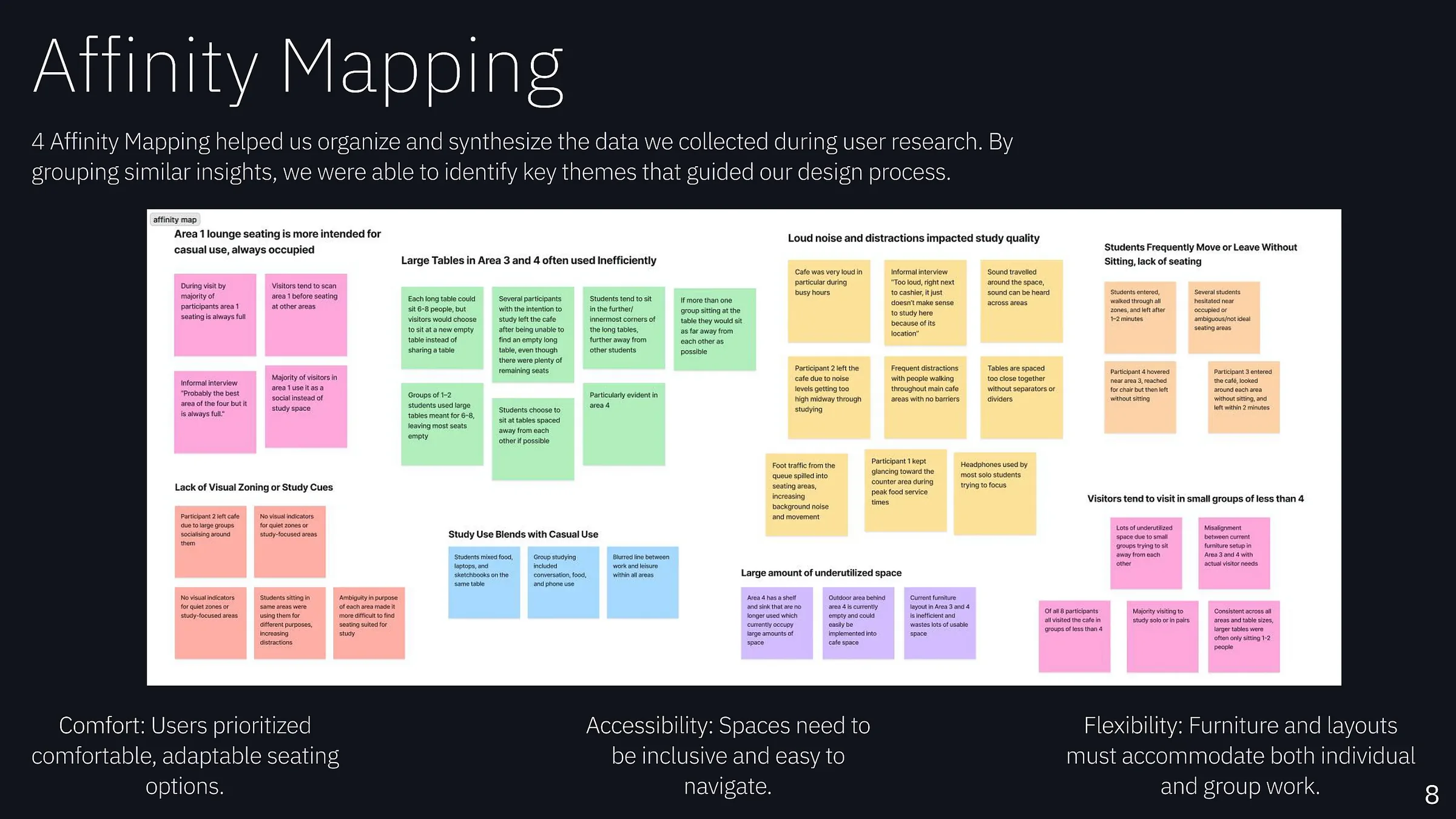
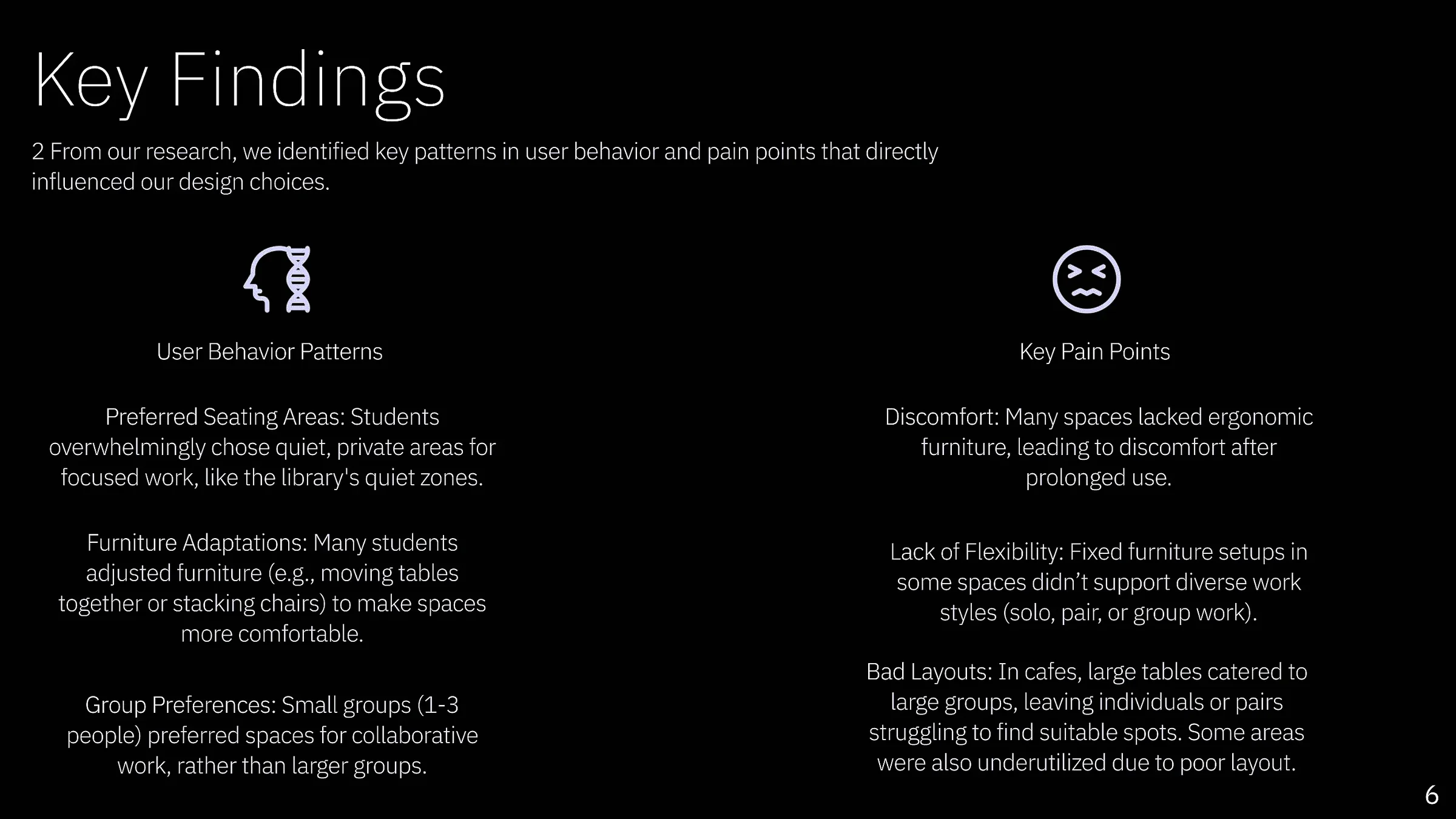
Research showed repeated patterns around comfort, flexibility and inefficient layouts. Students moved tables together, stacked or rearranged chairs, searched for quieter zones and struggled when fixed furniture did not match their task or group size.
Long sessions exposed discomfort in spaces without suitable furniture.
Solo, pair and small-group work required different configurations.
Poor layouts and oversized tables made otherwise useful space inefficient.
Rather than using generic personas, the archetypes came directly from observation journey maps. I grouped the recurring behaviours into solo workers, pair studiers and collaborative groups, then connected each type to the spatial needs we repeatedly observed.
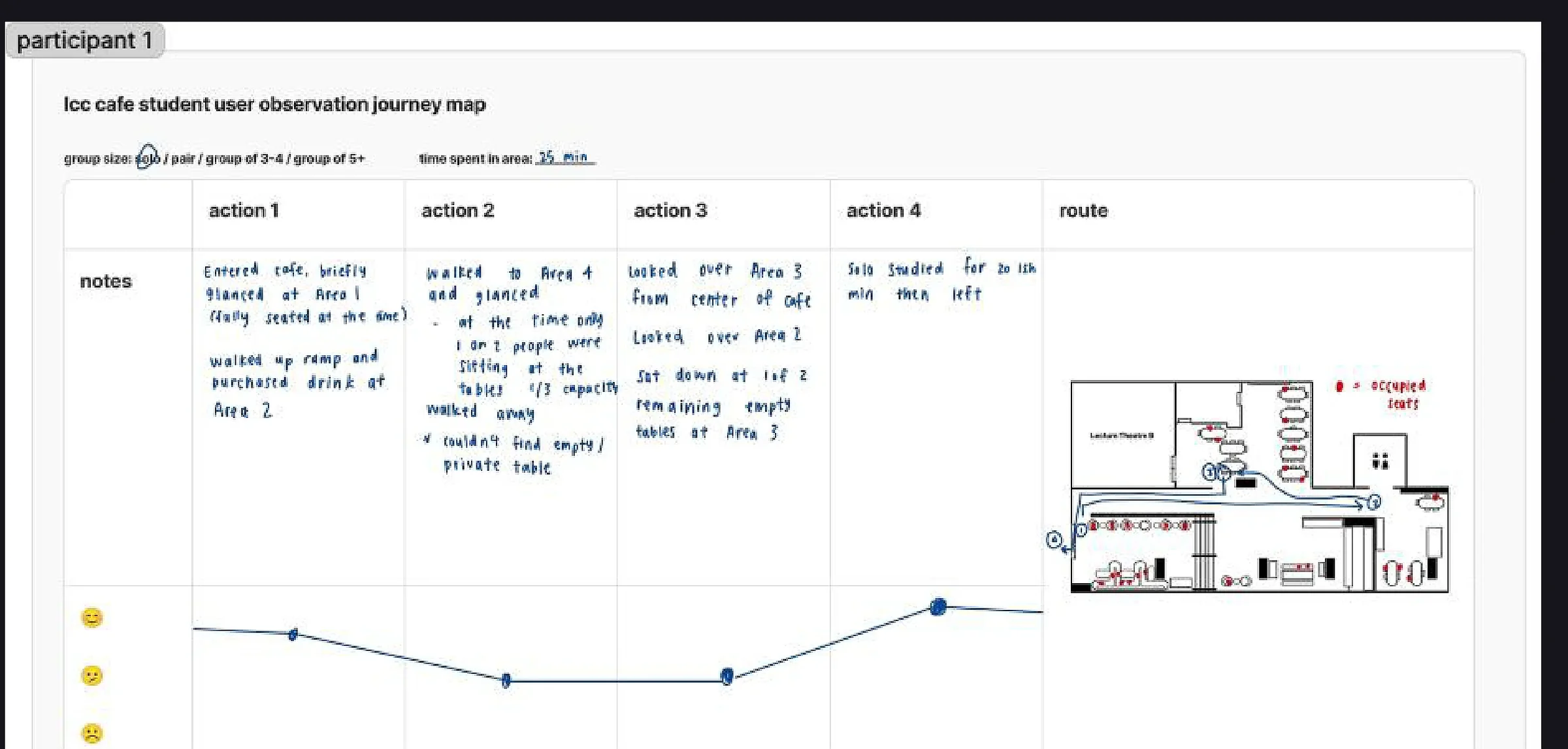
Quiet, private spaces for focused work with minimal distraction.
Often rearranged or selected furniture to create a more personal study zone.
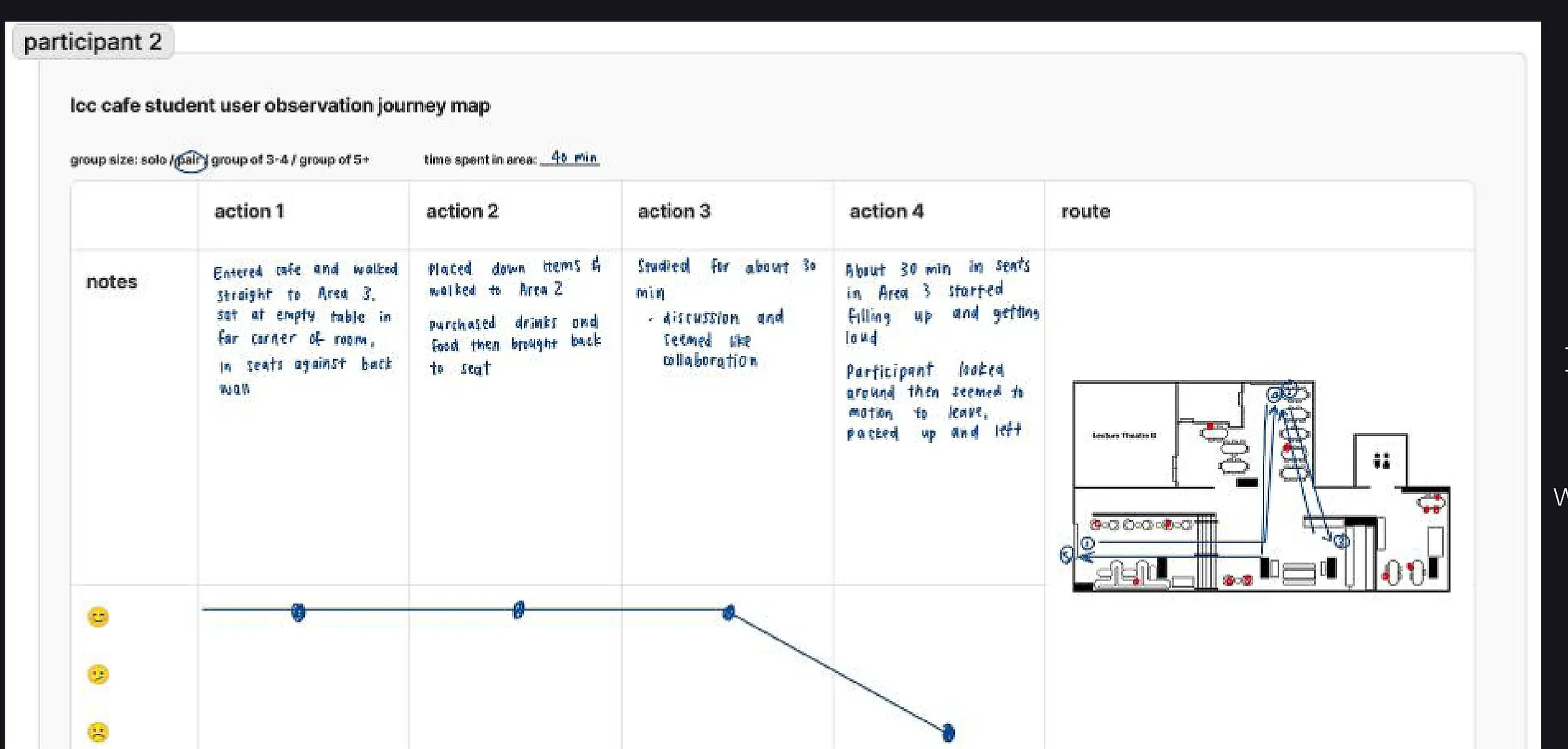
Flexible side-by-side seating for pair study or casual collaboration.
Looked for open seating arrangements where two people could work alongside each other comfortably.
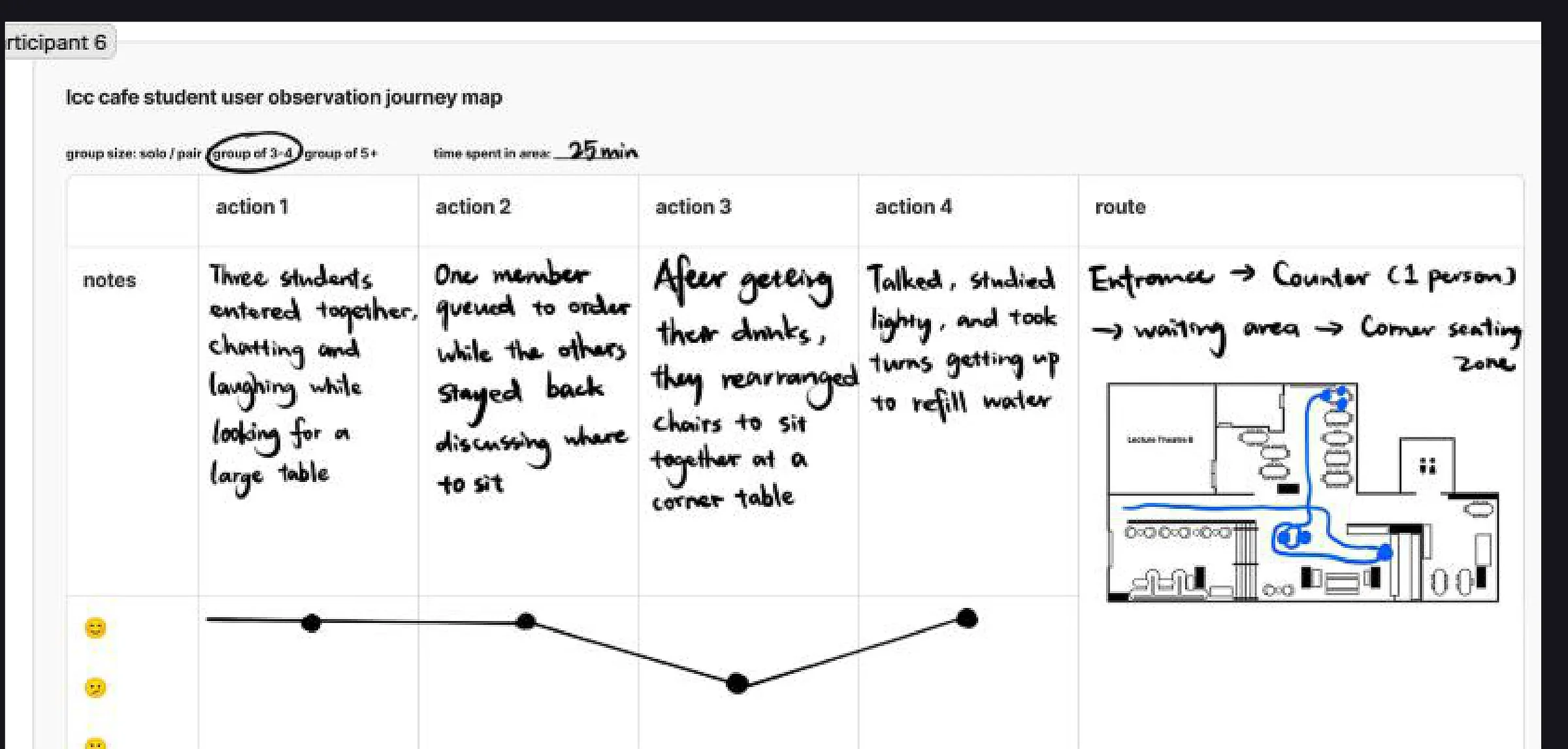
Larger tables and communal seating for small-group study and project work.
Frequently moved between group tables and adapted seating to fit the group.
The team initially explored a mobile app for finding available study spaces. Research showed that availability was not the core problem: students were frustrated by the design of the spaces themselves.
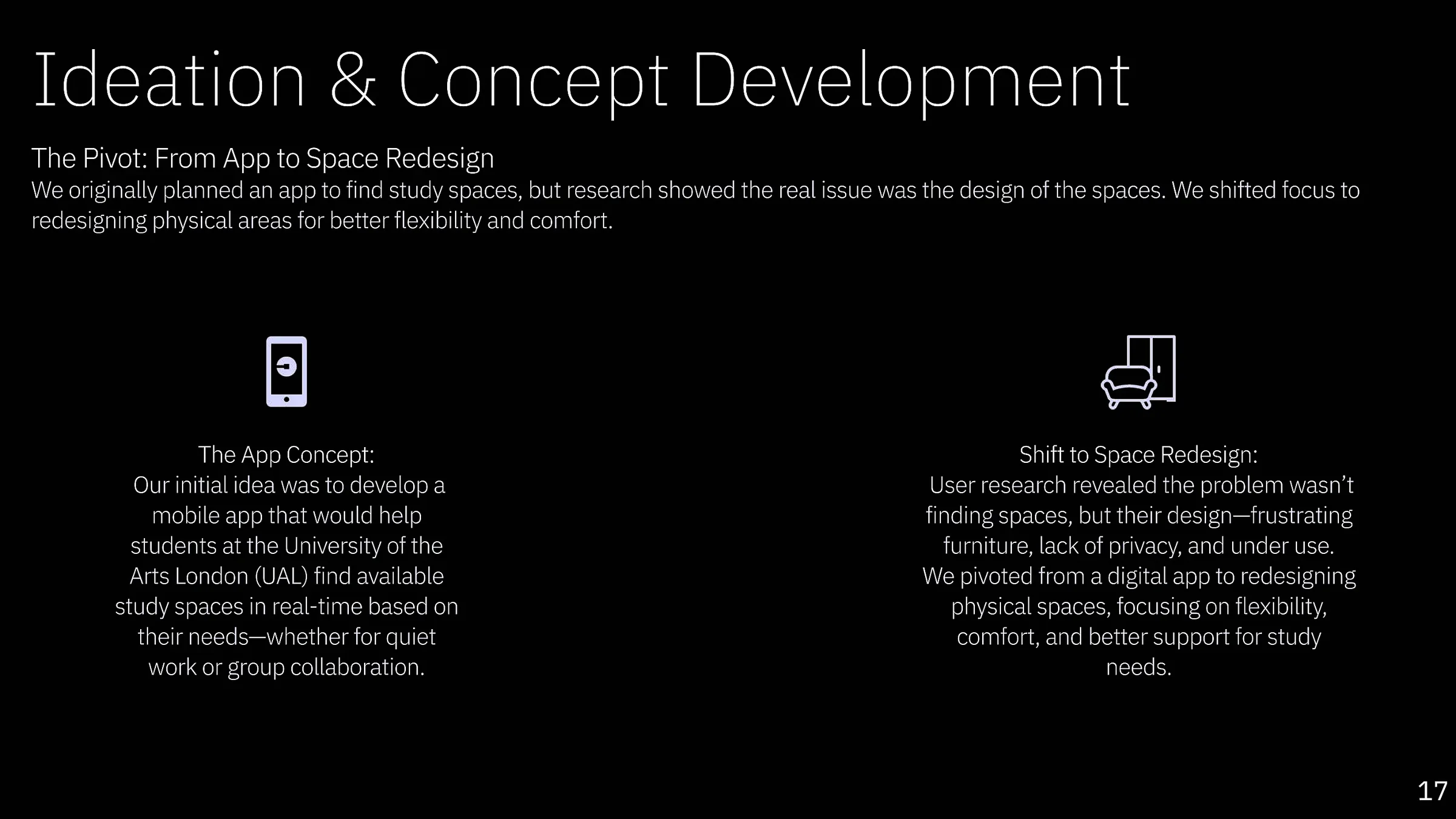
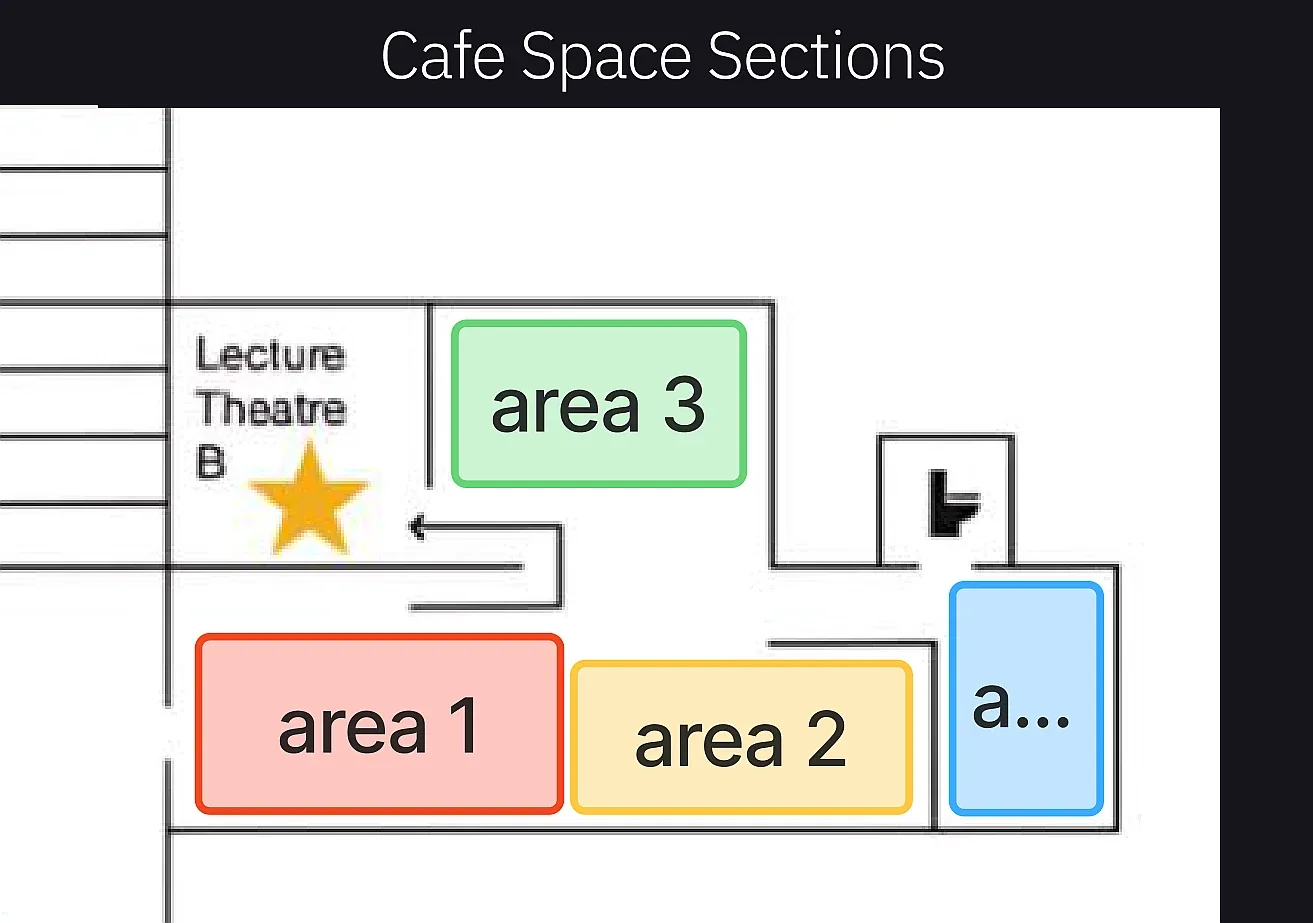
After the research-led pivot, the ideation work explored how the same space could support different modes of study. Early sketches tested modular seating, privacy zones, collaborative areas and clearer zoning across the café environment.
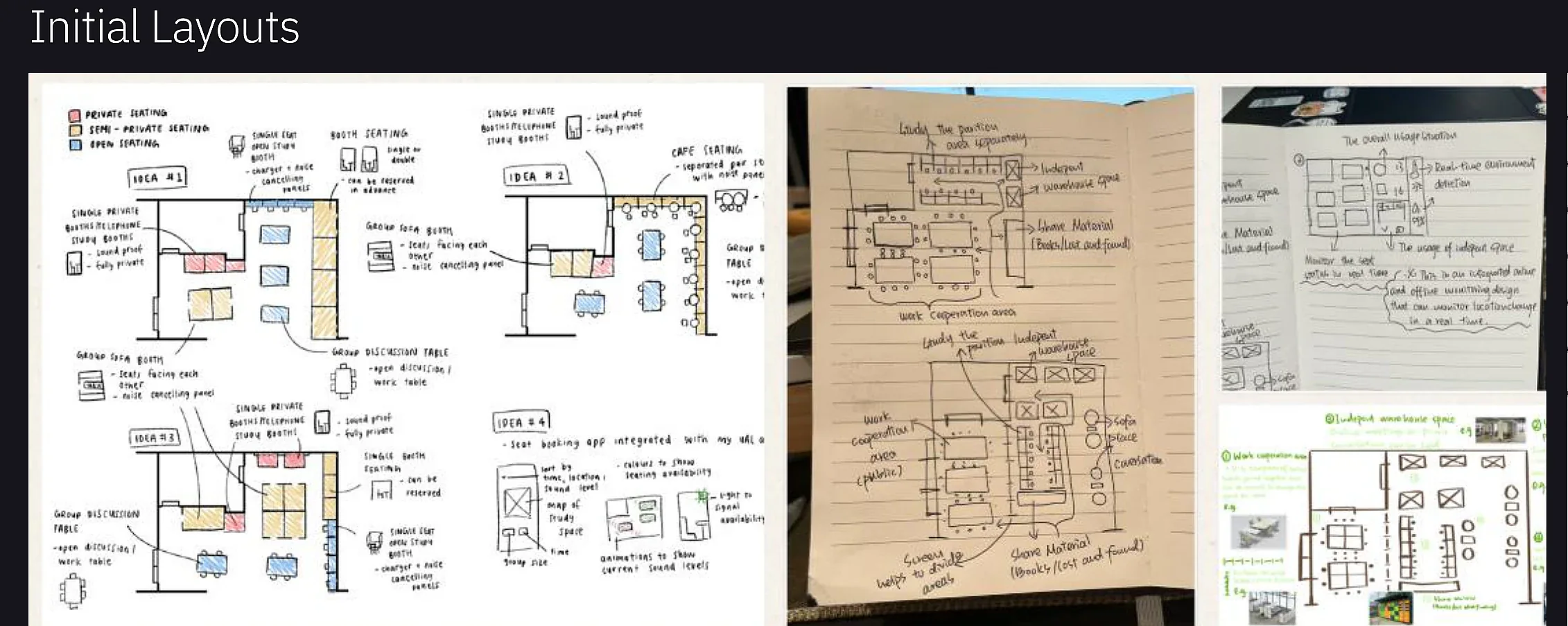
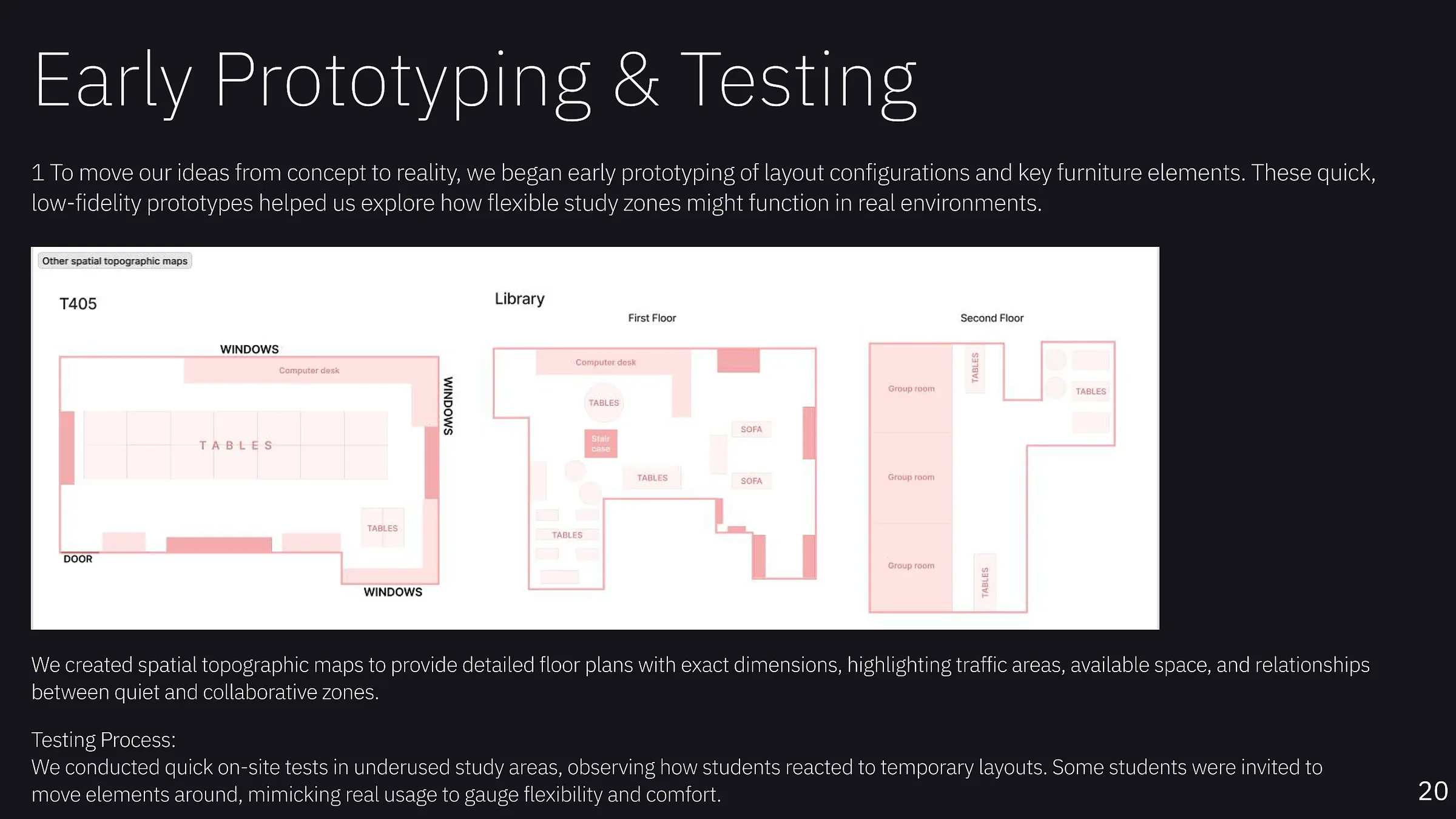
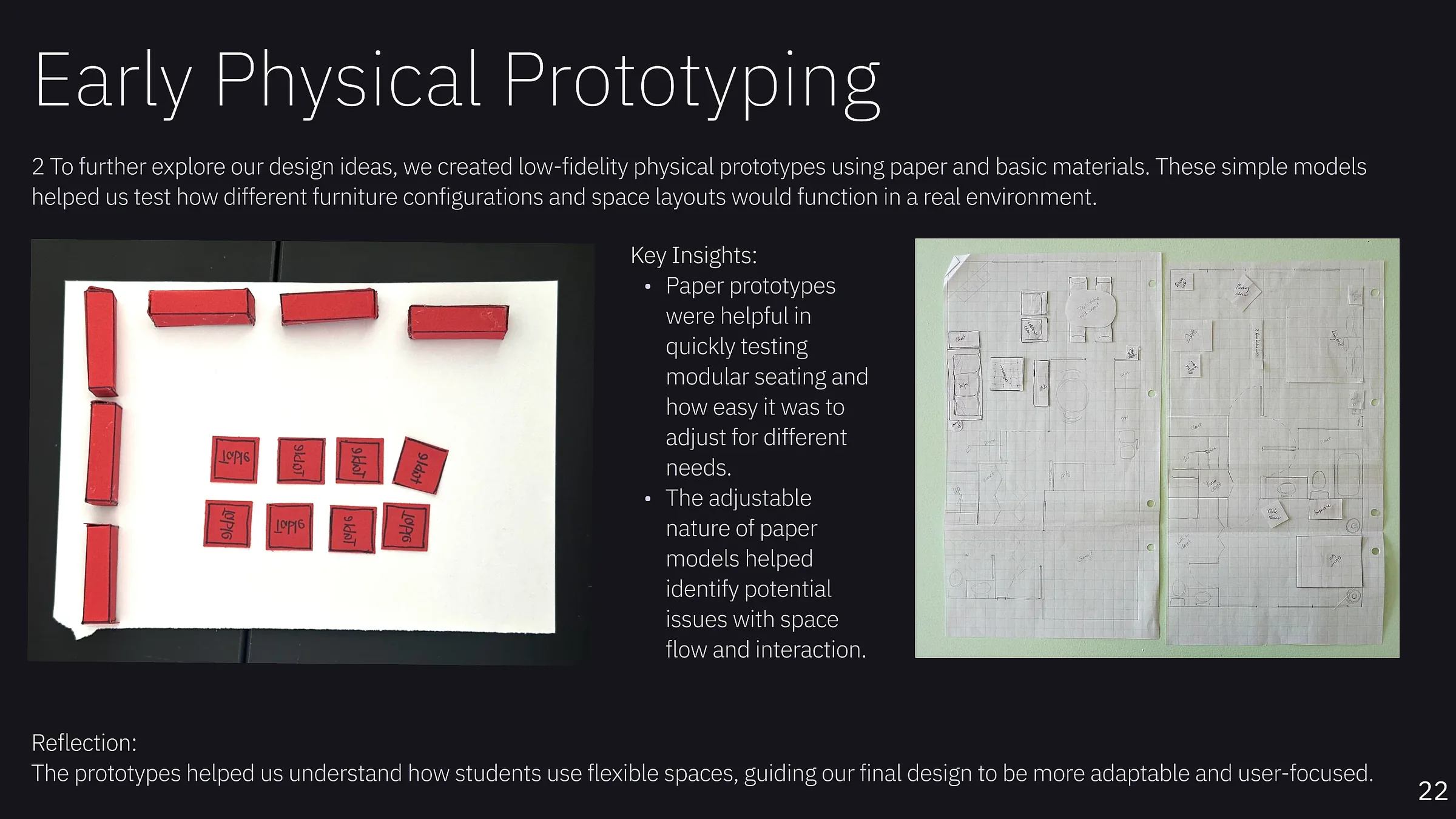
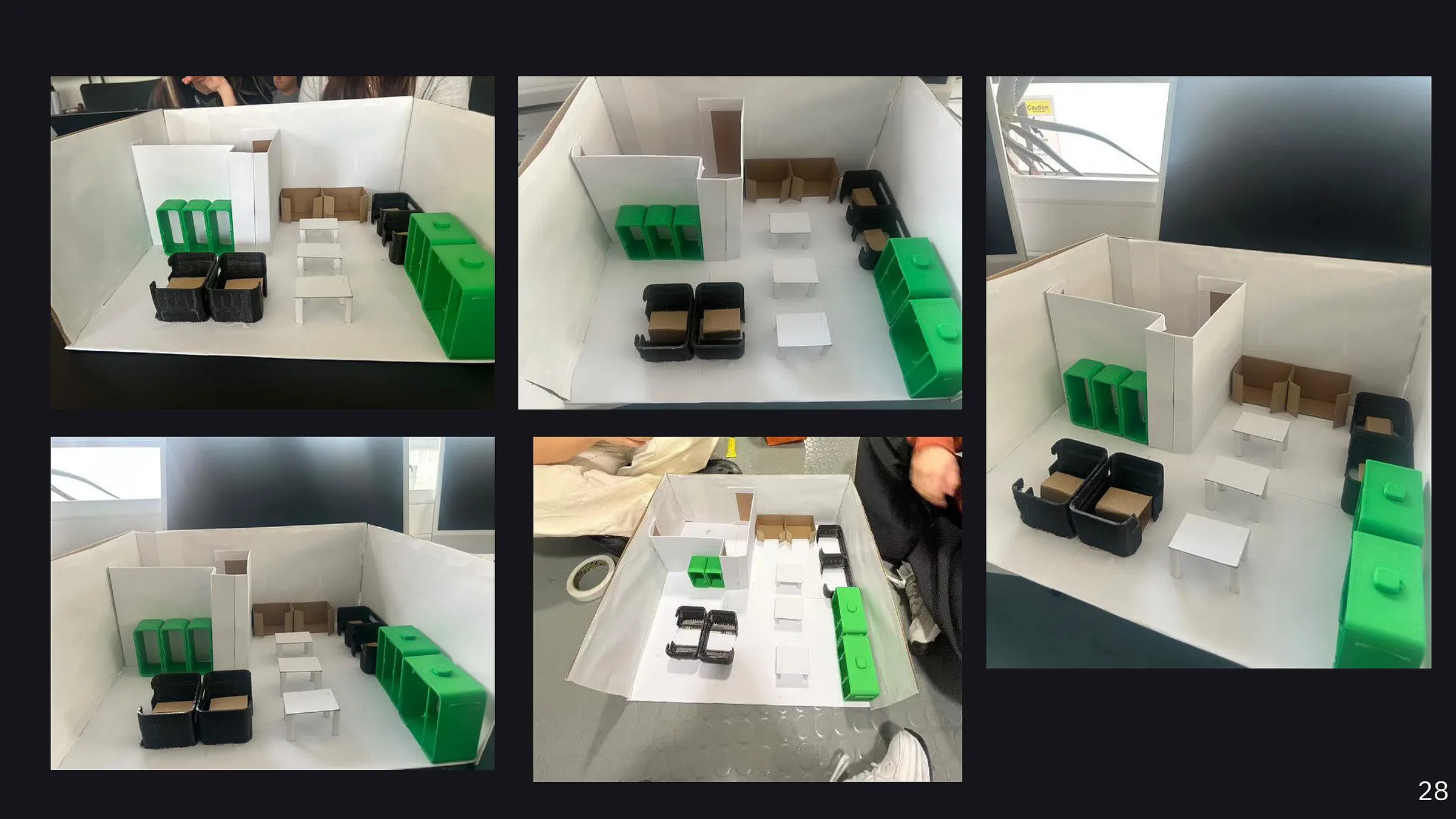
Low-fidelity paper models, spatial maps and temporary on-site layouts were used to test modularity, flow and comfort. Students were able to move elements around, helping reveal which configurations felt intuitive and adaptable.
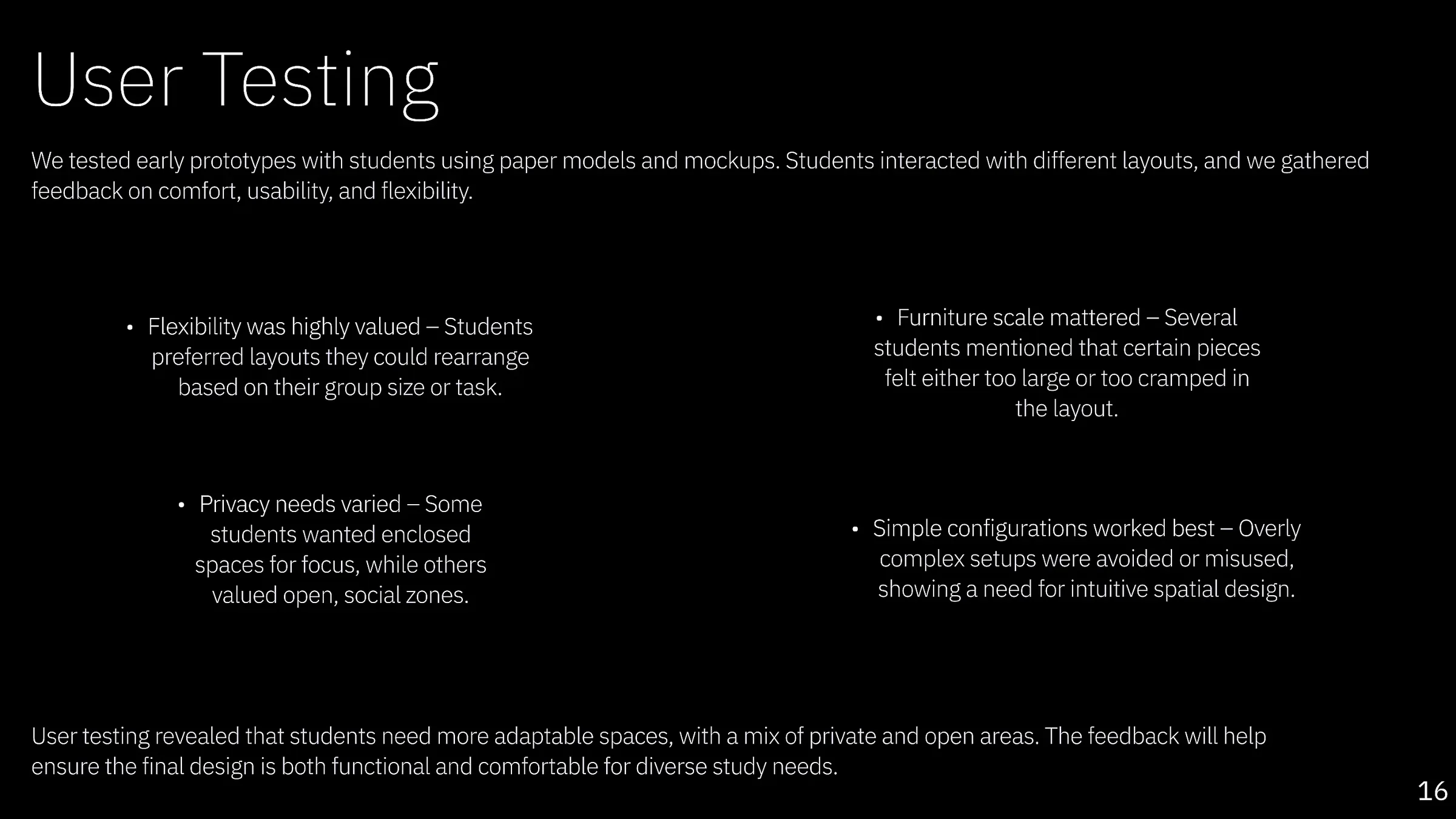
Students valued layouts they could rearrange around group size and task.
Overly complex configurations were avoided or misused.
The final concept needed both enclosed focus areas and open social zones.
The final floorplan used distinct quiet and collaborative zones, flexible furniture and clearer circulation. Furniture and materials were chosen around comfort, durability, maintainability and the ability to support different modes of study.
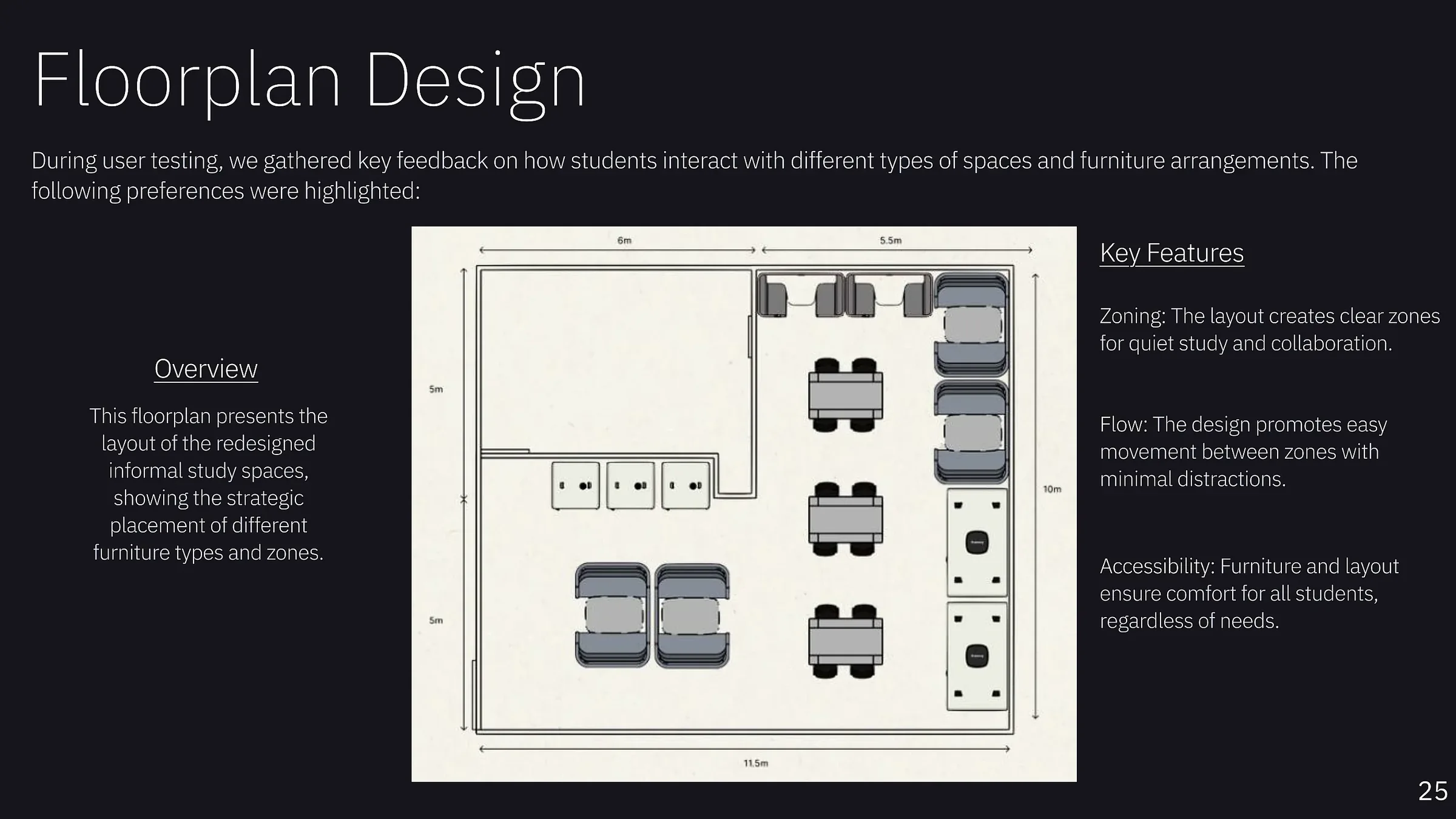
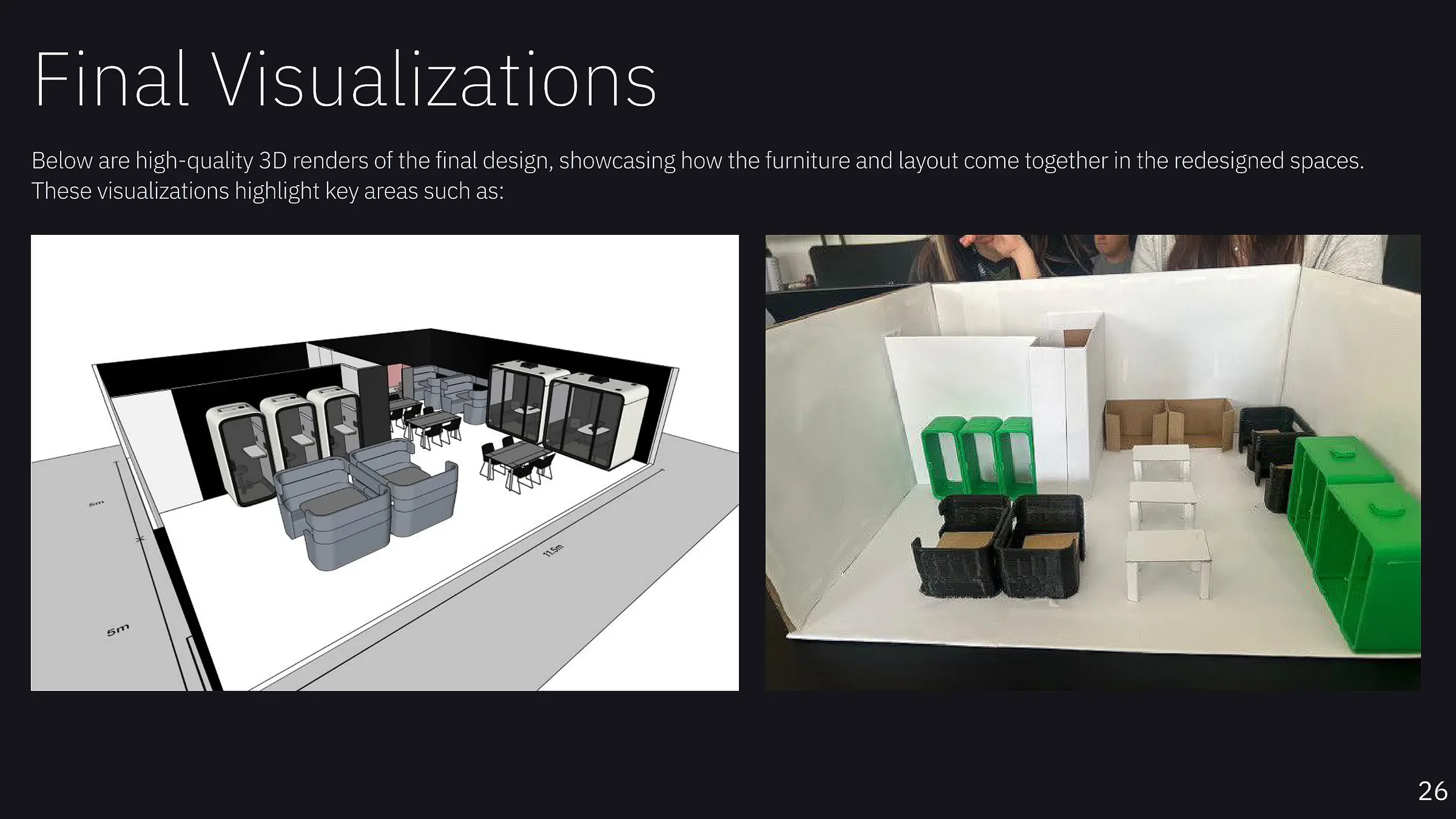
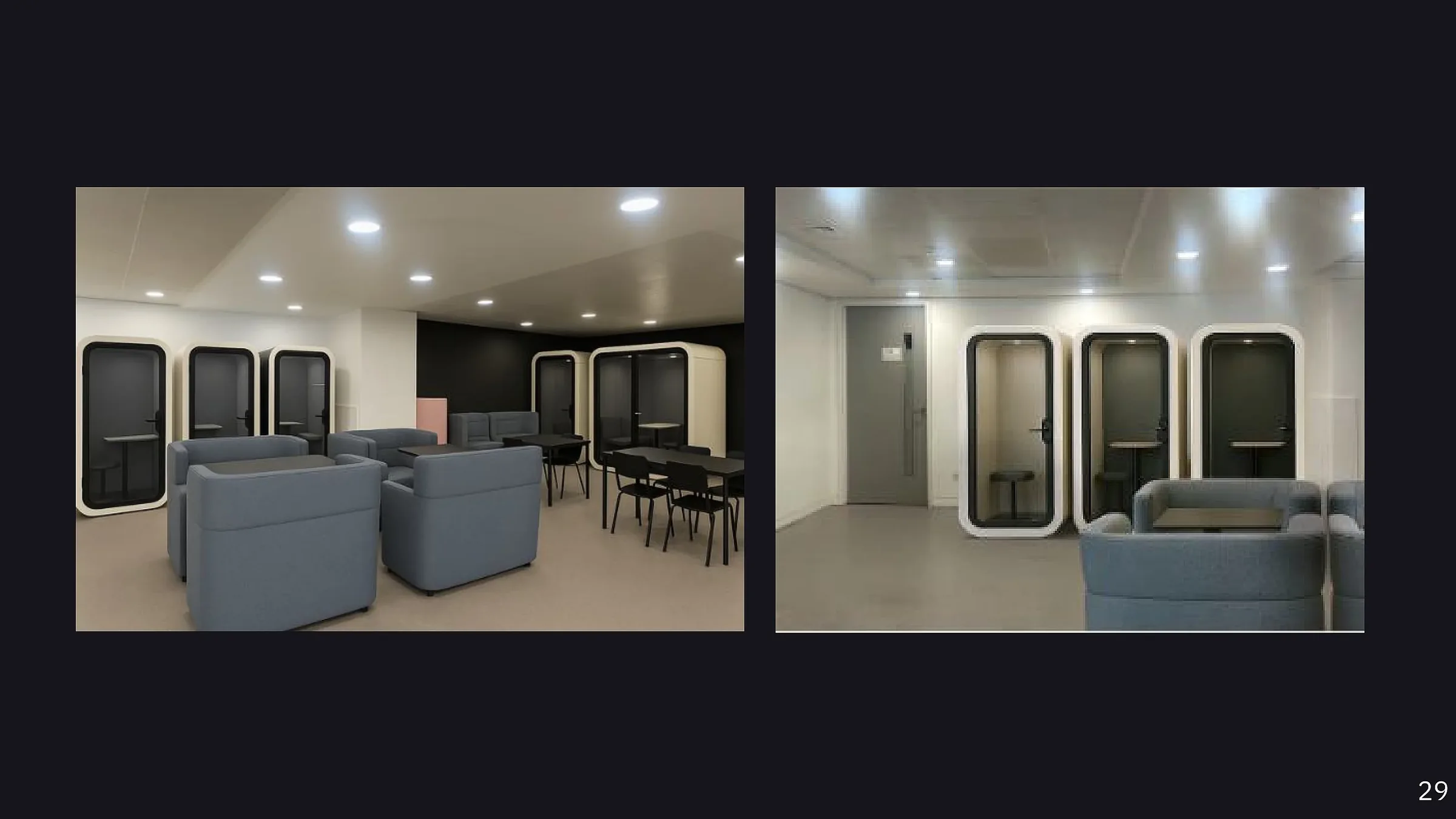
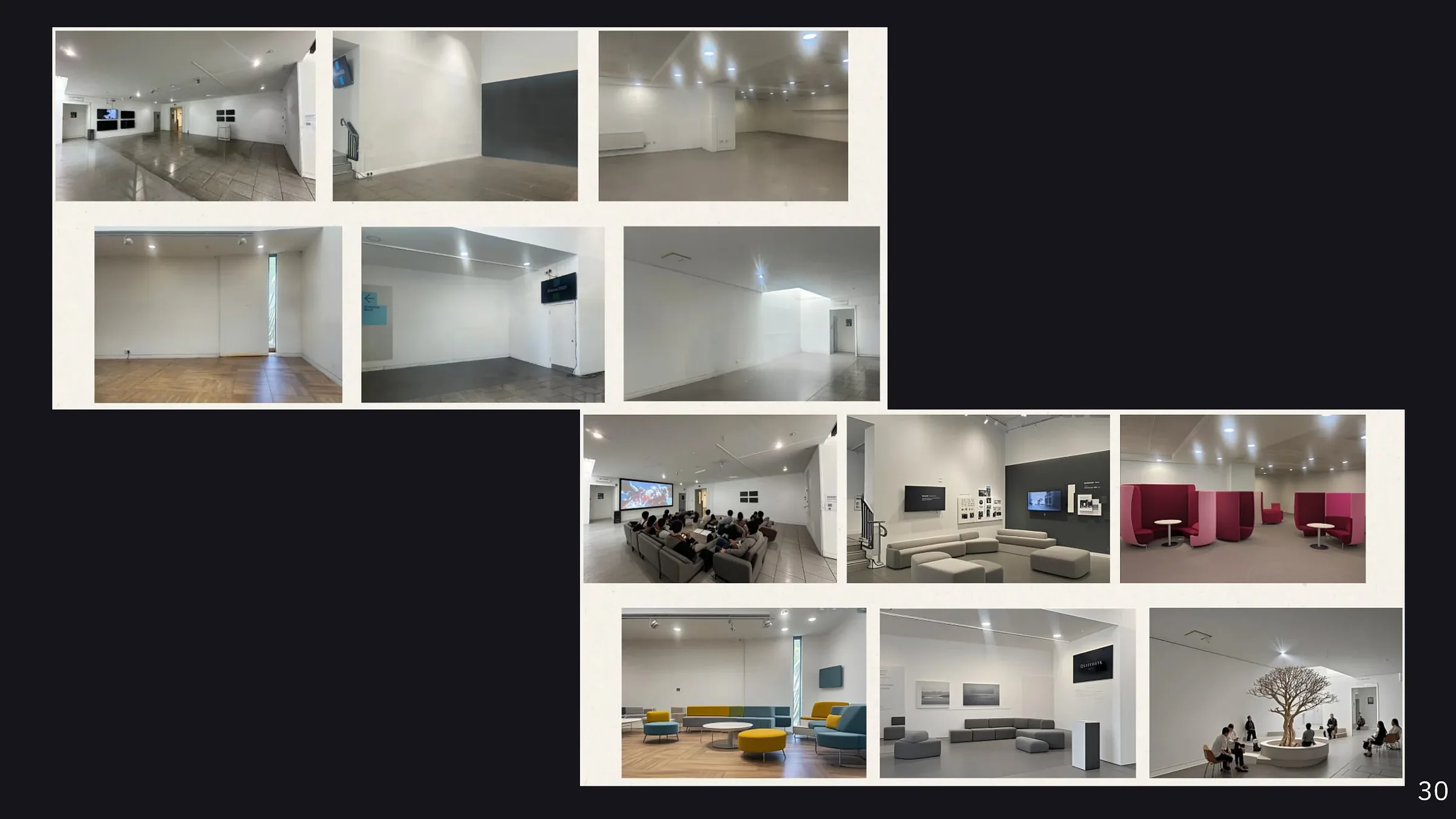
The proposed redesign responds directly to the observed problems: underused space, poor acoustics, discomfort and layouts that could not adapt to different study behaviours.
Support both focused work and collaboration.
Reduce discomfort during longer sessions.
Encourage teamwork without removing quiet space.
Prioritise long-lasting and recycled material options.
I kept the full appendix evidence at the end of the case study so the main story stays concise while the deeper research, floor plans, early digital thinking, measurements and reference work remain available for anyone who wants to inspect the process in more detail.
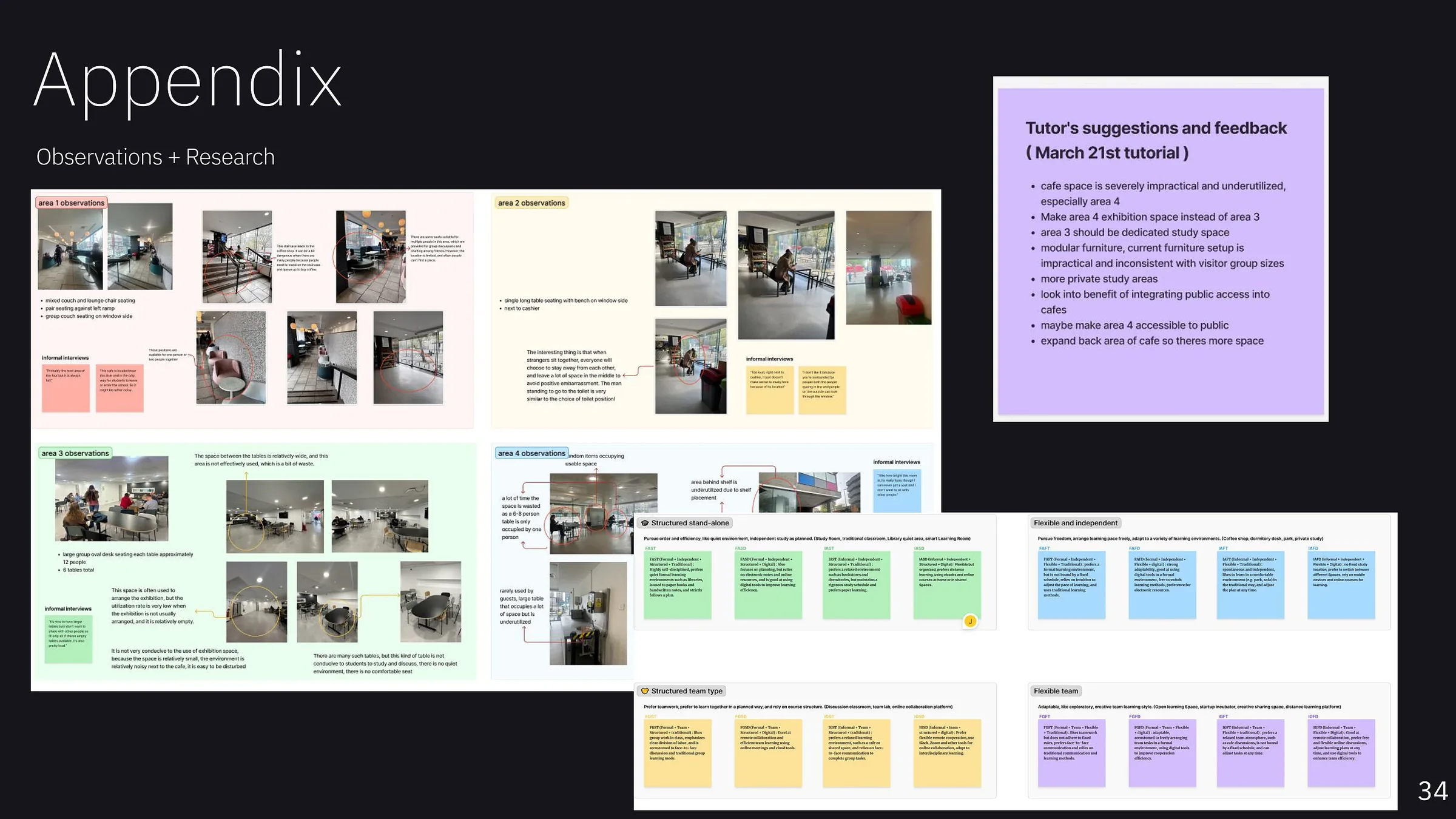
Raw observations from different café areas, informal interview notes, research groupings and tutor feedback that informed the direction of the project.
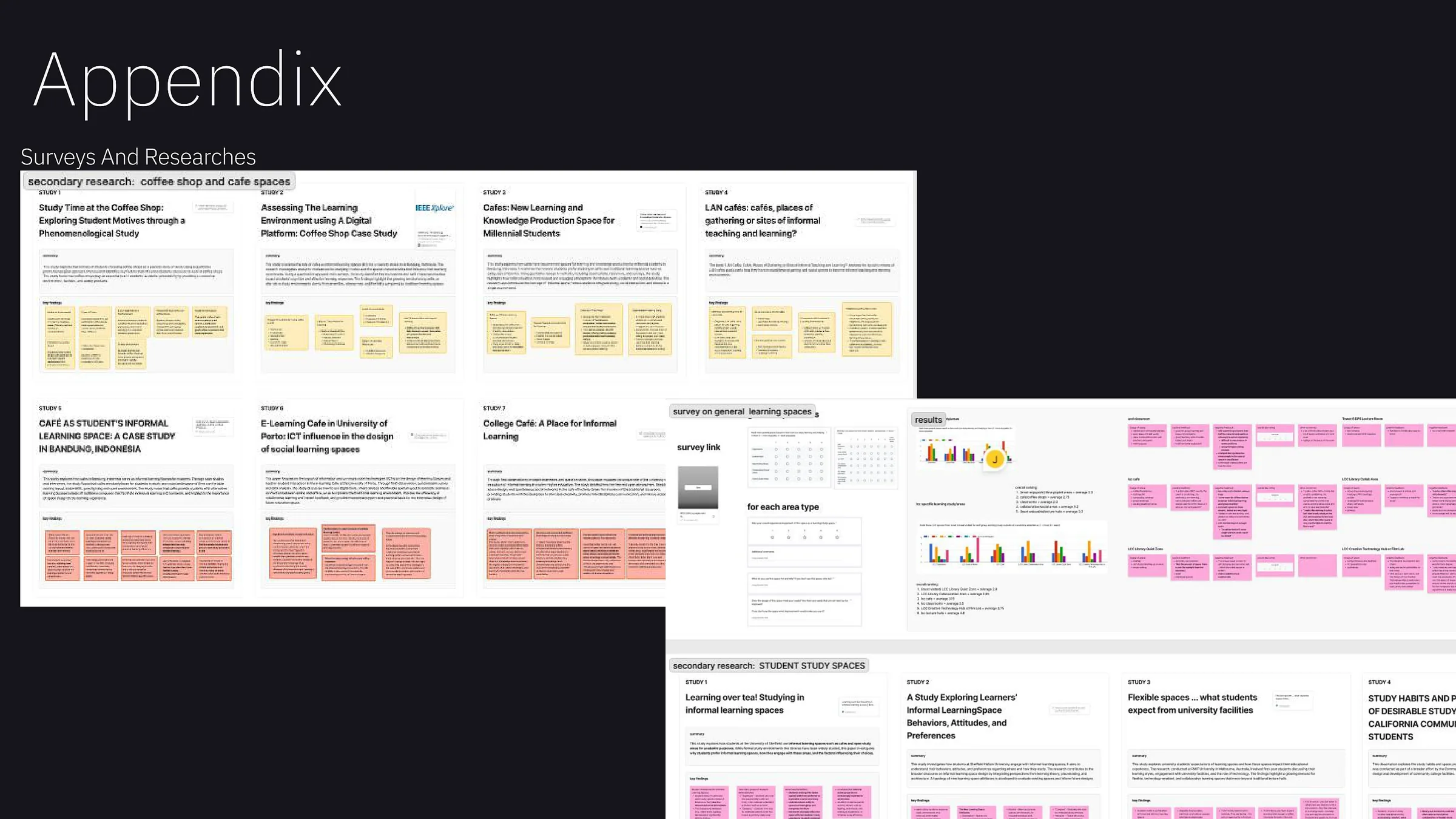
Survey material, results, secondary research into café and learning spaces, and the wider evidence used to understand student study habits.
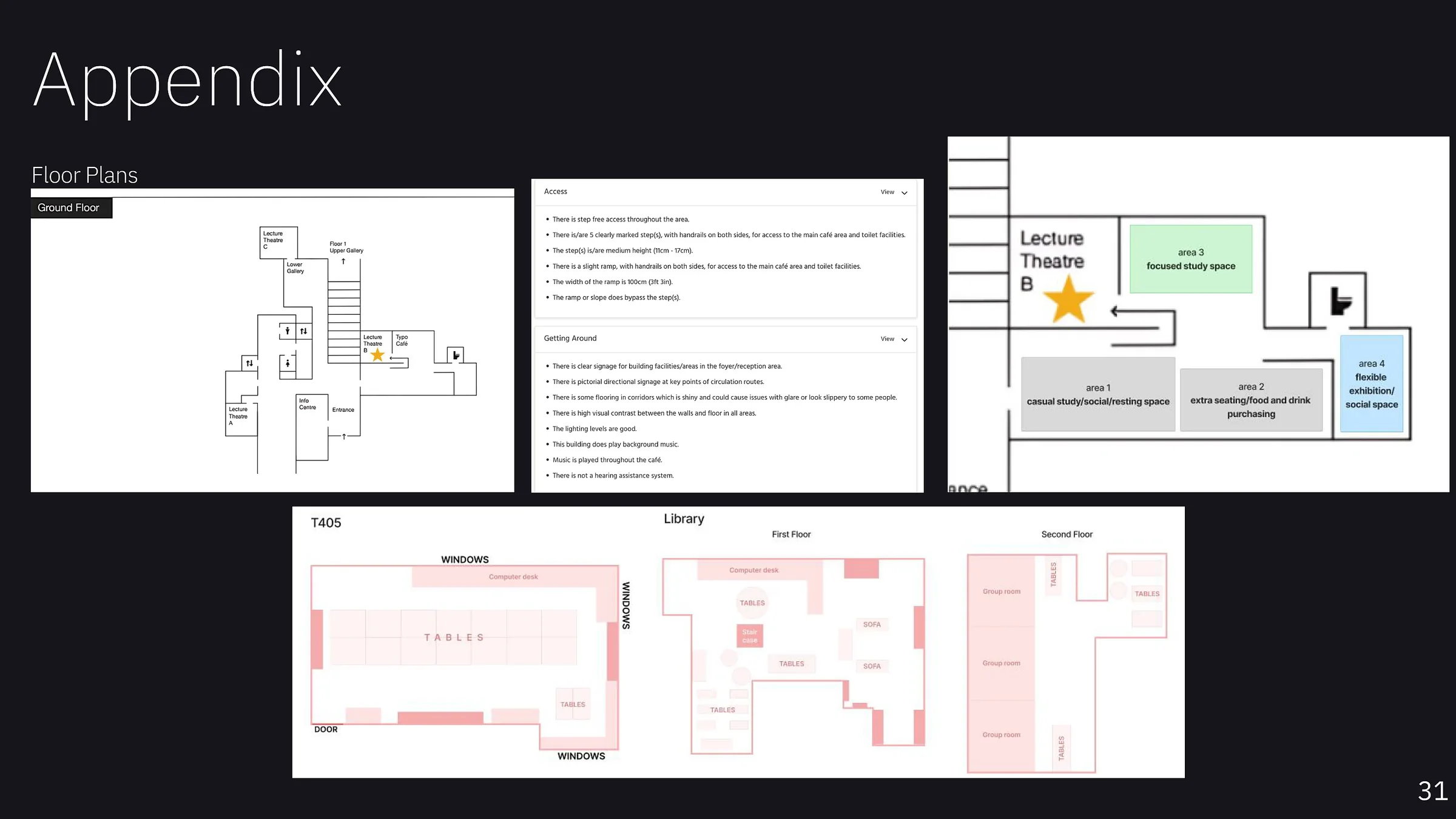
Existing floor plans, access and circulation notes, proposed zoning and comparative layouts used to understand how the space could be reconfigured.
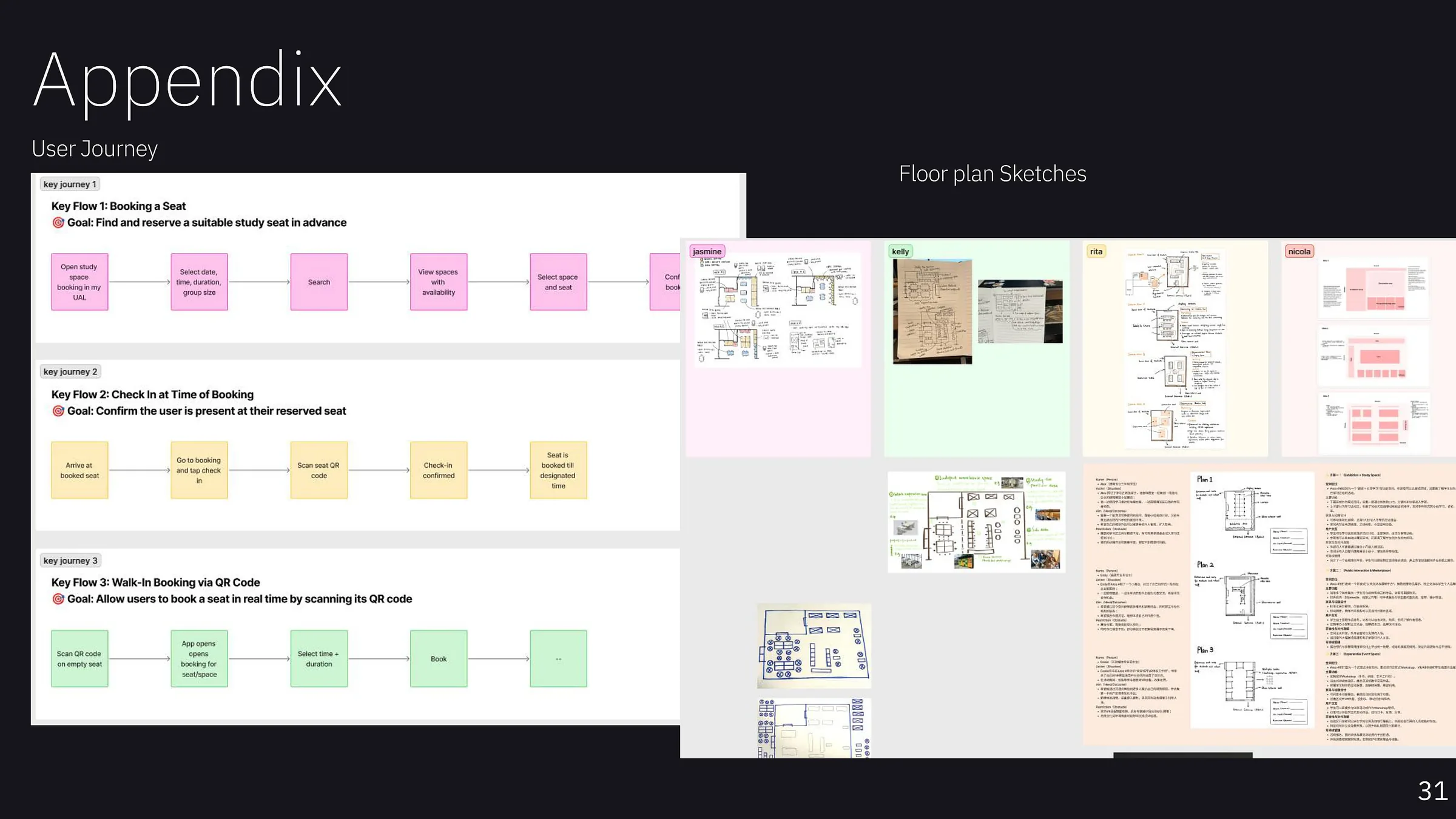
Early digital booking journeys alongside multiple hand-drawn and collaborative spatial sketches, showing both the original system thinking and the developing physical layouts.
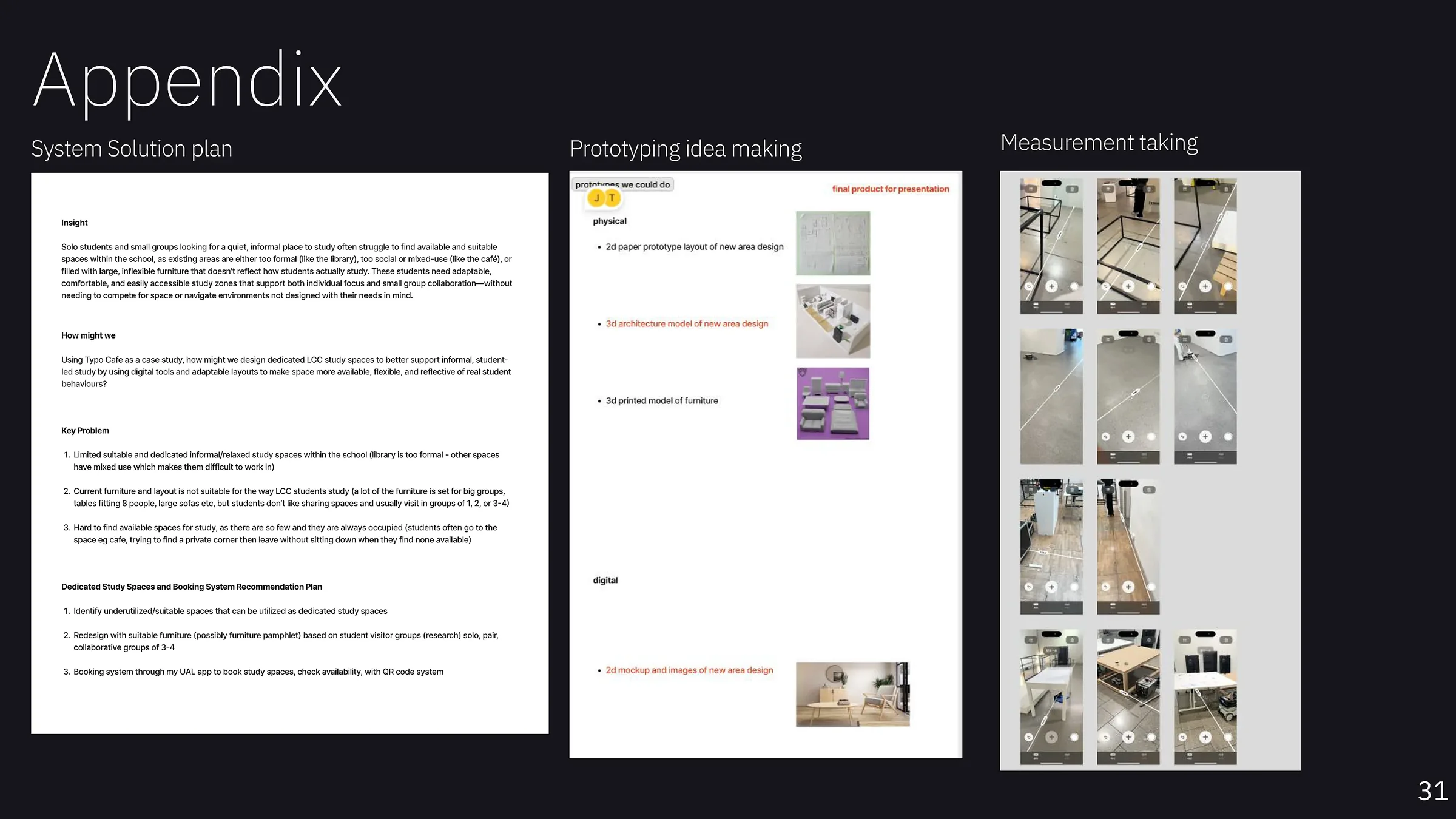
The consolidated problem statement and recommendation plan, prototype options and on-site measurement work used to move from research into a buildable spatial proposal.
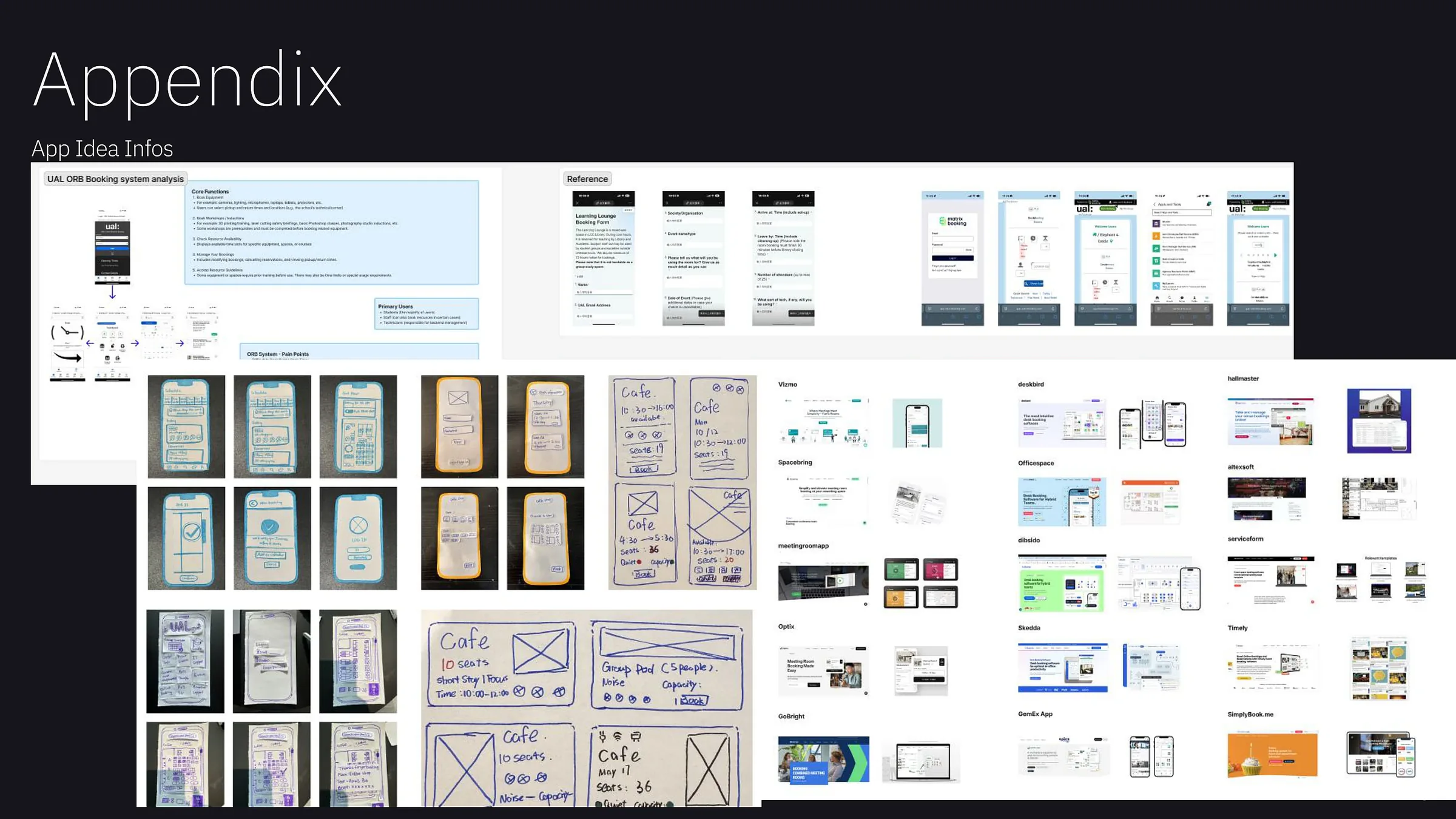
Early UAL booking-system analysis, mobile sketches, QR-booking thinking and competitor references from the digital direction explored before the research-led pivot.
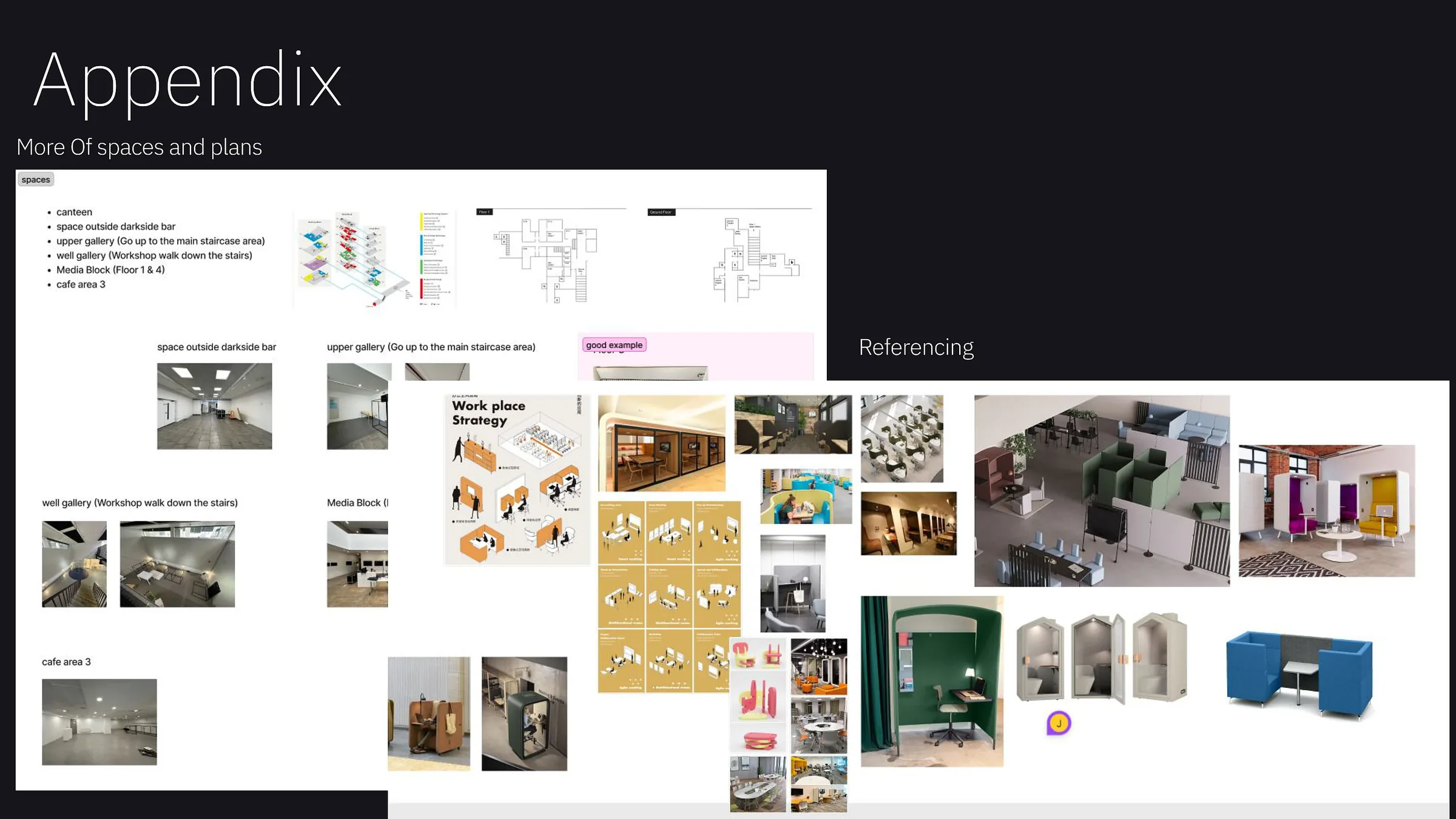
Further UAL locations considered for the redesign and visual references for pods, modular furniture, privacy solutions and flexible workplace layouts.
Exploring how visitors interact with technology in the Science Museum’s “Who Am I?” exhibition, and how UX interventions could improve engagement, understanding and accessibility.
The exhibition uses technology to explore identity and self-discovery. I focused on the moments where visitors actively engaged with displays, hesitated, watched others, or left an installation entirely.
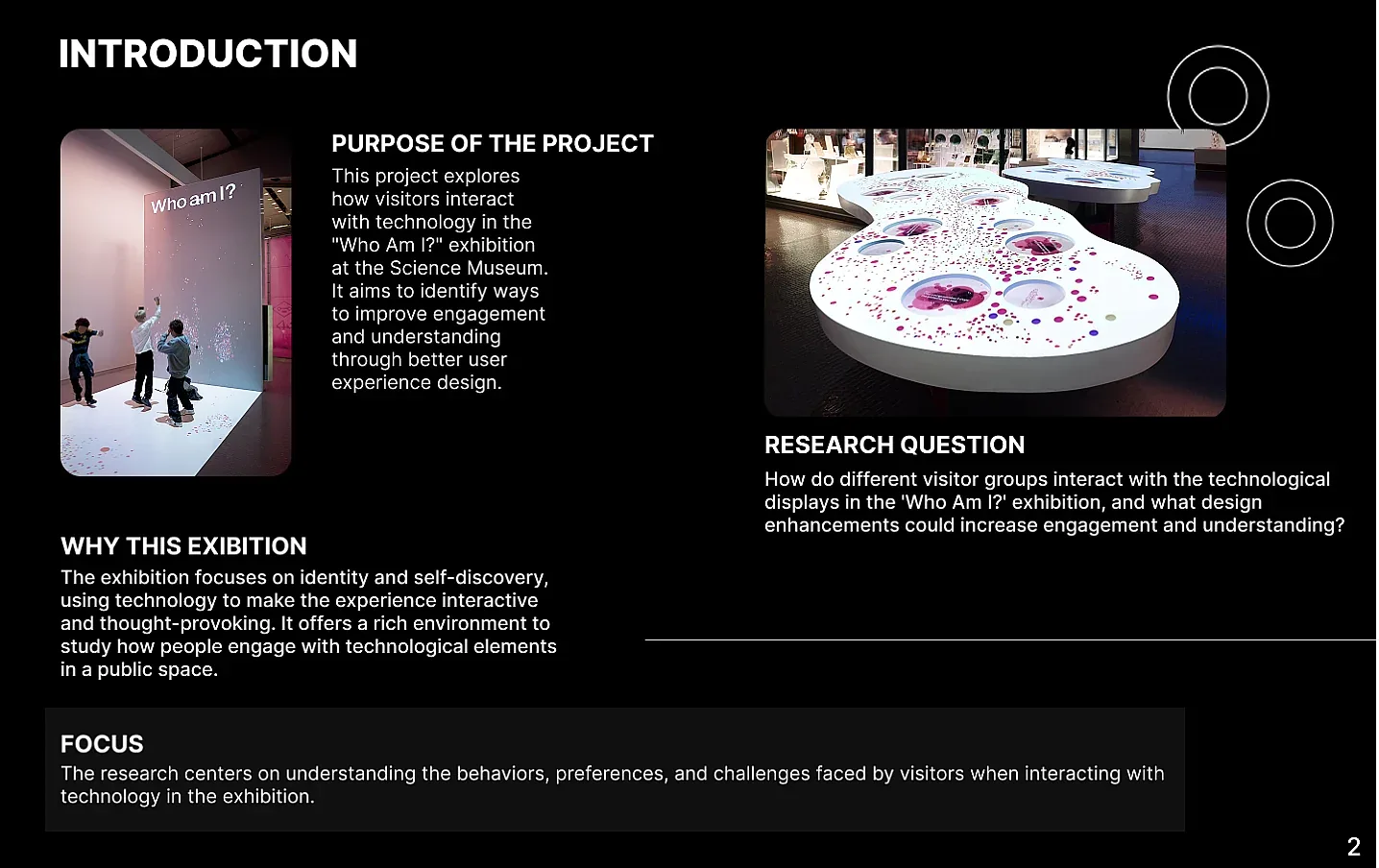
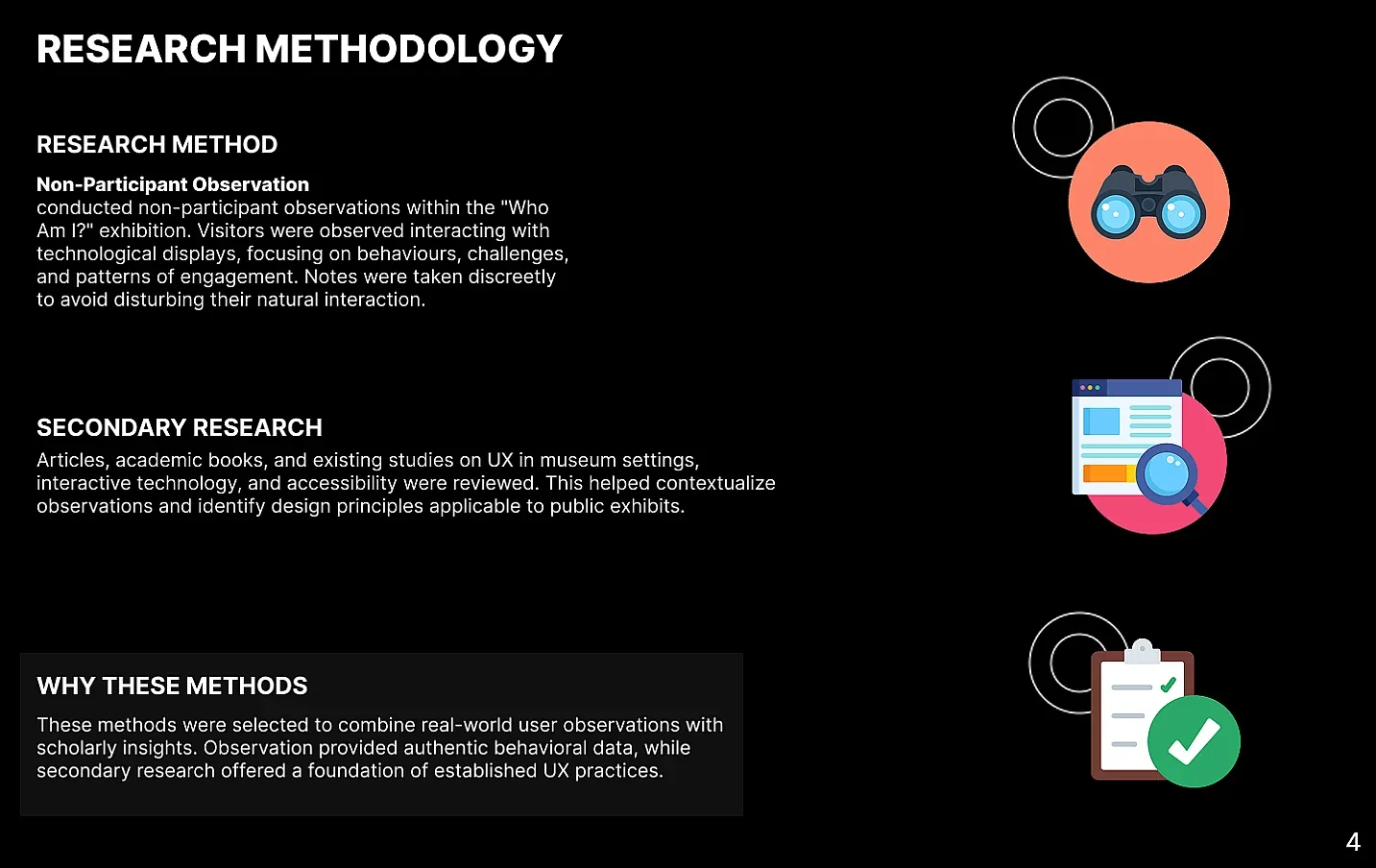
I used non-participant observation so visitors could interact naturally without being interrupted. I documented behaviour, challenges and engagement patterns with field notes, photos and exhibit-layout sketches, while secondary research helped connect those observations to established museum UX and accessibility principles.
Visitors were observed using touchscreens and installations while notes were recorded discreetly.
Visual evidence and sketches helped capture individual behaviour as well as environmental factors.
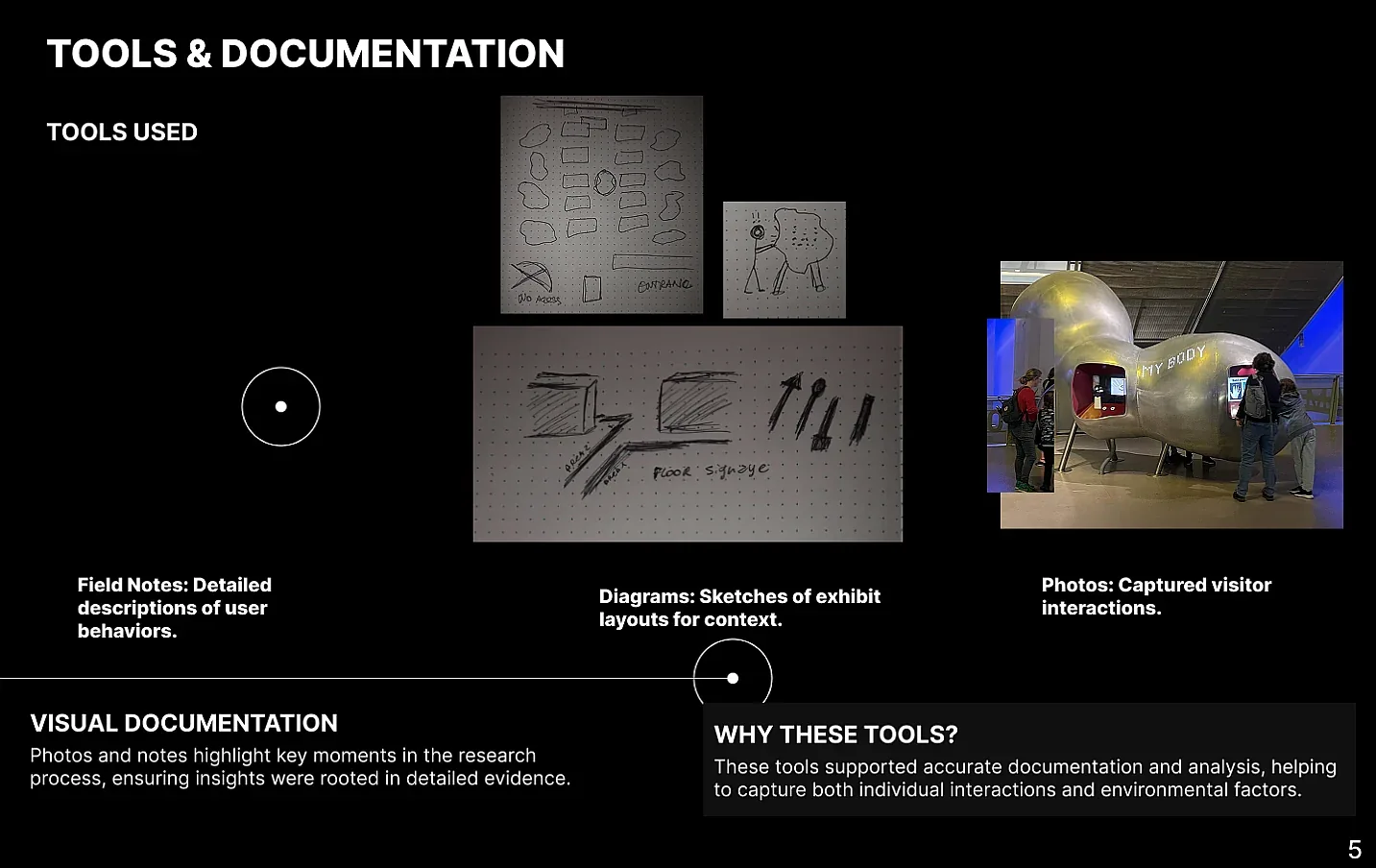
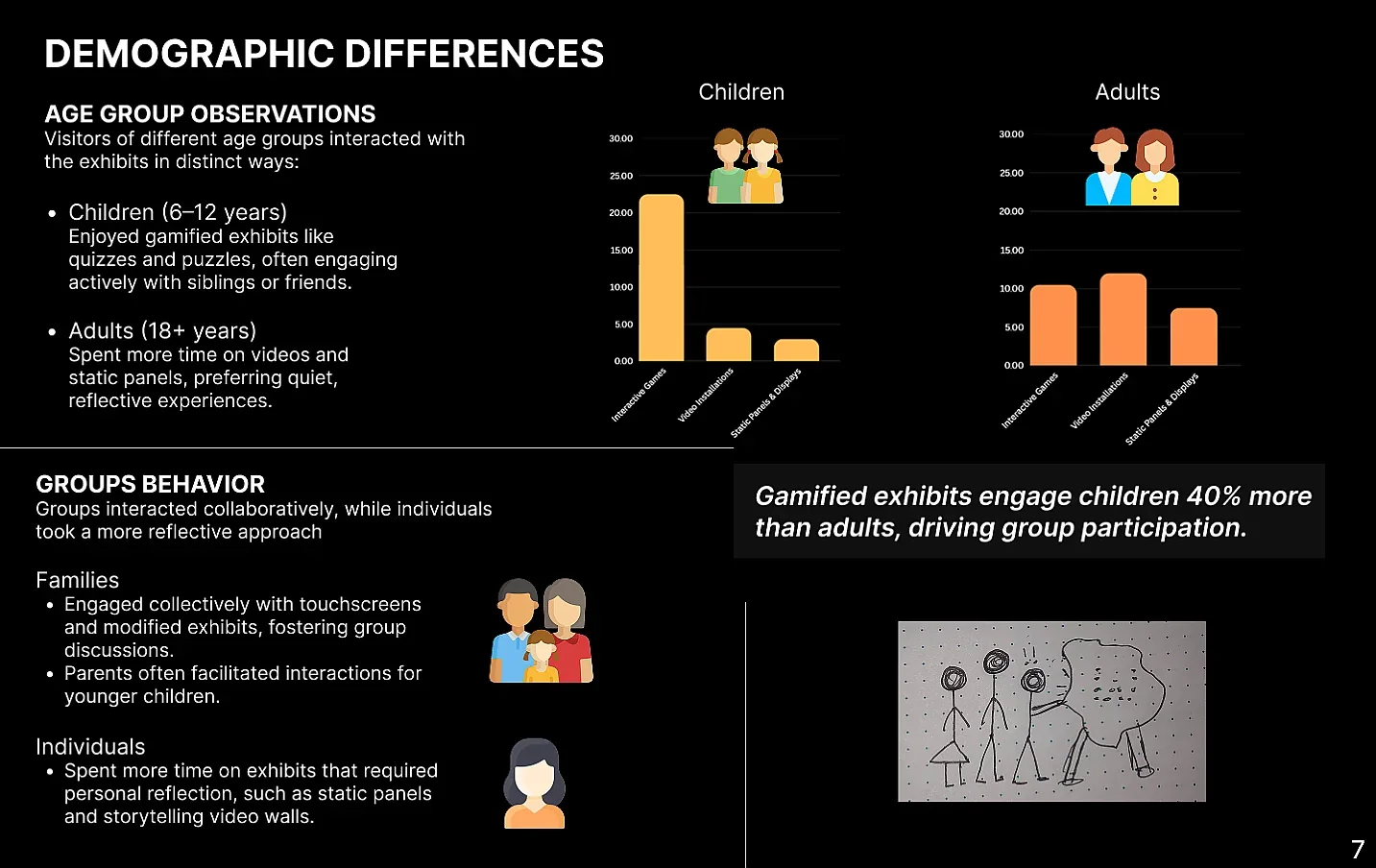
Different display types produced very different engagement times. Interactive games generated the longest average dwell time, followed by video and motion installations, while static panels were typically viewed for the shortest period.
The most engaging format, especially with families and children.
Motion and sound kept visitors engaged longer than static content.
Visitors usually read briefly before moving on.
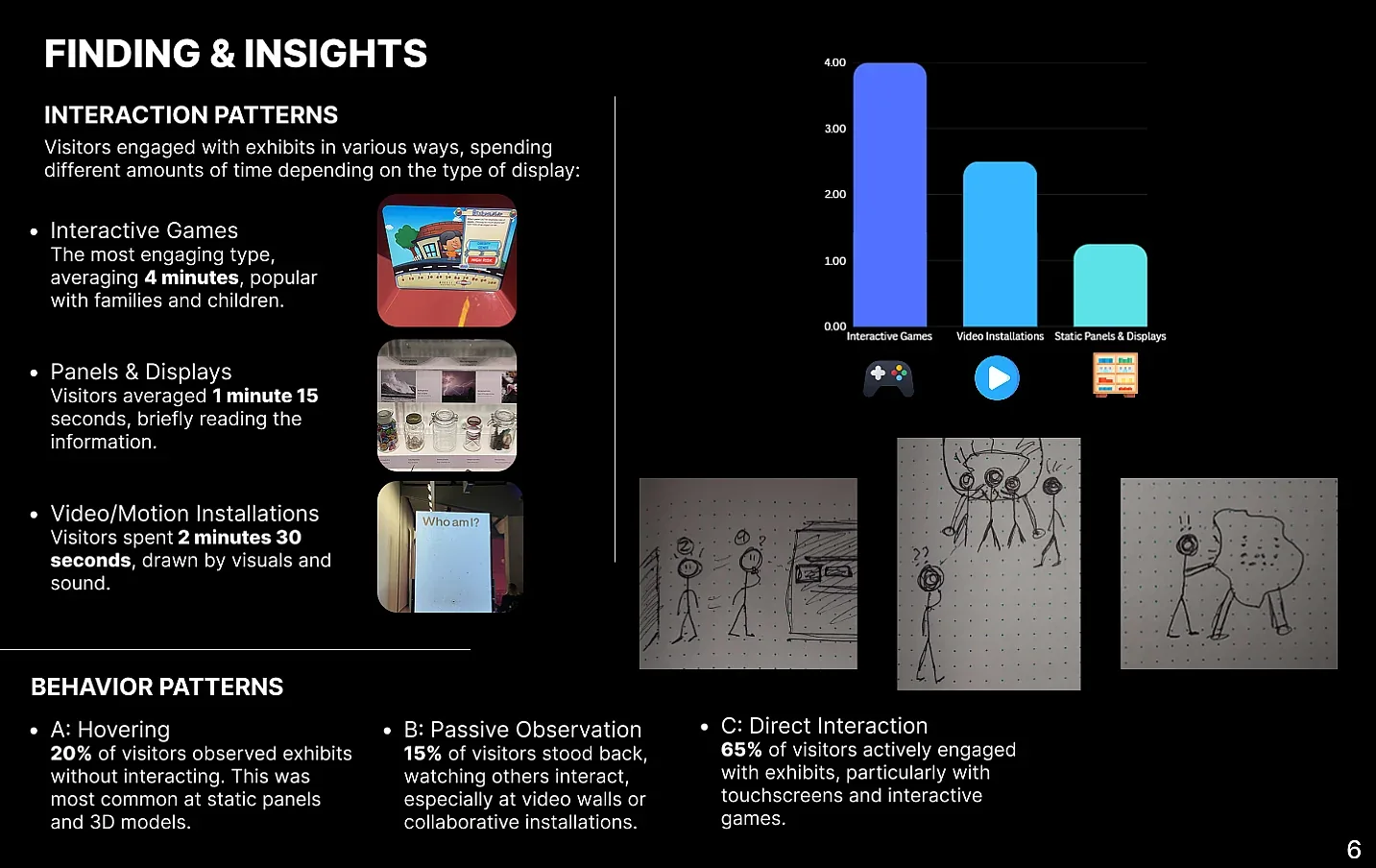
Direct interaction was the dominant behaviour, particularly around touchscreens and games. Smaller groups either hovered without participating or watched other visitors first.
Dynamic content invited visitors to do something, while static experiences were more likely to produce brief or passive behaviour.
Children aged 6–12 gravitated toward quizzes, games and collaborative interaction. Adults spent more time on video and static content and often engaged more reflectively. Group behaviour also differed from individual use.
Children were more active around quizzes and puzzles, often participating with siblings or friends.
Adults showed stronger interest in videos and static panels and were more likely to engage individually.
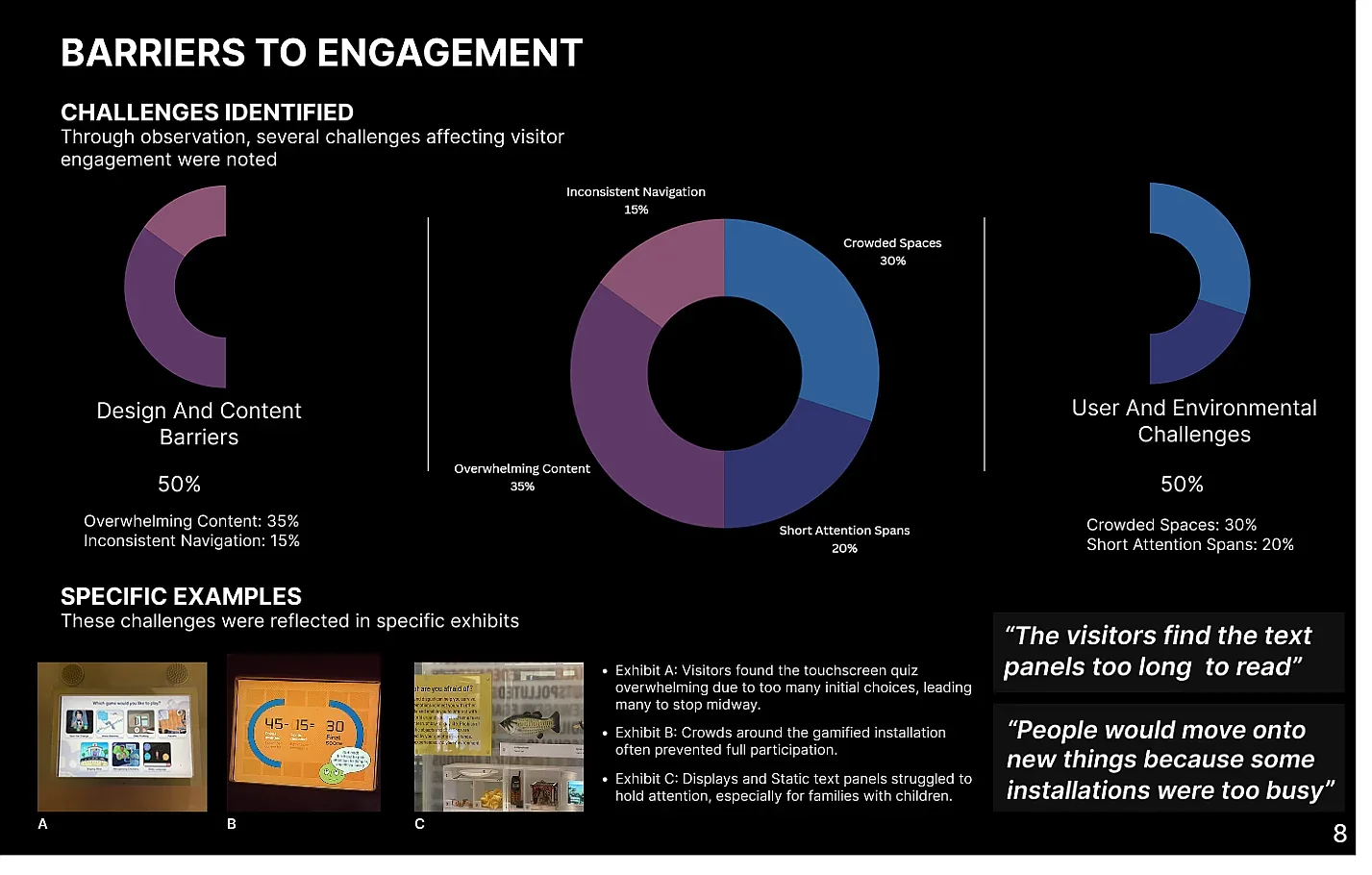
The strongest barriers came from both the interface and the physical environment. Dense content made some screens difficult to use, while crowding limited access to the most popular installations.
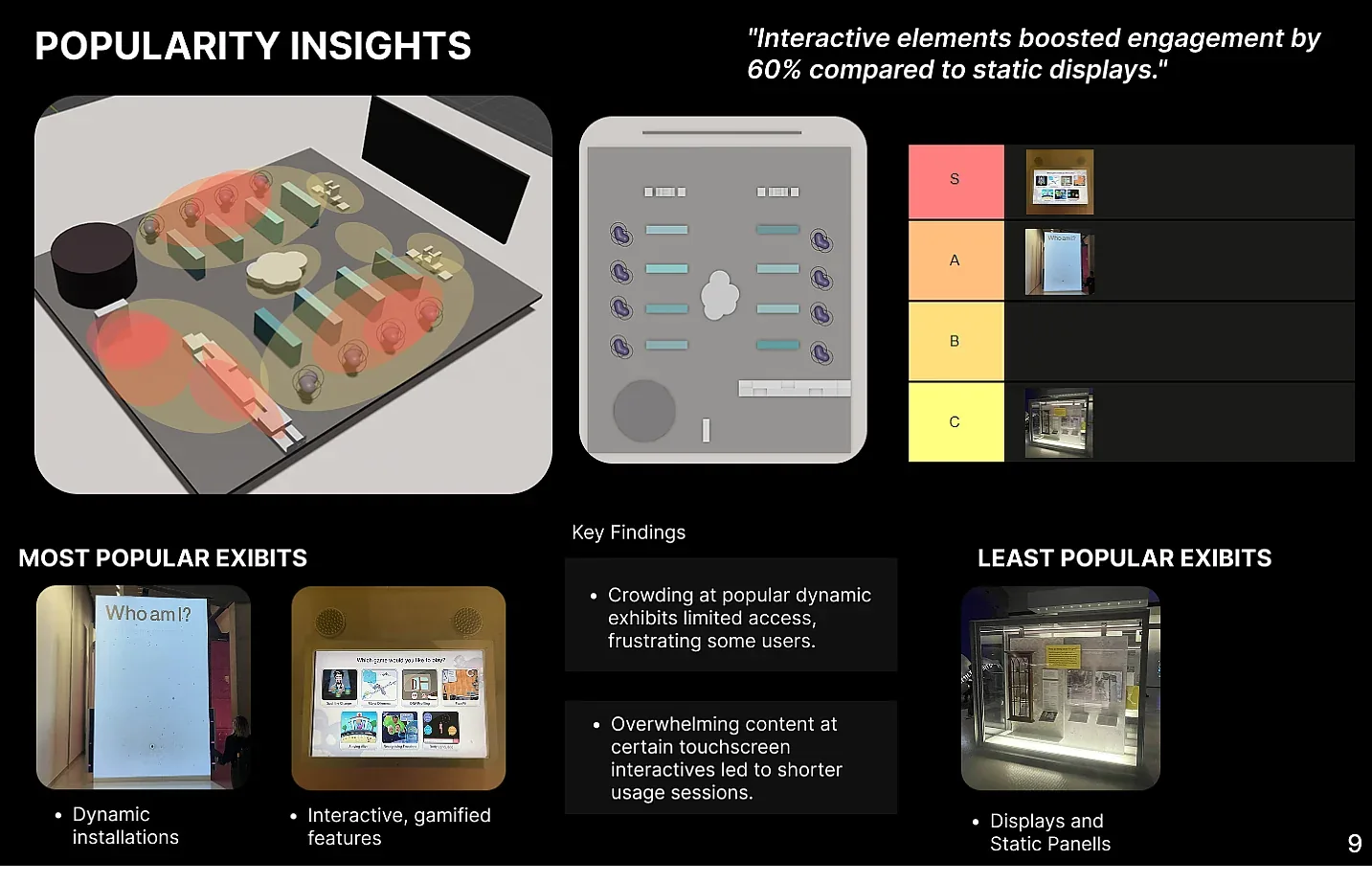
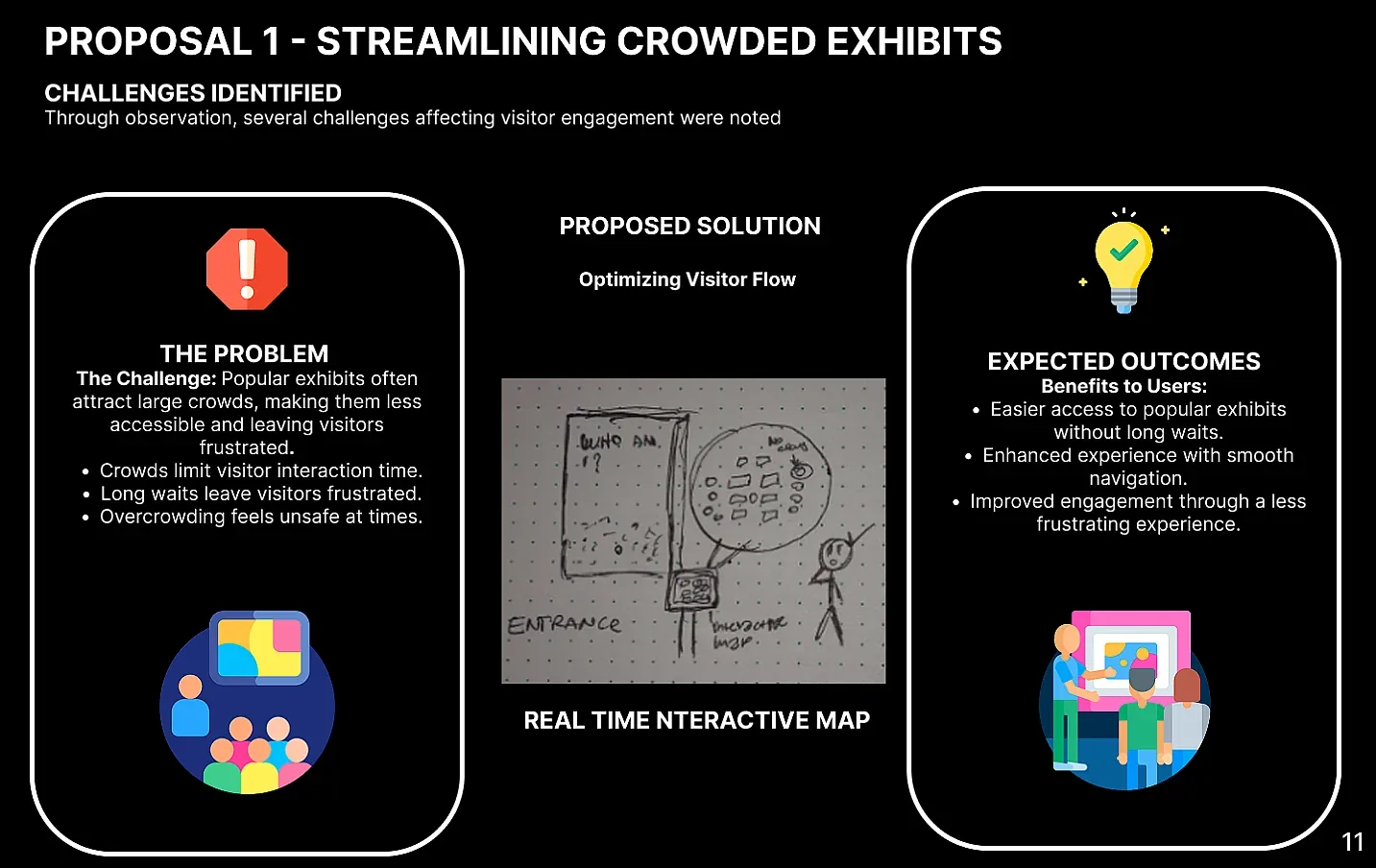
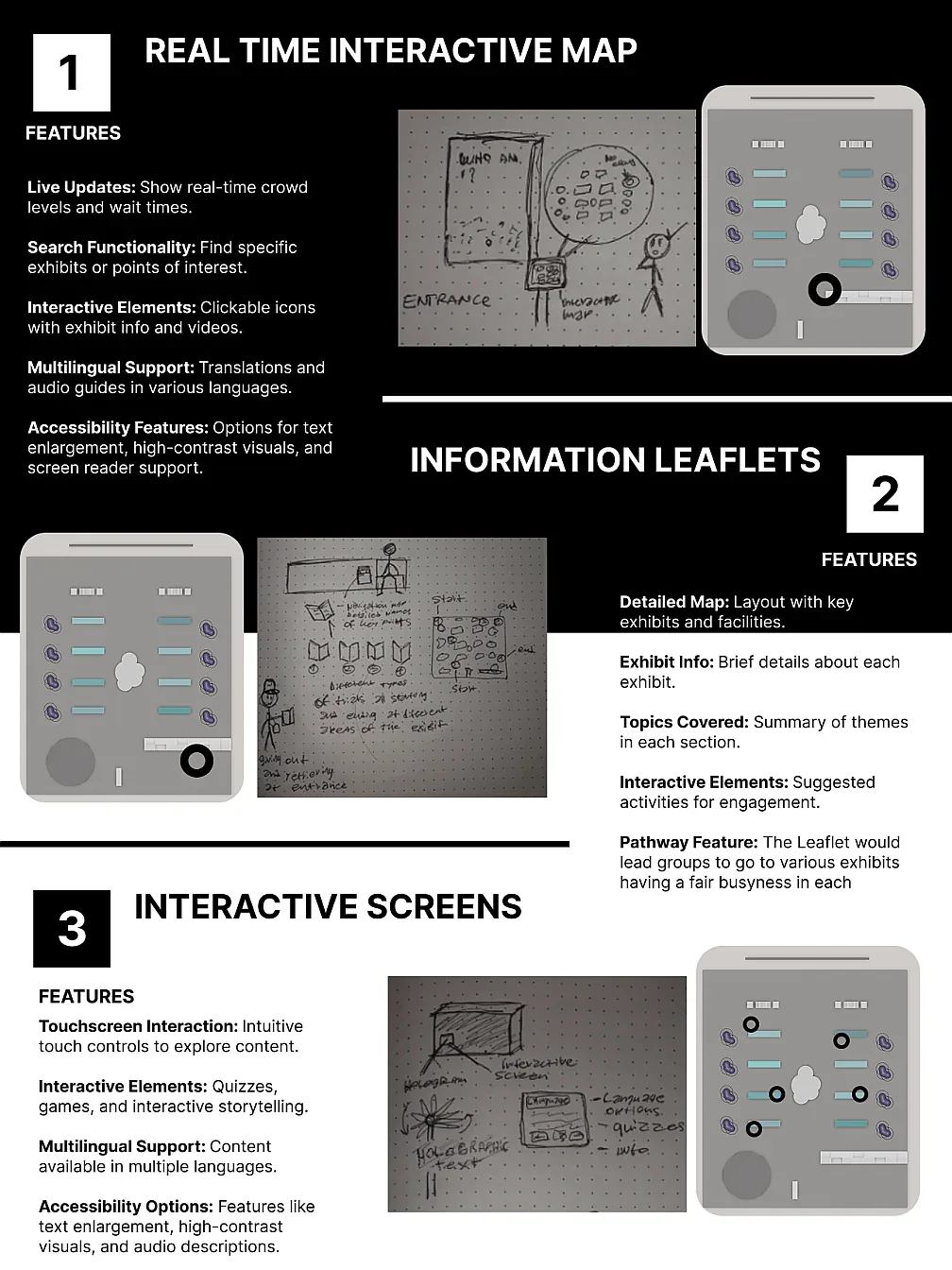
The final proposals directly respond to the observed barriers. They focus on improving movement around busy exhibits, making instructions easier to understand and increasing interaction at low-engagement displays.
Show crowd levels, wait times, routes and exhibit information so visitors can avoid bottlenecks and plan their visit.
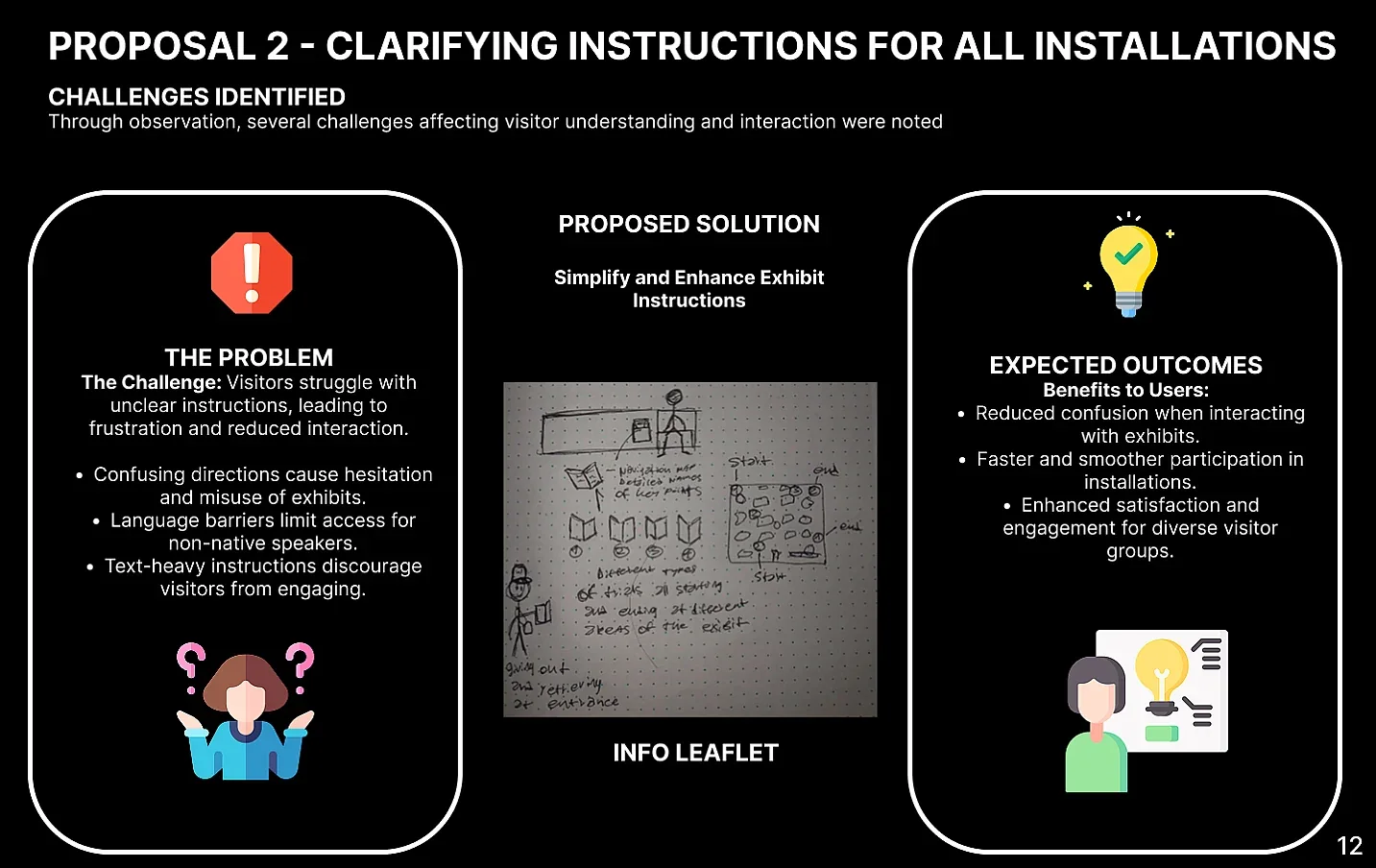
Use simpler steps, visual guidance and multilingual support to reduce confusion around installations.
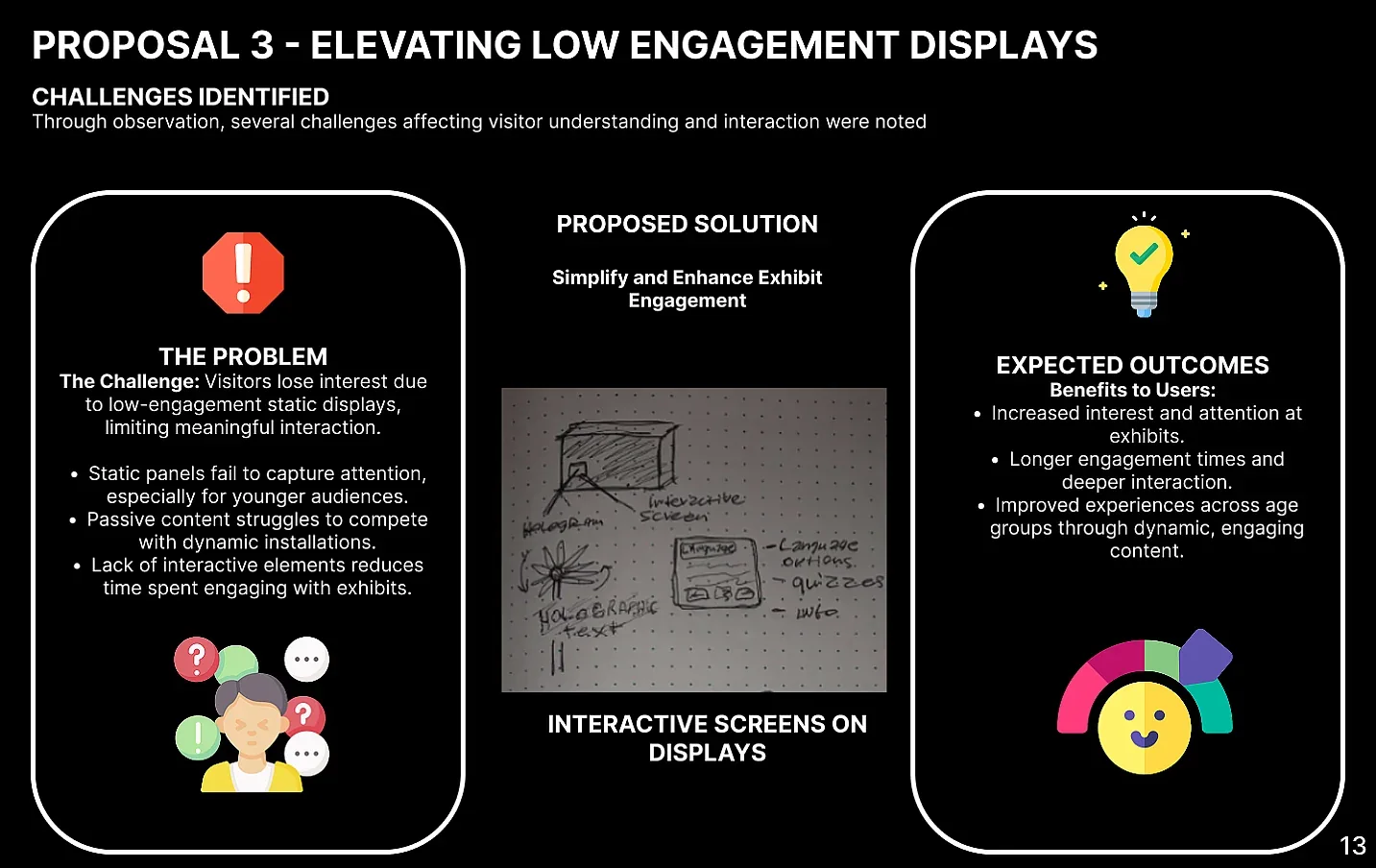
Add quizzes, games and interactive storytelling to displays that currently struggle to hold attention.
The project strengthened my ethnographic research skills and showed how user behaviour is shaped by more than the screen itself. Crowds, context, group behaviour, accessibility and information density all affected engagement.
ABOUT ME
I’m a UX Design graduate from University of the Arts London. My process starts by understanding how people actually behave, where friction appears and what the product or environment needs to do better.
Across marketplace, financial, museum and spatial projects, I’ve worked from early research and synthesis through journeys, flows, prototyping and testing. I’m most interested in problems where clarity, trust and usability have a practical impact.
Observe, ask questions and look for the actual problem before choosing the solution.
Turn research and system requirements into journeys and interfaces people can follow.
Use feedback to challenge early ideas and improve what matters most to the user.
SKILLS
Research-led UX and product design skills developed across digital products, service concepts and spatial experiences.
Interviews, ethnographic observation, contextual inquiry and surveys to understand real behaviour, needs and pain points.
Affinity mapping, personas and user archetypes, stakeholder mapping and turning raw findings into clear design opportunities.
User journeys, information architecture, task flows and user flows that make complex experiences easier to understand.
Wireframing, interaction design, interface design and responsive thinking across web and mobile experiences.
Low to high-fidelity prototyping, usability testing, feedback analysis and iterative refinement based on evidence.
Competitor analysis, value propositions, trust and safety, accessibility and designing across digital and physical touchpoints.
CONTACT
London · Open to junior opportunitiesI’m currently open to UX, Product Design and research-focused roles in London and hybrid teams.